
Appearance
CV - Timing & Clock
Timing is fundamental to music. These nodes generate and process clock signals, triggers, and transport information that keep everything in sync.
Key Concepts
Before diving into the nodes, here are the timing concepts used throughout MNodes:
| Concept | What it is | Example |
|---|---|---|
| Position (PPQ) | A number representing where you are in time, measured in quarter notes. PPQ 0 = the start, PPQ 4 = one whole note (4/4) into the piece | The Transport node outputs this from your DAW |
| Phase | A number from 0 to 1 that represents progress through one cycle. 0 = start, 0.5 = halfway, 1 = end (wraps back to 0) | LFOs and Phase nodes output this |
| Trigger | A short pulse that fires at a specific moment. Like a "click" that tells other nodes "now!" | Clock nodes, step boundaries, beat boundaries |
| Gate | A signal that stays high for a duration, then goes low. Like holding a button down | Note gates, step gates in sequencers |
Transport
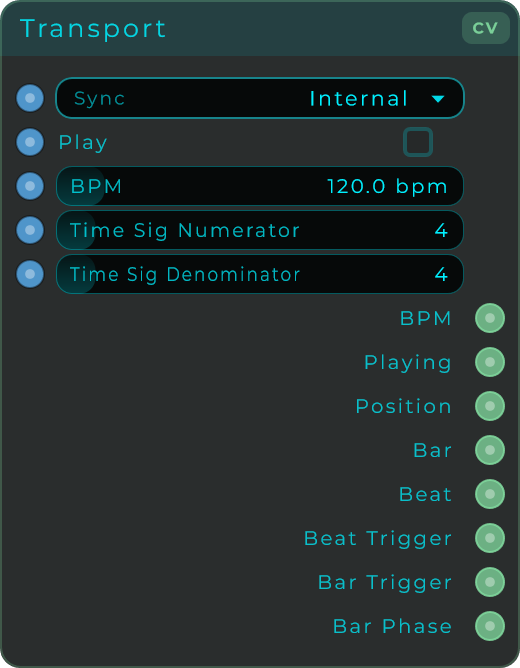
The Transport node gives you access to your DAW's timing information (or its own internal clock in standalone mode). This is the main way to get tempo, position, and beat information into your patch.
Outputs
| Output | Type | Description |
|---|---|---|
| BPM | CV | Current tempo in beats per minute |
| Playing | CV | 1 when playing, 0 when stopped |
| PPQ | CV | Position in quarter notes (absolute time position) |
| Bar | Data | Current bar number |
| Beat | Data | Current beat within the bar |
| Beat Trigger | Data | Fires an event on every beat |
| Bar Trigger | Data | Fires an event at the start of every bar |
| Bar Phase | CV | 0-to-1 ramp within the current bar. Completes one full cycle per bar |
Inputs
| Input | Type | Description |
|---|---|---|
| Sync | Data | 0 = use internal clock, 1 = sync to DAW host |
| BPM | Data | Set the tempo manually (useful in standalone) |
| Play | Data | Start/stop playback |
| Time Sig Num | Data | Time signature numerator (e.g., 4 in 4/4) |
| Time Sig Den | Data | Time signature denominator (e.g., 4 in 4/4) |
In plugin mode, the Transport reads timing from your DAW automatically. In standalone mode, it uses its own internal clock.
How to use Transport with Sequencers
Connect the Transport's PPQ output to a sequencer's Position input and set the sequencer to "External Position" mode. All connected sequencers will follow your DAW's transport perfectly. See the Sequencing page for more details.
CV Clock
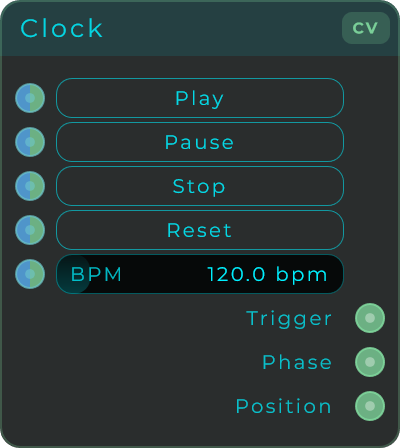
A standalone clock generator with its own Play, Pause, Stop, and Reset controls. Use this when you want a clock that runs independently from the DAW transport.
| Parameter | Range | Default | Description |
|---|---|---|---|
| Play | Event | — | Start the clock |
| Pause | Event | — | Pause (keeps position) |
| Stop | Event | — | Stop and reset to the beginning |
| Reset | Event | — | Reset position without stopping |
| BPM | 1 - 999 | 120 bpm | Clock tempo |
Outputs: Trigger (event per beat), Phase (0-1 ramp per beat), Position (beat count)
CV Clock Divider
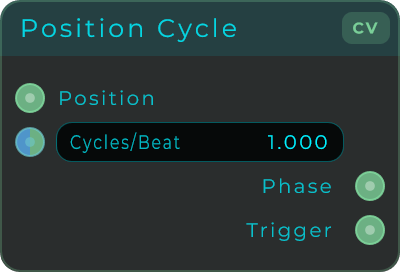
Takes a clock input and outputs at a slower rate. For example, if the input fires every quarter note and you set the division to 4, the output fires every whole note. Essential for creating slower rhythmic patterns from a fast clock.
| Parameter | Range | Default | Description |
|---|---|---|---|
| Cycles/Beat | — | 1.0 | Division ratio |
Input: Position (from a Clock or Transport) Outputs: Phase (divided), Trigger (divided)
CV Random Trigger
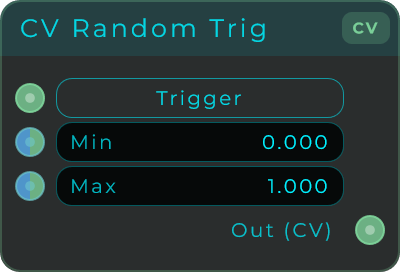
Each time it receives a trigger, outputs a random CV value between Min and Max.
| Parameter | Range | Default | Description |
|---|---|---|---|
| Trigger | Event | — | Fire manually |
| Min | unbounded | 0.0 | Minimum random value |
| Max | unbounded | 1.0 | Maximum random value |
CV Edge
Detects when a CV signal crosses a threshold (goes from low to high or high to low) and outputs a trigger pulse at that moment. Useful for converting continuous signals into discrete events.
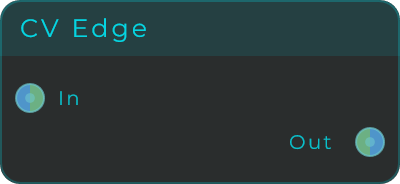
Input: CV signal Output: Trigger pulse on each edge crossing
CV Trigger
Generates a clean, short trigger pulse. Can be fired manually or from an input signal.
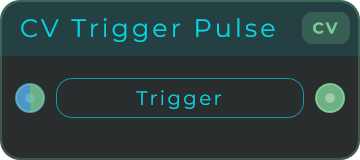
Input: Trigger (event or CV) Output: Clean trigger pulse (CV)