
Appearance
Subgraphs & Modules
These nodes let you take a chunk of your patch and tuck it neatly inside a single node you can reuse. A Subgraph is a node that holds a whole graph inside it. A Module does the same but adds its own front panel of controls. A Poly Module goes further and plays the inside as a polyphonic voice, meaning it can sound several notes at once. A Rack Canvas is a surface for modules, where you add them, place them and patch them together like a modular rack. The Sub In and Sub Out port nodes decide which connection points the container shows on the outside, and the Voice helper nodes let you read what is happening with each individual note inside a Poly Module.
Module
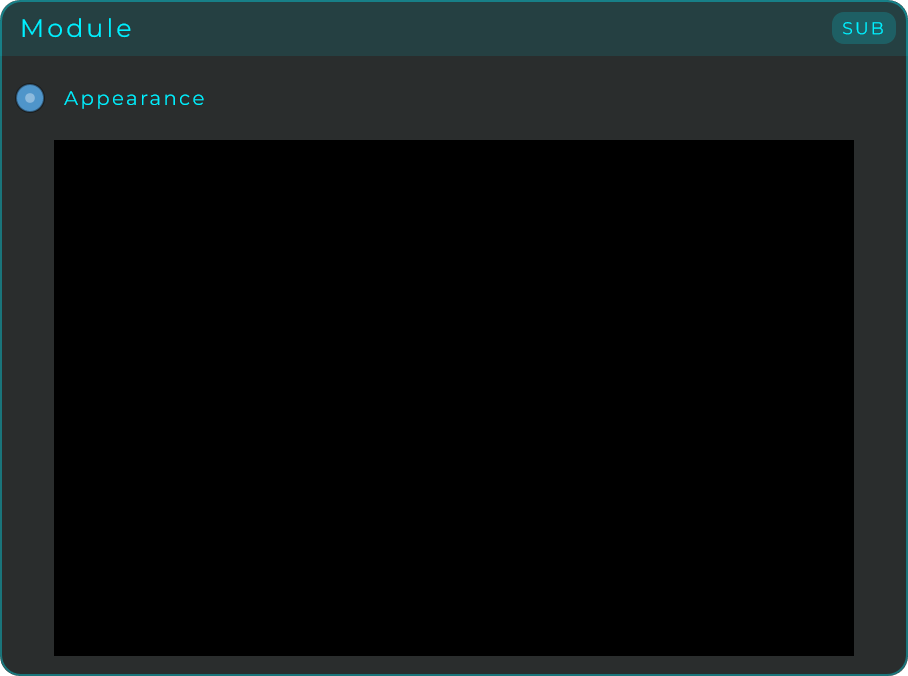
A Module is a Subgraph that also brings along its own front panel. Any controls (widgets) you place inside it appear right on the Module's face, and you can drop the whole Module onto your main Front Panel as a single, reusable set of controls. Use a plain Subgraph when you just want to tidy up your graph. Reach for a Module when you also want a self-contained panel you can reuse across different projects.
| Parameter | Range | Default | Description |
|---|---|---|---|
| Visible | On / Off | On | Shows or hides the Module on the front panel without removing it from the layout |
| Panel Alpha | 0.0 - 1.0 | 1.0 | Opacity of the Module's panel background |
| Stretch to Fill | On / Off | On | Scales the inner panel to fill the Module's body |
Inputs: an Appearance input pin (accepts a Visible property), plus any pins derived from the Sub In nodes placed inside. Outputs: any pins derived from the Sub Out nodes placed inside.
Poly Module
A Poly Module is a Module that can play several notes at the same time (polyphonic). Inside, you build just one voice (its oscillators, filters, envelopes and controls), and the container makes several copies of that voice and runs them side by side, mixing their sound together. Incoming notes are shared out among the copies by a built-in handler, and a voice stops using any CPU once it has gone quiet.
| Parameter | Range | Default | Description |
|---|---|---|---|
| Voices | 1 - 16 | 4 | How many copies of the voice play at the same time |
| Note Priority | Last Only Retrigger / Stack Retrigger | Last Only Retrigger | Only shown when Voices = 1. Last Only Retrigger makes each new note retrigger and a release silence the voice. Stack Retrigger keeps held notes stacked, so releasing the top note falls back to the previous one |
| Visible | On / Off | On | Shows or hides the Poly Module on the front panel without removing it from the layout |
| Panel Alpha | 0.0 - 1.0 | 1.0 | Opacity of the Poly Module's panel background |
| Stretch to Fill | On / Off | On | Scales the inner panel to fill the Poly Module's body |
Because it is a Module, a Poly Module also has all of Module's panel settings (Visible, Panel Alpha, Stretch to Fill), shown alongside the polyphony settings above.
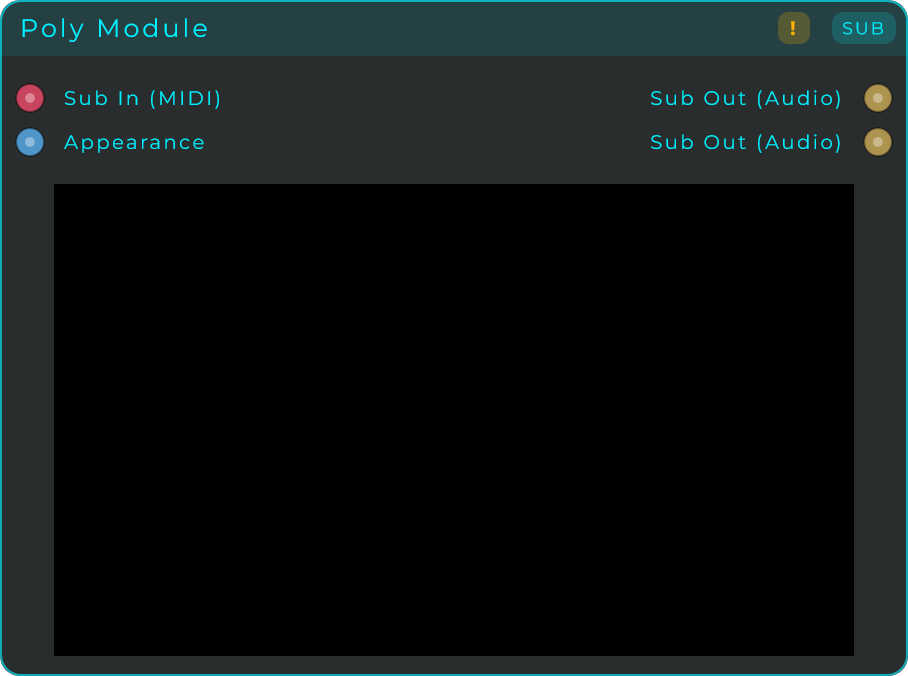
A brand-new Poly Module already comes with one Sub In (MIDI) and two Sub Out (Audio) nodes (left and right) connected up, so you can start building the voice straight away. To read the details of each note inside, use the Voice Gate / Pitch / Velocity / Index nodes. To play every note with several copies at once (unison), put a Parallel Module inside the voice and read the Voice Stack node inside it: it gives each copy a spread from -1 to +1 to detune or pan by. To make notes glide smoothly from one pitch to the next, drop a Smooth node on the pitch path inside the voice.
Select the Poly Module and the Inspector's Voices section shows every voice live, one row per voice under column titles: Voice (counted from 0, as Voice Index counts), Note and State (held, pedal, release or idle), with one colour per note. With no MIDI connected the rows are copies instead: Copy, State (active or idle) and the Spread the Voice Stack node gives that copy, as a dot on a bar from -1 to +1.
With no MIDI connected, a Poly Module plays no notes and works as copies of an effect instead: every voice runs all the time on the audio and CV coming in, and their outputs are added up. Four voices with a chorus inside are four choruses at once, and the Voice Stack node spreads its values across all of them, with Voices as the size. A voice sleeps while its input and its output are both silent and wakes as soon as signal arrives, so an idle module costs nothing.
Inputs: Voices and MIDI Panic pins (the count, and an event that silences everything), an Appearance input pin (accepts a Visible property), plus any pins derived from the Sub In nodes placed inside. Outputs: any pins derived from the Sub Out nodes placed inside.
TIP
The Lab's Instrument recipe generates a complete playable Poly Module for you (a whole voice inside, already wired to MIDI In, an on-screen keyboard and effects). A great starting point to open up and edit. See The Lab.
Parallel Module
A Poly Module built for effects. It is the same node underneath, but its voices are copies: its settings are in a Parallel Module section of the Inspector, where the Poly Module's Voices is called Copies, and a brand-new one comes with two Sub In (Audio) and two Sub Out (Audio) inside and no MIDI, so it runs on the incoming audio from the start: what you hear is as many copies as Copies says of whatever you build inside, added together. A chorus inside and Copies at 4 is four choruses at once.
The Voice Stack node inside tells each copy which one it is, and that is how the copies come to differ: Spread into the chorus rate and the four drift at different speeds, into a delay time and you have a multi tap, into a filter's cutoff and a bank of filters. Audio and CV nodes inside are copied per voice, each with its own state, so a noise or a Random CV is different in every copy; Data nodes and widgets are one for the whole module. A copy sleeps while its input and output are both silent and wakes with the signal, so an idle module costs nothing, and the Inspector's Copies section shows every copy live: its number, whether it is active or idle, and its Spread.
Put one inside the voice of a Poly Module for unison: every note then plays all its copies, each spread its own way by Voice Stack. Add a Sub In (MIDI) inside and it plays notes like a Poly Module; take it out and it is an effect again. The parameters are the Poly Module's, with Copies for Voices.

Inputs: the two audio inputs it comes with, Copies and MIDI Panic, an Appearance pin, plus any pins derived from other Sub In nodes placed inside. Outputs: the two audio outputs it comes with, plus any pins derived from other Sub Out nodes placed inside.
Rack Canvas
A Rack Canvas is a surface where you build a modular synth or effect out of modules, the way you would in a hardware rack or in VCV Rack: you put Rack Modules on it, arrange them freely, patch them with cables and play them, in the graph and on the Front Panel. It is used from the outside and does not open like a Module.
Needs: a Rack Canvas on the Front Panel with four or five modules on it, two of them patched with a cable.
The Rack Canvas guide explains everything step by step: adding and patching modules, looking around, the look, Perform, presets and States, and how a project with a rack is shared and installs the modules it needs on another computer.
In short:
- Press Modules in its corner to open a browser of cards over the rack, and double-click a card or drag it onto the rack. Only Rack Modules go on a rack.
- Drag a module by its panel to move it, press Delete over it to remove it, and right-click its panel to duplicate or remove it. Patch modules with the jacks on their panels, or to jacks outside the rack (see Patch Cables).
- Scroll with the wheel (it scrolls the rack even over knobs and sliders), the scroll bars or by dragging the empty surface, and zoom with Ctrl + wheel or a pinch.
- Everything on a rack is saved inside the project and its presets. Your own modules travel inside a Collect All & Export file, and the ones from the Hub or MNodes' factory content are installed automatically when someone imports the project.
| Parameter | Range | Default | Description |
|---|---|---|---|
| Grid | Off / 5 px / 10 px / 20 px / 40 px | 10 px | The step modules snap to as you place and move them |
| Add in Perform | On / Off | On | Whether modules can be put on the rack in Perform |
| Move in Perform | On / Off | On | Whether the rack's modules can be moved in Perform |
| Remove in Perform | On / Off | On | Whether modules can be taken off the rack in Perform |
| Visible | On / Off | On | Shows or hides the rack on the Front Panel without removing it from the layout |
| Panel Alpha | 0.0 - 1.0 | 1.0 | How solid the rack's surface is behind its modules, colour and image together |
| Background Mode | Solid / Linear / Radial | Solid | One colour, or a gradient along a line or out from a point, over the whole rack |
| Background Colour | Colour | Black | The colour of the surface in Solid mode, and where an unset gradient starts from. A transparent background image is tinted by it |
| Background From / To | Colour | Unset | The gradient's two colours. Unset, From is the Background Colour and To is that colour a little brighter |
| Background Angle | 0 - 360 | 0 | The gradient's direction: 0 runs left to right, 90 top to bottom |
| Background Start / End | 0 - 100 | 0 / 100 | Linear only: where along its line the gradient starts and ends |
| Background Centre X / Y | 0 - 100 | 50 | Radial only: where the gradient starts from, across and down the rack |
| Background Radius | 0 - 100 | 100 | Radial only: how far the gradient reaches |
| Background Image | PNG, JPEG or SVG | None | A picture or a texture for the surface. Collect All & Export takes it with the project |
| Image Fit | Fill / Fit / Stretch / Tile | Fill | Fill covers the rack, cropping the image; Fit shows all of it; Stretch pulls it to the rack's shape; Tile repeats it at its own size across the surface, moving and zooming with the modules |
| Image Opacity | 0.0 - 1.0 | 1.0 | How strong the image is over the background colour |
| Show Grid | While Moving / Always / Never | While Moving | When the grid's dots are drawn. Modules snap to the Grid step either way |
| Grid Colour | Colour | Theme | The colour of the grid's dots |
| Border Width | 0 - 20 | 0 | How thick the border around the rack is, in pixels. 0 draws none |
| Border Colour | Colour | Theme | The colour of the border |
| Scroll Bars | On / Off | On | Shows scroll bars while some modules are out of view |
Inputs: Bypass, Show Panel and Appearance. Outputs: none. Sound and signals leave through the cables patched to its modules.
Subgraph
This is a node with a whole graph living inside it. Drop a Subgraph onto your patch and double-click it to step inside and edit its internal graph. The connection points it shows on the outside come from the Sub In and Sub Out nodes you place inside, so a Subgraph is a clean way to nest part of a patch and keep your top level tidy.
| Parameter | Range | Default | Description |
|---|---|---|---|
| Oversample | Off / 2x / 4x / 8x | Off | Runs the inner graph at a multiple of the host sample rate, with anti-aliasing on the audio crossing, both out through its Sub Out pins and out of an Audio Out placed inside. Oversampling adds a small amount of latency; MNodes measures it and reports it to your DAW so everything stays aligned (you can see it in the Graph Stats overlay's Latency readout) |
Inputs: any pins derived from the Sub In nodes placed inside. Outputs: any pins derived from the Sub Out nodes placed inside.
Sub In (Data/CV)
Place this inside a subgraph to bring in a Data value from the patch outside. If something flowing (a live signal) is connected to the matching point on the outside, it switches into CV mode and works as a real-time signal input.
Inputs: none. Outputs: Out (the value arriving from the parent graph).
Sub Out (Data/CV)
Place this inside a subgraph to send a Data value back out to the patch outside. In CV mode it passes along a real-time signal.
Inputs: In (the value to send back to the parent graph). Outputs: none.
Sub In (Audio)
Place this inside a subgraph to bring in one channel of audio from the patch outside. Add one for each channel (for example, two for a stereo input).
Inputs: none. Outputs: Out (audio coming from the parent graph).
Sub Out (Audio)
Place this inside a subgraph to send one channel of audio back out to the patch outside. Add one for each channel (for example, two for a stereo output).
Inputs: In (audio sent back to the parent graph). Outputs: none.
Sub In (CV)
Like Sub In (Data/CV), but it always stays in CV (live signal) mode. Use it when you want to connect to CV nodes inside the subgraph even when nothing is wired up from outside.
Inputs: none. Outputs: CV Out (the CV value arriving from the parent graph).
Sub Out (CV)
Like Sub Out (Data/CV), but it always stays in CV (live signal) mode. Use it when you want to receive from CV nodes inside the subgraph even when nothing is wired up outside.
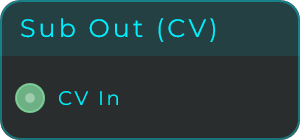
Inputs: CV In (the CV value sent back to the parent graph). Outputs: none.
Sub In (MIDI)
Place this inside a subgraph to bring in MIDI (note and control messages) from the patch outside.
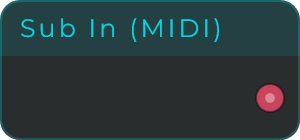
Inputs: none. Outputs: MIDI (MIDI coming from the parent graph).
Sub Out (MIDI)
Place this inside a subgraph to send MIDI (note and control messages) back out to the patch outside.
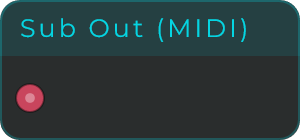
Inputs: MIDI (MIDI sent back to the parent graph). Outputs: none.
Voice Gate
Sends out 1.0 while the note is being held and 0.0 once it is released. Use it as the gate (the on/off trigger) for an envelope inside a Poly Module. Outside a Poly Module the value just stays at 0.
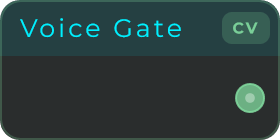
Inputs: none. Outputs: Gate (1.0 while held, 0.0 otherwise, as CV).
Voice Pitch
Sends out the MIDI note number of the note this voice is playing (60 = middle C). Pass it through a Note To Freq node (not CV To Freq, which expects volts per octave) to turn it into a frequency in Hz before feeding it to an oscillator.
Inputs: none. Outputs: Note (the voice's MIDI note number, as CV).
Voice Velocity
Sends out how hard the most recent note was played for this voice, scaled from 0 to 1. It holds onto the last value after the note is released.
Inputs: none. Outputs: Vel (note-on velocity, 0 to 1, as CV).
Voice Index
Sends out the number of the current voice (0 up to N-1), which stays the same for that voice. Handy for giving each voice a slightly different tuning (multiply by a small amount into an oscillator's frequency offset) or a different stereo position.
Each voice sees its own number. The number the graph shows next to the pin is voice 0's, since only that voice feeds what you see on screen, and a Voice Index taken out of the module through a CV Sub Out is the sum of every sounding voice's number, because the Poly Module adds its voices together. To know which voice the latest note went to, read Last Voice on Poly Voices.
Inputs: none. Outputs: Idx (the voice index, 0 to N-1, as CV).
Voice Stack
Tells a copy which one it is. A Parallel Module, or a Poly Module with no MIDI connected, runs every voice at once on what comes in, as copies of what is built inside, and this node is how each copy gets to sound different.
Index is the copy's number, 0 up to Size minus 1. Size is how many copies there are: a Parallel Module's Copies, or a Poly Module's Voices. Spread hands out Size values evenly from -1 to +1 (two copies get -1 and +1, three get -1, 0 and +1): into a chorus rate and the copies drift at different speeds, into a CV Detune for a unison detune, or use it as a pan position for width. The same copy gets the same values every time.
For unison on notes, put a Parallel Module inside the voice of a Poly Module and this node inside the Parallel Module: every note then plays all the copies, each spread its own way. A voice that plays a note is a single copy: there, and outside a module, Index and Spread read 0 and Size reads 1.
The numbers on the node are live. They belong to the module's first voice, the one that feeds every display inside a module; the other copies carry their own.
Inputs: none. Outputs: Index (this copy's number, as CV), Size (how many copies there are, as CV), Spread (-1 to +1 across the copies, 0 for a single one, as CV).
Poly Voices
Reports what the whole Poly Module is doing, unlike the per-voice nodes above. It offers two families of outputs, each one a count plus its two edges.
The sounding family: Voices tells you how many notes are sounding right now. A note counts from its note-on until its sound actually fades out, so envelope releases and effect tails are included. First fires an event when a note arrives while the module was silent, and Last fires an event when the final sounding voice fades out. Handy for things tied to the module making sound, like resetting a sequencer once everything has gone quiet.
The keys family: Held tells you how many keys are down, counting notes the sustain pedal is keeping alive as still held. First Key fires an event when a key goes down while none was held, even if old tails are still ringing, and Last Key fires the moment the final key is released, while the sound is usually still fading. This pair is the natural driver for a shared envelope: First Key starts it, Last Key releases it.
Last Voice tells you which voice the latest note went to, 0 up to N-1. It sends the number on every note-on and holds it until the next one, and it reads 0 until the first note. It is the way to know from outside the module which voice is playing the newest note: a Voice Index taken out through a CV Sub Out comes out as the sum of every sounding voice's number, since the Poly Module adds its voices together, and what a node inside the module shows on screen is always voice 0's value.
Every output is also a CV stream: the counts and Last Voice carry their value, and the four event pins pulse to 1.0 for one block on their edge, so they can trigger CV inputs directly. One thing to know: a voice that has gone fully silent stops processing, so CV wired from Last or Last Key inside a sleeping voice cannot run there; the Data event always fires, use it for anything that must react while the module is silent. For conditions like "exactly one voice", compare a count with an If node.
With no MIDI connected the module plays no notes, so the counts stay at 0. Outside a Poly Module nothing updates these outputs. The three counts show their live value on the node.
Inputs: none. Outputs: Voices (how many voices are sounding, emitted on change, also as CV), First (Event when the module starts sounding), Last (Event when it goes silent), Held (how many keys are held, pedal included, emitted on change, also as CV), First Key (Event when the first key goes down), Last Key (Event when the last key is released), Last Voice (the number of the voice the latest note went to, sent on every note, also as CV).