
Appearance
Values
Value nodes are the constants and simple sources in your patch: the little holders that keep a number, an on/off switch, a piece of text or a file path, and hand it to the rest of the patch when you ask. Most of them send out their stored value again whenever you send a trigger (an Event) to their input, so "send this number now" takes just one connection. A few do more: Curve bends a value along a musical shape, CV Value turns a number into a steady control signal, and the text nodes build up words on the fly. Reach for these whenever a node further down the chain needs a fixed value, an offset, a label or a one-off trigger.
Curve
Bends a value (from 0 to 1) along one of six shapes (Linear, Exponential, Logarithmic, S-Curve, Inverse S or Custom, where you draw your own curve with breakpoints on the node body), with an Amount knob that sets how strongly it bends. Connect a slider, an LFO, an envelope or a mod wheel so a control further down the chain feels natural and musical instead of flat and even. The node draws a live picture of the shape on its body, and you can place it on the Front Panel.
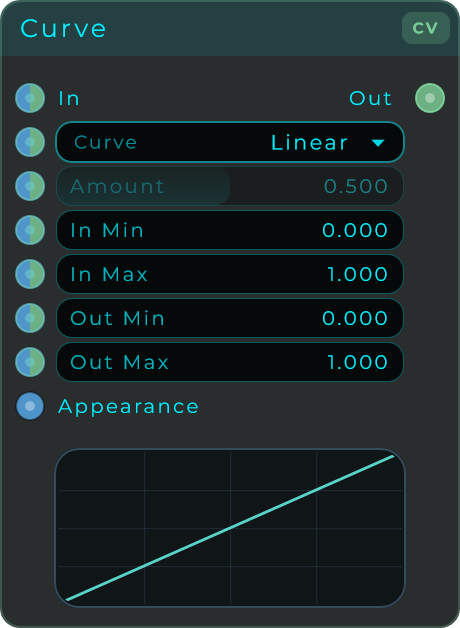
| Parameter | Range | Default | Description |
|---|---|---|---|
| Curve | Linear / Exponential / Logarithmic / S-Curve / Inverse S / Custom | Linear | The shape applied to the value. Linear passes it through unchanged. |
| Amount | 0.0 to 1.0 | 0.5 | How aggressive the curve is. Has no effect on Linear, so it greys out there. |
| In Min | Any number | 0.0 | Low end of the input range to remap from (Inspector only). |
| In Max | Any number | 1.0 | High end of the input range to remap from (Inspector only). |
| Out Min | Any number | 0.0 | Low end of the output range to remap into (Inspector only). |
| Out Max | Any number | 1.0 | High end of the output range to remap into (Inspector only). |
Inputs: In (value to reshape, 0 to 1 expected and clamped if out of range), Curve (curve type selector, a knob that can also be driven by CV), Amount (curve strength, a knob that can also be driven by CV), Appearance (optional JSON to style the body live).
Outputs: Out (the reshaped value).
CV Value
Sends out one fixed number as a steady control signal, so other nodes can read it at every moment. It is the simplest control source there is: just a constant number, refreshed at full audio speed. If you connect a changing signal to the Value input instead, that signal passes straight through.
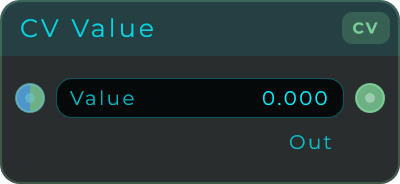
| Parameter | Range | Default | Description |
|---|---|---|---|
| Value | Any number | 0.0 | The constant value sent out as a CV stream. Accepts a stream for pass-through. |
Inputs: Value (the value to output; if a stream is connected it passes through instead).
Outputs: Out (the constant value as a CV stream).
Signal
Turns an incoming number into a steady audio signal (a flat, unchanging level), holding the last number it received at every moment. CV Value sends out a control signal, while Signal sends out real audio, so use Signal to feed a number into an audio input or to add a steady offset to an audio path. The Value input accepts a changing signal too, and any number you send sets the level (a trigger on its own does nothing).
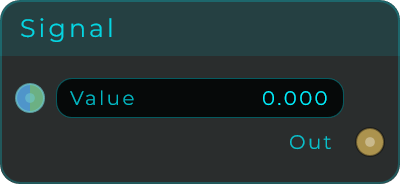
| Parameter | Range | Default | Description |
|---|---|---|---|
| Value | Any number | 0.0 | The constant level sent out as an audio (DC) signal. |
Inputs: Value (sets the signal level; stream-capable, an Event does nothing).
Outputs: Out (the constant value as an audio signal).
Event
A trigger you fire by hand. Click the button, or send any message into Trigger, to fire a single trigger (an Event) on to the next node. The simplest way to kick something off yourself.
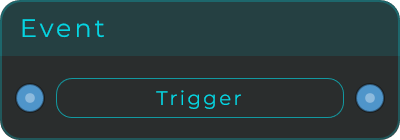
| Parameter | Range | Default | Description |
|---|---|---|---|
| Trigger | Button | : | Click to emit an Event (same as triggering the input). |
Inputs: Trigger (any message fires the node).
Outputs: Event (emitted when triggered).
On Load
Fires a single trigger (an Event) once a project or preset has finished loading. It is the dependable way to set a patch up, restore its state, or start an intro sequence. It does not fire when the audio engine quietly rebuilds itself, only on a real load or restore.
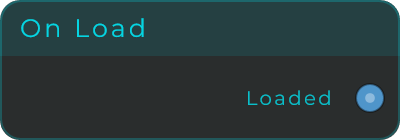
Inputs: none.
Outputs: Loaded (one Event after a project load or preset load completes).
Slider
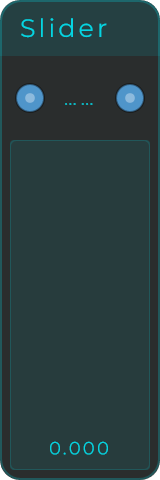
An upright bar slider that sends out a smoothly changing value between Min and Max. Hands-on control for any setting that takes a number. Moving it sends out the value, and a trigger (an Event) sent in makes it send the current value again. You can resize the node.
| Parameter | Range | Default | Description |
|---|---|---|---|
| Value | Min to Max | 0.0 | The current slider value. |
| Min | Any number | 0.0 | Lowest value the slider can reach. |
| Max | Any number | 1.0 | Highest value the slider can reach. |
| Default | Min to Max | 0.0 | Value used when the slider is reset. |
| Increment | 0 or more | 0.0 | Step size to snap to. 0 means smooth, no snapping. |
| Mouse Mode | Jump to position / Relative drag | Jump to position | How a click or drag moves the handle. |
| Show Value | On / Off | On | Whether the current value is drawn on the body. |
Inputs: In (sets the slider value; an Event triggers output of the current value).
Outputs: Out (the current slider value, emitted on any change).
File
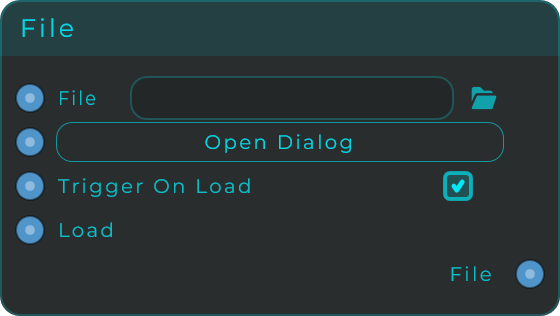
Browse and pick a file. The node sends out the path you chose, fires a trigger when a file is set, and can also take a path as text so other parts of the patch can change it. Set the path by dragging a file onto the picker, clicking Open Dialog to browse, sending a text path to the File input, or clicking Load to send the current path again. The path is saved with the project. You can resize the node.
| Parameter | Range | Default | Description |
|---|---|---|---|
| File | File path | empty | The current file path shown in the picker. Supports drag and drop. |
| Open Dialog | Button | : | Opens a file browser (filters: wav, mp3, aif, aiff, flac, ogg, m4a). |
| Trigger On Load | On / Off | On | When on, the path is emitted automatically as soon as a new file is loaded. |
| Load | Button | : | Re-emits the current path. Always fires, even when Trigger On Load is off. |
Inputs: File (sets the path from text; an Event does nothing), Open Dialog (any message opens the browser), Trigger On Load (enable or disable automatic emission), Load (any message re-emits the current path, always).
Outputs: File (the current file path as text, sent when triggered).
Float
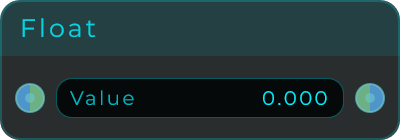
A fixed decimal number. Set it once and feed it anywhere as a steady value, an offset or a scaling factor. It also accepts a changing signal, so if you connect one to its input the value can move at full audio speed. A trigger (an Event) sent in makes it send the current value again. You can set an optional Min and Max range in the Inspector.
| Parameter | Range | Default | Description |
|---|---|---|---|
| Value | Min to Max | 0.0 | The constant decimal value sent out. |
| Min | Any number, or No limit | No limit | Optional lower bound for the value (Inspector only). |
| Max | Any number, or No limit | No limit | Optional upper bound for the value (Inspector only). |
Inputs: Value (sets the value; stream-capable for audio-rate modulation).
Outputs: Value (the current value; stream-capable).
Int
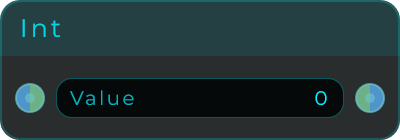
A fixed whole number. A tidy value for things like positions in a list, channels, step counts and any logic that needs an exact whole number. It also accepts a changing signal, so a connected signal can move it at full audio speed (always rounded to whole numbers). A trigger (an Event) sent in makes it send the current value again. You can set an optional Min and Max range in the Inspector.
| Parameter | Range | Default | Description |
|---|---|---|---|
| Value | Min to Max | 0 | The constant whole number sent out. |
| Min | Any whole number, or No limit | No limit | Optional lower bound for the value (Inspector only). |
| Max | Any whole number, or No limit | No limit | Optional upper bound for the value (Inspector only). |
Inputs: Value (sets the value; stream-capable for audio-rate modulation).
Outputs: Value (the current value; stream-capable).
Bool
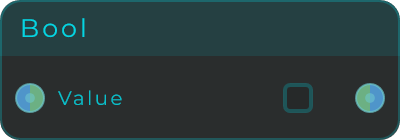
A fixed true or false. Lock in an on/off state to drive gates, switches or yes/no logic. It also works as a changing signal, sending 1.0 for true and 0.0 for false; a signal coming in counts as true from 0.5 up. A trigger (an Event) sent in makes it send the current value again.
Data Out sends the state only when it changes: 1 the moment it turns true, 0 the moment it turns false, and nothing while it stays put. It works the same whether a signal or a data value drives the node, which makes it the way to hand an on/off state to something that reacts to every value it receives. For example, MIDI To CV's Notes Held into the Bool and Data Out into an Audio Player's Play: the file starts with the first key, keeps playing however many keys follow, and stops when the last one comes up. Going through a CV to Data instead repeats the value about once a second, and a Play input starts over every time it hears it.
| Parameter | Range | Default | Description |
|---|---|---|---|
| Value | On / Off | Off | The constant true or false state sent out. |
Inputs: Value (sets the state; stream-capable for audio-rate modulation).
Outputs: Value (the current state; stream-capable), Data Out (1 or 0, sent only when the state changes).
Text
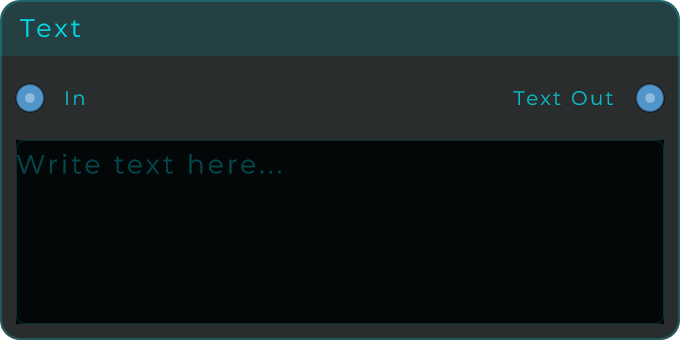
Holds a piece of text you can edit and sends it out as data. Normally, editing the text just updates what is stored, and you send a trigger (an Event) to In to send it out. With Trigger on change turned on, any real edit sends it out right away. Data other than a trigger arriving at In updates the stored text, so sending a number in writes that number out as text, which is the usual way to show a knob's value on screen. You can resize the node.
| Parameter | Range | Default | Description |
|---|---|---|---|
| Text | Any text | empty | The stored text value. |
| Trigger on change | On / Off | On | When on, text edits and incoming changes emit immediately. When off, an Event to In is needed to emit. |
Inputs: In (non-event data updates the stored text, numbers included; an Event emits the current text).
Outputs: Text Out (the stored text, emitted on Event or immediately on change when Trigger on change is enabled).
Prepend Text
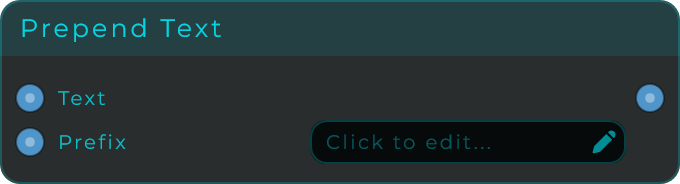
Holds a main text plus a piece to put in front, then sends out Prefix + Text (the front piece followed by the main text). Useful for building file paths on the fly, adding a fixed start to labels, or formatting values for display. Any data other than a trigger arriving at Text or Prefix updates that part and sends out the combined result. A trigger (an Event) on either input sends the current combined text again. You can resize the node.
| Parameter | Range | Default | Description |
|---|---|---|---|
| Prefix | Any text | empty | Text placed before the main text. Changing it emits the recombined output. |
Inputs: Text (the main text to prepend onto), Prefix (text placed before the main text; an Event re-emits the current result).
Outputs: Out (the combined result, Prefix + Text).
Append Text
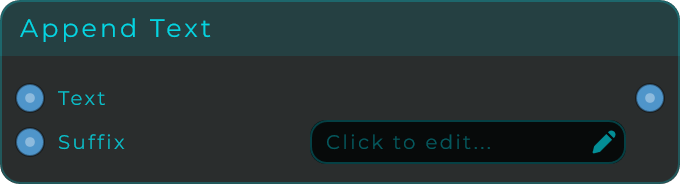
Holds a main text plus a piece to put after it, then sends out Text + Suffix (the main text followed by the end piece). Useful for adding endings, file extensions or units onto number readouts. Any data other than a trigger arriving at Text or Suffix updates that part and sends out the combined result. A trigger (an Event) on either input sends the current combined text again. You can resize the node.
| Parameter | Range | Default | Description |
|---|---|---|---|
| Suffix | Any text | empty | Text placed after the main text. Changing it emits the recombined output. |
Inputs: Text (the main text to append onto), Suffix (text placed after the main text; an Event re-emits the current result).
Outputs: Out (the combined result, Text + Suffix).
Sub Text
A piece out of a longer string. Start says where the piece begins and Length says how many characters to take, so one node covers taking from the left, taking from the right and taking out of the middle. A negative Start counts back from the end, which is how you get the last four characters of something whose length you do not know.

| Parameter | Range | Default | Description |
|---|---|---|---|
| Start | Whole numbers | 0 | Where the piece begins, counting from 0. Negative counts back from the end. |
| Length | 0 and up | 0 | How many characters to take. 0 takes everything left. |
Inputs: Text (Data, the string to cut; an event re-sends the last answer), Start, Length (Data).
Outputs: Out (Data, the piece).
Text Length
Counts the characters in a text and sends out the number, which the node also shows. Spaces and punctuation count too, and an empty text is 0. A number sent in is counted as the text it shows, so 440 counts as 3.
Needs: screenshot of a Text node holding "hello world" wired into Text Length, which shows Length 11.
Inputs: Text (Data, the text to count; an event sends the last length again).
Outputs: Length (Data, how many characters the text has).
Going through a text one character at a time. Positions in a text count from 0, so the last character is at the length minus 1:
- Send the length into a Subtract with B set to 1, and its result into a Counter's Max. Set the Counter's Min to 0 and turn Wrap on.
- Send the Counter's Count into Sub Text's Start, set Sub Text's Length to 1, and send Sub Text the same text.
- Each trigger into the Counter's In now sends out the next character, and after the last one it starts again from the first.
Text Split
Cuts a text into pieces wherever a separator appears, and sends out the piece at Index together with how many pieces there are. Type or paste the text into the node, or wire it in. The node shows the current piece and the count.
Needs: screenshot of Text Split holding "ff0000, 00ff00, 0000ff" with Index 1, showing Piece 00ff00 and Count 3.
| Parameter | Range | Default | Description |
|---|---|---|---|
| Text | Any text | empty | The text to cut into pieces. |
| Separator | Any text | , | Where the text is cut: one character or several. Type \n for new lines and \t for tabs. Left empty, the whole text is one piece. |
| Index | Whole numbers | 0 | Which piece to send, counting from 0. A negative Index counts back from the end, so -1 is the last piece. |
Inputs: Text, Separator, Index (Data; an event on any of them sends the current piece and count again).
Outputs: Piece (Data, the piece at Index), Count (Data, how many pieces there are).
How the text is cut:
- Spaces around each piece are removed.
- Nothing between two separators is an empty piece that keeps its place, so the columns of a CSV line stay where they are. A separator at the very end of the text does not start another piece.
- A piece in double quotes can contain the separator, the way spreadsheets write CSV files. The quotes are removed.
- An Index past the last piece sends an empty piece.
Going through the pieces. Send Count into a Subtract with B set to 1, and its result into a Counter's Max, with Min at 0 and Wrap on. Send the Counter's Count into Index: each trigger into the Counter sends out the next piece.
Several pieces at once. To send pieces to different places at the same time, such as each colour of a palette to its own Colour node, use one Text Split per piece, each with its own Index, and send them all the same text.