
Appearance
Distortion
Distortion nodes change the shape of a sound to add edge, grit and character, anywhere from gentle, warm valve glow to harsh digital crunch. There is a wide choice here: smooth saturation, hard clipping, wavefolding, rectification and bitcrushing. Every node has a Mix control so you can blend the clean and distorted sound together (parallel distortion), and every parameter dot can be driven live by another node, so any knob can move on its own while the sound plays.
Tube Saturation
A gentle stereo saturation modelled on classic valve (tube) gear. It adds warmth and body with a soft, slightly uneven shaping, plus a tone control and a wet mix, so you get warmth without the sound turning harsh.
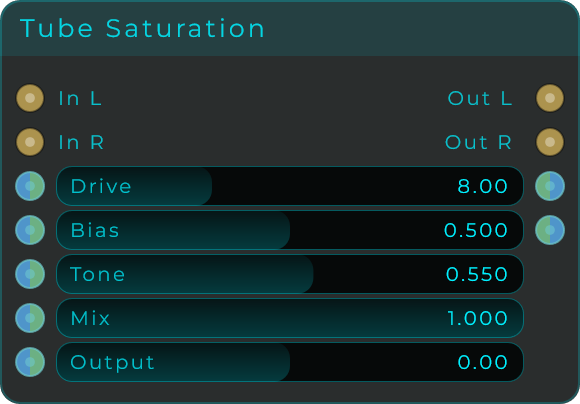
| Parameter | Range | Default | Description |
|---|---|---|---|
| Drive | 0 to 24 dB | 8 dB | How hard the signal is pushed into the tube stage. More drive means more harmonics. |
| Bias | 0.0 to 1.0 | 0.5 | Offsets the asymmetry of the curve, shifting the bias toward one half of the wave. |
| Tone | 0.0 to 1.0 | 0.55 | Shifts the character between darker and more open. |
| Mix | 0.0 to 1.0 | 1.0 | Blend between the dry input and the saturated signal. |
| Output | -18 to +18 dB | 0 dB | Output trim applied after saturation. |
Inputs: In L, In R (audio); plus a Data/CV input pin for every parameter above.
Outputs: Out L, Out R (audio); Drive and Bias (Data, echoing the current values for chaining).
Clip
A hard clipper that chops the tops and bottoms off the wave once it gets too loud. This gives an aggressive bite for fuzz, lo-fi crunch and harsh saturation, or a final hard ceiling before a limiter.
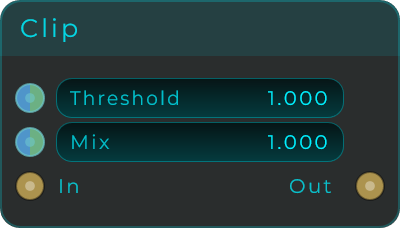
| Parameter | Range | Default | Description |
|---|---|---|---|
| Threshold | 0.01 to 1.0 | 1.0 | Level where the signal is flattened. Lower thresholds clip harder. |
| Mix | 0.0 to 1.0 | 1.0 | Blend between the dry input and the clipped signal (parallel distortion). |
Inputs: In (audio); plus a Data/CV input pin for Threshold and Mix.
Outputs: Out (audio).
Tanh
A smooth, rounded saturation. Instead of chopping the peaks off, it eases them down gradually, giving a warm, valve-like tone for an analog feel.
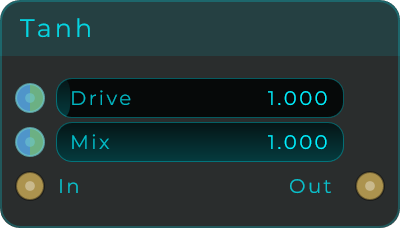
| Parameter | Range | Default | Description |
|---|---|---|---|
| Drive | 0.0 to 20.0 | 1.0 | Gain into the tanh curve. Higher values add more harmonics and gentle compression. |
| Mix | 0.0 to 1.0 | 1.0 | Blend between the dry input and the saturated signal. |
Inputs: In (audio); plus a Data/CV input pin for Drive and Mix.
Outputs: Out (audio).
Atan
A soft saturation in the same family as Tanh, but with a slightly sharper edge, so the grit builds up a little faster as you push it harder for a bit more bite.
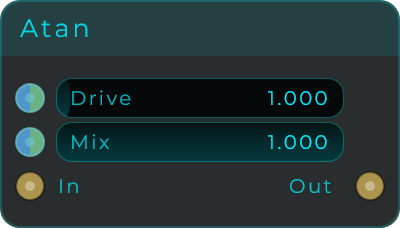
| Parameter | Range | Default | Description |
|---|---|---|---|
| Drive | 0.0 to 20.0 | 1.0 | Gain into the atan curve. Higher values get grittier. |
| Mix | 0.0 to 1.0 | 1.0 | Blend between the dry input and the saturated signal. |
Inputs: In (audio); plus a Data/CV input pin for Drive and Mix.
Outputs: Out (audio).
Cubic
A soft clipper that tips into distortion a little more suddenly than Tanh or Atan. The result feels slightly more aggressive while still sounding musical.
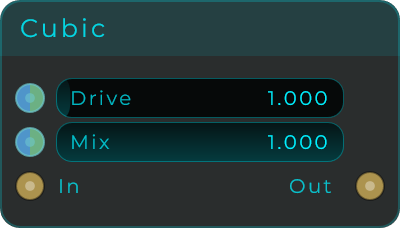
| Parameter | Range | Default | Description |
|---|---|---|---|
| Drive | 0.0 to 20.0 | 1.0 | Gain into the cubic curve. Higher values push deeper into clipping. |
| Mix | 0.0 to 1.0 | 1.0 | Blend between the dry input and the processed signal. |
Inputs: In (audio); plus a Data/CV input pin for Drive and Mix.
Outputs: Out (audio).
Foldback
A wavefolder: instead of chopping the peaks off, it folds them back into the sound. Pushing harder does not make it louder, it makes it richer and more harmonically complex, great for West Coast synth textures and gnarly leads.
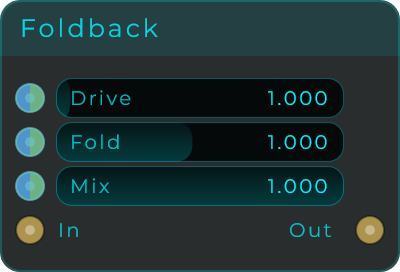
| Parameter | Range | Default | Description |
|---|---|---|---|
| Drive | 0.0 to 20.0 | 1.0 | How hard the signal pushes into the folder. |
| Fold | 0.1 to 2.0 | 1.0 | Fold threshold. Lower values start folding sooner for more harmonics. |
| Mix | 0.0 to 1.0 | 1.0 | Blend between the dry input and the folded signal. |
Inputs: In (audio); plus a Data/CV input pin for every parameter above.
Outputs: Out (audio).
Rectify
A rectifier flips the bottom half of the wave up to the top. This doubles the pitch for octave-up effects, fuzz textures and synthetic, electronic tones.
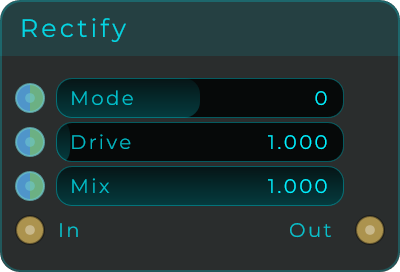
| Parameter | Range | Default | Description |
|---|---|---|---|
| Mode | -1 / 0 / +1 (step 1) | 0 (Full-wave) | Three positions: -1 = positive half-wave (silences the negative half); 0 = full-wave (mirrors the negative half up for an octave-up effect); +1 = negative half-wave (silences the positive half). |
| Drive | 0.0 to 20.0 | 1.0 | Boost applied before rectification. |
| Mix | 0.0 to 1.0 | 1.0 | Blend between the dry input and the rectified signal. |
Inputs: In (audio); plus a Data/CV input pin for every parameter above.
Outputs: Out (audio).
Asym Drive
An uneven drive modelled on tube and diode circuits. It treats the top and bottom halves of the wave differently, which adds a particular kind of harmonic warmth and character while keeping the detail in the sound.
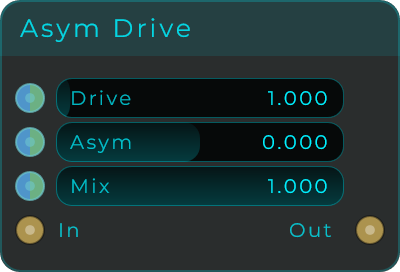
| Parameter | Range | Default | Description |
|---|---|---|---|
| Drive | 0.0 to 20.0 | 1.0 | Overall saturation amount. |
| Asym | -1.0 to 1.0 | 0.0 | Biases the curve toward one half of the wave. Near 0 is cleaner and more symmetric; away from 0 adds character. |
| Mix | 0.0 to 1.0 | 1.0 | Blend between the dry input and the driven signal. |
Inputs: In (audio); plus a Data/CV input pin for every parameter above.
Outputs: Out (audio).
Bitcrush
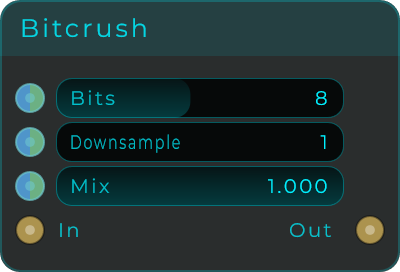
Adds digital, lo-fi grit in two classic ways: by lowering the audio's resolution (bits) and by lowering its quality rate (downsample). Great for old-school lo-fi sounds, retro game-console grit and glitchy textures.
| Parameter | Range | Default | Description |
|---|---|---|---|
| Bits | 1 to 16 | 8 | Quantisation resolution. 16 is clean; lower values add gritty quantisation noise. |
| Downsample | 1 to 64 | 1 | Sample-rate reduction. Holds each sample for several outputs in a row; higher values add aliasing and a metallic sheen. |
| Mix | 0.0 to 1.0 | 1.0 | Blend between the dry input and the crushed signal. |
Inputs: In (audio); plus a Data/CV input pin for every parameter above.
Outputs: Out (audio).
Waveshaper
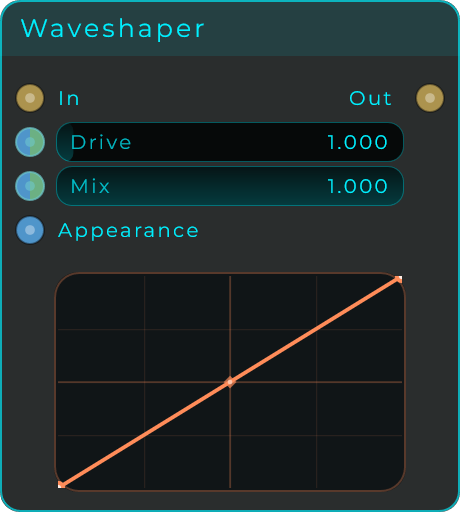
Distortion you draw yourself. The body shows a transfer curve: the horizontal axis is the incoming level, the vertical axis is what comes out, and the straight diagonal means no change. Drag points to reshape it, bend each segment, and add or remove points to build anything from gentle saturation to broken, glitchy shapes. Drive pushes the signal harder into the curve and Mix blends the clean sound back in. The curve editor can also sit on the front panel.
| Parameter | Range | Default | Description |
|---|---|---|---|
| Drive | 0.0 to 20.0 | 1.0 | Gain into the curve. Higher values push deeper into the drawn shape. |
| Mix | 0.0 to 1.0 | 1.0 | Blend between the dry input and the shaped signal. |
Inputs: In (audio); a Data/CV input pin for Drive and Mix; Appearance (Data, a JSON object that restyles the body).
Outputs: Out (audio).
Waveshaper Stereo
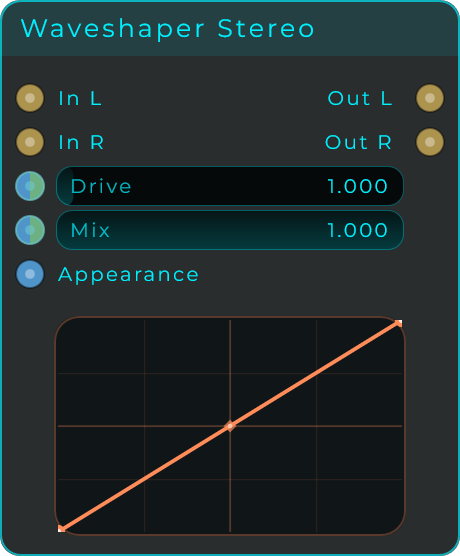
The same drawable distortion for a stereo pair: one shared curve shapes both In L and In R, with the same Drive and Mix controls, out to Out L and Out R.
TIP
Chain distortion types for complex tonal shaping: a touch of Tanh warmth into Foldback for harmonics, then a filter to tame the highs.
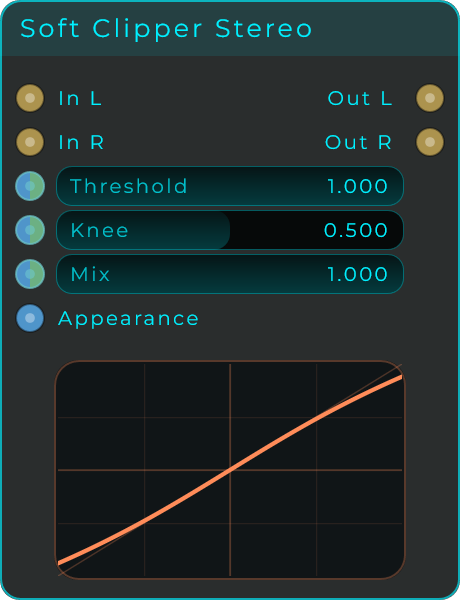
Soft Clipper
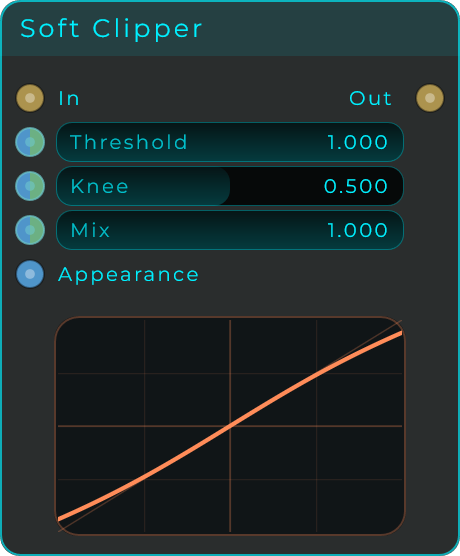
A clean ceiling for your signal. Where a hard clip chops the tops off a wave and adds harsh harmonics, this one rounds them over, so peaks are held down without the sound turning brittle. Use it as a safety catch at the end of a chain, or push into it for a gentle thickening.
Knee decides how gradual that rounding is: at 0 it behaves almost like a hard clip, and at 1 the signal starts bending well before it reaches the threshold, which is smoother but colours the tone earlier.
| Parameter | Range | Default | Description |
|---|---|---|---|
| Threshold | 0.01 - 1.0 | 1.0 | Level the output is held under |
| Knee | 0.0 - 1.0 | 0.5 | How gradually the clipping comes in |
| Mix | 0.0 - 1.0 | 1.0 | Balance between the dry input and the clipped signal |
Inputs: In (audio), Appearance Outputs: Out (audio)
Soft Clipper Stereo
The same clipper for a left and right pair, with In L/R and Out L/R and identical controls.
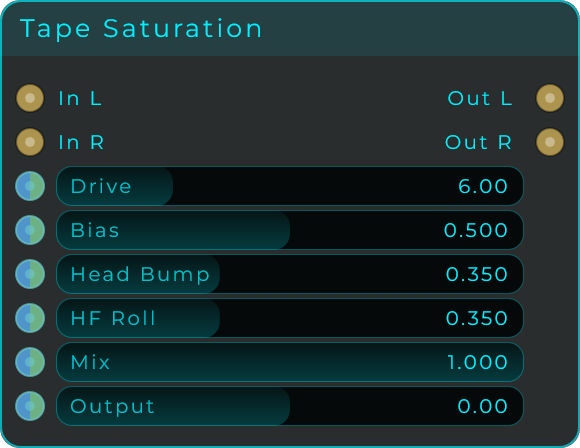
Tape Saturation
The sound of pushing a signal into magnetic tape: a soft compression as it drives, a lift in the low end from head bump, and a gentle loss of the very top. It flatters drums and bass, glues a mix bus, and takes the digital edge off anything that feels too clean.
Drive is where the character lives. Bias shifts how the signal sits against the tape curve, which changes the balance of even and odd harmonics, and HF Roll decides how much air comes off the top as it works.
| Parameter | Range | Default | Description |
|---|---|---|---|
| Drive | 0 - 24 dB | 6 dB | How hard the signal is pushed into the tape |
| Bias | 0.0 - 1.0 | 0.5 | Where the signal sits on the tape curve, changing the harmonic balance |
| Head Bump | 0.0 - 1.0 | 0.35 | Low-end lift, the way tape machines flatter bass |
| HF Roll | 0.0 - 1.0 | 0.35 | How much high end is lost as it saturates |
| Mix | 0.0 - 1.0 | 1.0 | Balance between the dry input and the saturated signal |
| Output | -18 - +18 dB | 0 dB | Level after saturation, to make up for what drive added or took |
Inputs: In (audio), plus every control above accepts CV Outputs: Out (audio)