
Appearance
Stereo Tools
Stereo Tools decide where a sound sits between your left and right speakers and how wide or narrow it feels. Move a single (mono) sound anywhere across that left-right space, control how much a stereo sound spreads out, or split a sound into its centre and its sides so you can work on each part separately. Every control here can be set by hand or moved live by another node: each parameter pin accepts both a fixed Data value and a fast-moving CV signal (a control signal that can change thousands of times a second), so position and width can keep moving over time.
Pan
Takes a single (mono) sound and places it anywhere between the left and right speakers. It uses equal-power panning, a method that keeps the sound feeling equally loud as you sweep it across the centre.
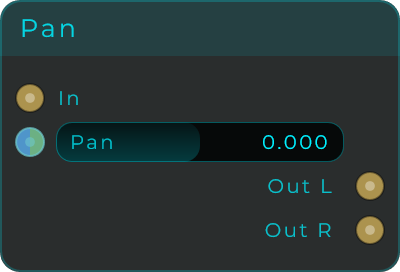
| Parameter | Range | Default | Description |
|---|---|---|---|
| Pan | -1.0 to 1.0 | 0.0 | Position in the stereo field. -1 is hard left, 0 is centred, +1 is hard right. Equal-power law keeps the loudness consistent. Ideal for auto-pan when driven by an LFO. |
Inputs: In (mono audio); plus a Data/CV input pin for Pan.
Outputs: Out L, Out R (audio).
Stereo Width
Makes a stereo sound wider or narrower. Behind the scenes it works on the centre and the sides separately (Mid/Side). Pull the width down to squeeze everything toward the middle (mono), leave it at normal, or push it up to spread the sides for a bigger, wider feel.
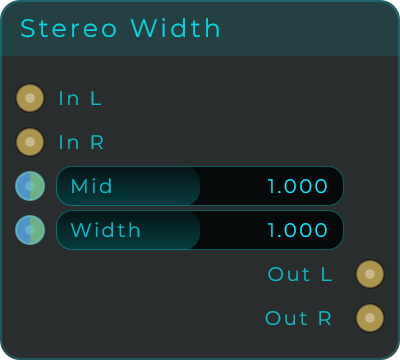
| Parameter | Range | Default | Description |
|---|---|---|---|
| Mid | 0.0 to 2.0 | 1.0 | Amount of the centre (Mid) component. 0 removes the centre, 1 keeps it natural, 2 doubles it. |
| Width | 0.0 to 2.0 | 1.0 | Amount of the side (Width) component. 0 collapses to mono, 1 keeps the original width, 2 widens the stereo field. |
Inputs: In L, In R (audio); plus a Data/CV input pin for Mid and Width.
Outputs: Out L, Out R (audio).
Mid/Side Router
Splits a stereo sound into two parts: a Mid channel (the centre, the part shared by both sides) and a Side channel (only the difference between left and right, the part that makes it feel wide). This lets you treat the centre and the sides separately, then recombine them with the Mid/Side Decoder to put the stereo sound back together.
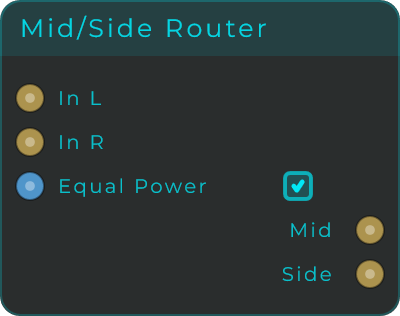
| Parameter | Range | Default | Description |
|---|---|---|---|
| Equal Power | Off / On | On | Encoding scale. On uses an equal-power factor so a mono input keeps its loudness when split into Mid and Side. Off uses the simpler classic scale. |
Inputs: In L, In R (audio); plus a Data/CV input pin for Equal Power (0 = Off, 1 = On).
Outputs: Mid, Side (audio). Mid carries the sum of Left and Right (the centred content); Side carries the difference between Left and Right (the stereo-only content).
Mid/Side Decoder
Puts a Mid/Side pair back together into a normal stereo sound. It is the partner of the Mid/Side Router: after you split a sound into its centre (Mid) and its sides (Side) and process each on its own, the Decoder recombines them into Left and Right. Keep its Equal Power switch set the same way as the Router that split the sound, and the two cancel out exactly, so your level is left untouched.
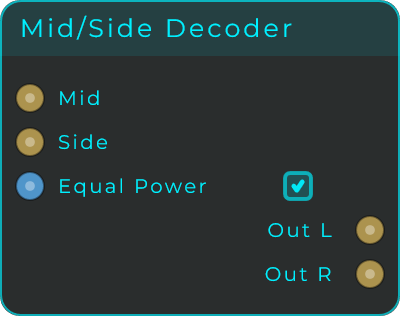
| Parameter | Range | Default | Description |
|---|---|---|---|
| Equal Power | Off / On | On | Decoding scale. Set it to match the Router that encoded the signal: On undoes the Router's equal-power split, Off undoes its classic split. Either way the Router and Decoder together leave the level unchanged. |
Inputs: Mid, Side (audio); plus a Data/CV input pin for Equal Power (0 = Off, 1 = On).
Outputs: Out L, Out R (audio). Out L is Mid plus Side; Out R is Mid minus Side.
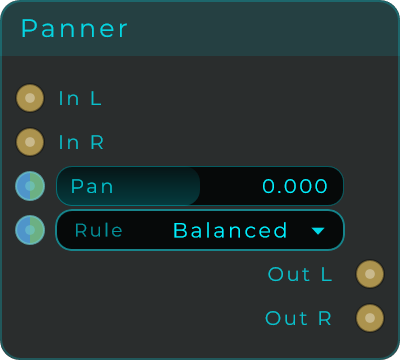
Panner
A panner for stereo sounds that slides the whole sound left or right while keeping it feeling equally loud. Choose from several panning curves (pan laws) to control exactly how the volume behaves as the sound passes through the centre.
| Parameter | Range | Default | Description |
|---|---|---|---|
| Pan | -1.0 to 1.0 | 0.0 | Stereo position. -1 is hard left, 0 is centred, +1 is hard right. |
| Rule | Linear, Balanced, Sin 3 dB, Sin 4.5 dB, Sin 6 dB, Sqrt 3 dB, Sqrt 4.5 dB | Balanced | The pan law used for gain compensation as the signal moves across the field. |
Inputs: In L, In R (audio); plus a Data/CV input pin for Pan and Rule.
Outputs: Out L, Out R (audio).
Swap L/R
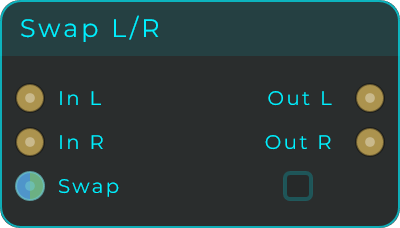
Swaps the left and right channels, so whatever was on the left comes out on the right and the other way around. The Swap toggle can be flipped by hand or driven by another node, which makes it easy to switch sides mid-performance; feed it a fast control signal and the sound can even bounce between the speakers for a ping-pong style effect. With Swap off the sound passes through unchanged.
| Parameter | Range | Default | Description |
|---|---|---|---|
| Swap | Off / On | Off | Swaps the two channels. Accepts a 0/1 value or a CV signal, so the swap can be gated live. |
Inputs: In L, In R (audio); plus a Data/CV input pin for Swap.
Outputs: Out L, Out R (audio).
Phase Invert
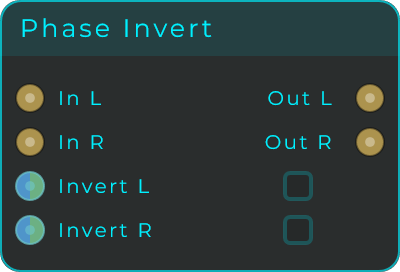
Flips the polarity of a channel: the waveform is turned upside down, which changes nothing on its own but matters as soon as the sound meets another copy of itself. Invert L and Invert R work independently. Flip both to invert the whole signal (useful for cancellation tests against another copy), or flip just one side to change how left and right interact, which can rescue a recording where one microphone was wired the wrong way around. Each toggle accepts a value or a CV signal.
| Parameter | Range | Default | Description |
|---|---|---|---|
| Invert L | Off / On | Off | Flips the polarity of the left channel. |
| Invert R | Off / On | Off | Flips the polarity of the right channel. |
Inputs: In L, In R (audio); plus a Data/CV input pin for Invert L and Invert R.
Outputs: Out L, Out R (audio).