
Appearance
Dynamics
Dynamics nodes control how loud your sound is from moment to moment: smoothing out the loudest peaks, bringing up quiet details, silencing background noise, adding punch, or making things as loud as possible. Most come in a Stereo version (for a left and right pair) and a matching Mono version that works on a single channel. Every knob can also be moved live by another node, since each parameter pin accepts both a fixed Data value and a fast-moving CV signal (a control signal that can change thousands of times a second). Several nodes also have sidechain inputs, which let an outside sound decide when the effect kicks in.
Compressor
Evens out the volume by turning down anything that gets louder than a level you set (the threshold). Use it to smooth out a stereo sound, keep the loudest peaks under control, or set up parallel compression (mixing the squashed sound back in with the original).
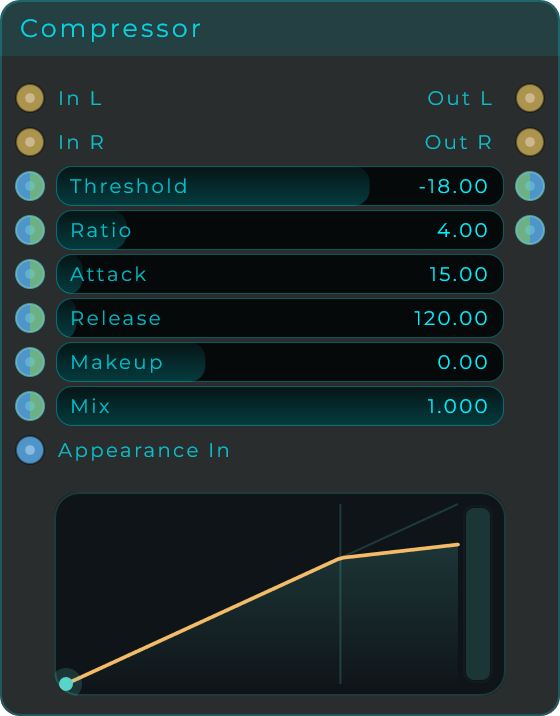
| Parameter | Range | Default | Description |
|---|---|---|---|
| Threshold | -60 to 0 dB | -18 dB | Level above which compression engages. |
| Ratio | 1:1 to 20:1 | 4:1 | How hard the signal is pushed down once it crosses the threshold. |
| Attack | 0 to 250 ms | 15 ms | How quickly the compressor reacts after the signal crosses the threshold. |
| Release | 5 to 2,500 ms | 120 ms | How quickly it lets go once the signal drops back under the threshold. |
| Makeup | -12 to +24 dB | 0 dB | Output gain applied after compression to make up for lost level. |
| Mix | 0.0 to 1.0 | 1.0 | Blend between the dry input and the compressed signal (parallel compression). |
Inputs: In L, In R (audio); SC L, SC R (optional sidechain audio. when connected, detection uses this signal instead of the input); plus a Data/CV input pin for every parameter above.
Outputs: Out L, Out R (audio); Threshold and Ratio (Data, echoing the current values for chaining).
Compressor Mono
The single-channel version of the Compressor. Same controls and same behaviour, working on one audio stream. Handy inside a mono setup or when you want to treat each channel on its own.
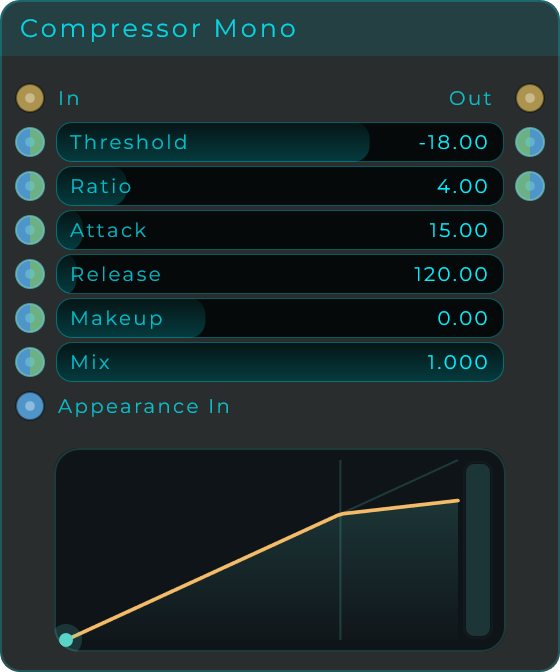
| Parameter | Range | Default | Description |
|---|---|---|---|
| Threshold | -60 to 0 dB | -18 dB | Level above which compression engages. |
| Ratio | 1:1 to 20:1 | 4:1 | How hard the signal is pushed down once it crosses the threshold. |
| Attack | 0 to 250 ms | 15 ms | How quickly the compressor reacts after the signal crosses the threshold. |
| Release | 5 to 2,500 ms | 120 ms | How quickly it lets go once the signal drops back under the threshold. |
| Makeup | -12 to +24 dB | 0 dB | Output gain applied after compression to make up for lost level. |
| Mix | 0.0 to 1.0 | 1.0 | Blend between the dry input and the compressed signal. |
Inputs: In (audio); SC (optional sidechain audio); plus a Data/CV input pin for every parameter above.
Outputs: Out (audio); Threshold and Ratio (Data).
Expander
The opposite of a compressor: it makes quiet sounds that fall below the threshold even quieter, opening up the gap between loud and soft. Great for bringing life back to a sound that has been over-squashed, or for pushing faint background noise further down.
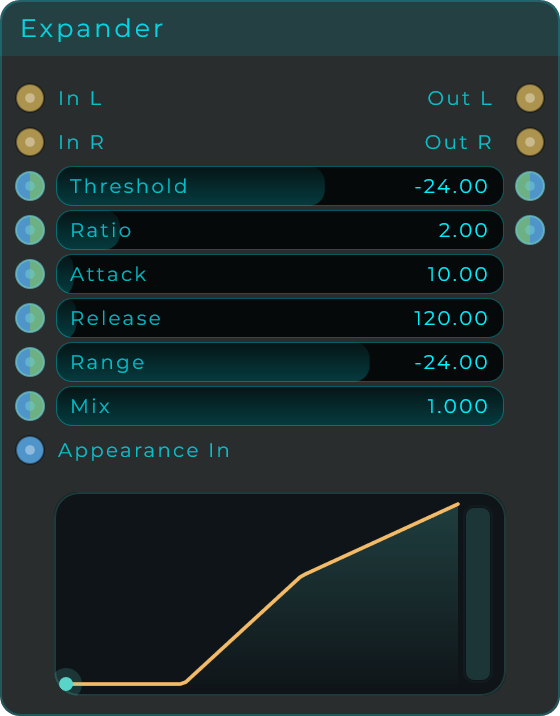
| Parameter | Range | Default | Description |
|---|---|---|---|
| Threshold | -60 to 0 dB | -24 dB | Level below which downward expansion engages. |
| Ratio | 1:1 to 8:1 | 2:1 | How aggressively quiet material is pushed down once it falls under the threshold. |
| Attack | 0 to 250 ms | 10 ms | How quickly the expander reacts when the signal drops below threshold. |
| Release | 5 to 2,500 ms | 120 ms | How quickly it recovers when the signal rises back above threshold. |
| Range | -80 to 0 dB | -24 dB | Maximum attenuation applied at full expansion. |
| Mix | 0.0 to 1.0 | 1.0 | Blend between the dry input and the expanded signal. |
Inputs: In L, In R (audio); SC L, SC R (optional sidechain audio); plus a Data/CV input pin for every parameter above.
Outputs: Out L, Out R (audio); Threshold and Ratio (Data).
Expander Mono
The single-channel version of the Expander. It quiets down soft sounds in the same way, working on one audio stream.
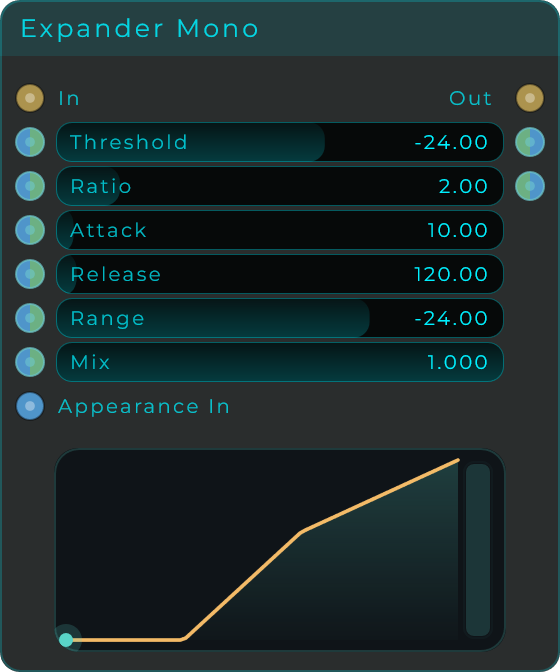
| Parameter | Range | Default | Description |
|---|---|---|---|
| Threshold | -60 to 0 dB | -24 dB | Level below which downward expansion engages. |
| Ratio | 1:1 to 8:1 | 2:1 | How aggressively quiet material is pushed down once it falls under the threshold. |
| Attack | 0 to 250 ms | 10 ms | How quickly the expander reacts when the signal drops below threshold. |
| Release | 5 to 2,500 ms | 120 ms | How quickly it recovers when the signal rises back above threshold. |
| Range | -80 to 0 dB | -24 dB | Maximum attenuation applied at full expansion. |
| Mix | 0.0 to 1.0 | 1.0 | Blend between the dry input and the expanded signal. |
Inputs: In (audio); SC (optional sidechain audio); plus a Data/CV input pin for every parameter above.
Outputs: Out (audio); Threshold and Ratio (Data).
OTT
A popular multiband compressor that splits the sound into three frequency ranges (low, mid, and high) and works on each one at the same time, both lifting the quiet parts up and pushing the loud parts down. The default settings are tuned for the bright, in-your-face sound common in modern electronic music, and you get separate depth and trim controls for each band so you can fine-tune them.
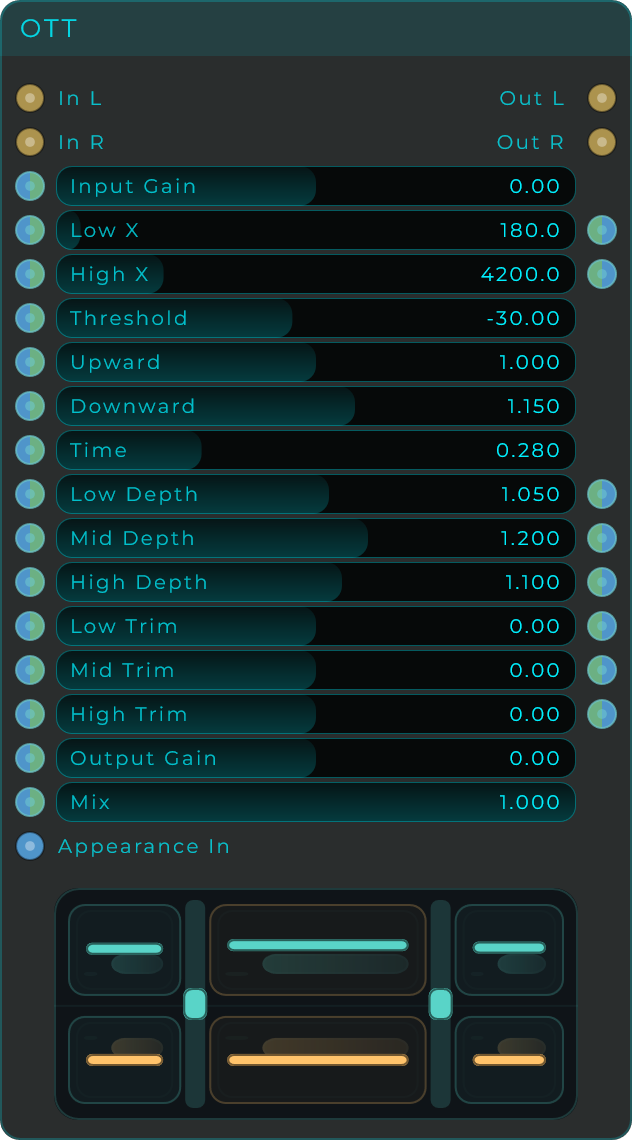
| Parameter | Range | Default | Description |
|---|---|---|---|
| Input Gain | -24 to +24 dB | 0 dB | Gain applied before the multiband stages, to drive the bands harder. |
| Low X | 40 to 3,000 Hz | 180 Hz | Frequency where the low and mid bands split. |
| High X | 600 to 18,000 Hz | 4,200 Hz | Frequency where the mid and high bands split. |
| Threshold | -60 to +6 dB | -30 dB | Global threshold feeding all three bands. |
| Upward | 0.0 to 2.0 | 1.0 | How much quiet material below threshold is boosted up. |
| Downward | 0.0 to 2.0 | 1.15 | How much loud material above threshold is pushed down. |
| Time | 0.0 to 1.0 | 0.28 | Global attack and release speed across all bands. |
| Low Depth | 0.0 to 2.0 | 1.05 | Compression intensity for the low band. |
| Mid Depth | 0.0 to 2.0 | 1.20 | Compression intensity for the mid band. |
| High Depth | 0.0 to 2.0 | 1.10 | Compression intensity for the high band. |
| Low Trim | -18 to +18 dB | 0 dB | Output trim for the low band after compression. |
| Mid Trim | -18 to +18 dB | 0 dB | Output trim for the mid band after compression. |
| High Trim | -18 to +18 dB | 0 dB | Output trim for the high band after compression. |
| Output Gain | -24 to +24 dB | 0 dB | Final gain after the bands are recombined. |
| Mix | 0.0 to 1.0 | 1.0 | Blend between the dry input and the OTT-processed signal. |
Inputs: In L, In R (audio); plus a Data/CV input pin for every parameter above.
Outputs: Out L, Out R (audio); Data pins echoing Low X, High X, Low Depth, Mid Depth, High Depth, Low Trim, Mid Trim, and High Trim for chaining.
Transient Shaper
Reshapes the attack (the initial hit of a note) and the sustain (the part that rings out afterwards) on their own, with nothing to set up first. Use it to add punch to drums, tighten or stretch out the body of percussive sounds, soften a harsh hit, or smooth out the popping "p" and "b" sounds in vocals. It listens to the left and right channels together, so your stereo image stays steady.
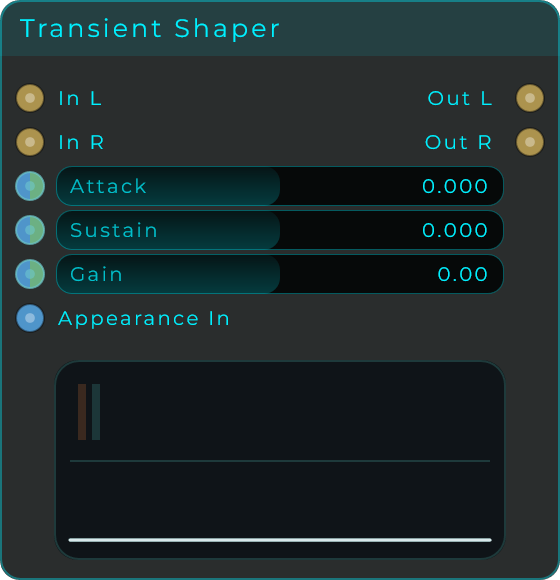
| Parameter | Range | Default | Description |
|---|---|---|---|
| Attack | -1.0 to 1.0 | 0.0 | Shapes the onset of every transient. Positive sharpens the punch, negative softens the hit. |
| Sustain | -1.0 to 1.0 | 0.0 | Shapes the body of the sound. Positive lengthens the tail, negative cuts it short. |
| Gain | -24 to +24 dB | 0 dB | Output trim applied after shaping, to make up for any level change. |
Inputs: In L, In R (audio); plus a Data/CV input pin for Attack, Sustain, and Gain.
Outputs: Out L, Out R (audio).
Transient Splitter
Splits a stereo sound into two streams by dynamics instead of frequency: the sharp hit of every note goes to the Transient outputs, and the sustain and tail go to the Body outputs. The two streams always add back up to exactly the dry input, so you can process each half on its own (saturate the body while leaving the attacks clean, add reverb only to the tails, turn the punch up or down) and recombine them with no level or phase surprises. Detection listens to both channels together, and the body display shows the incoming sound divided into its transient and body regions.
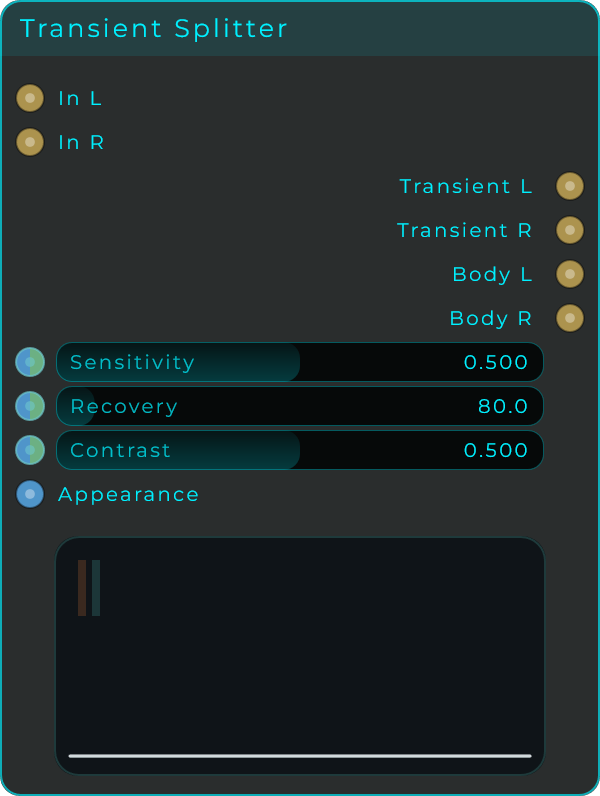
| Parameter | Range | Default | Description |
|---|---|---|---|
| Sensitivity | 0.0 to 1.0 | 0.5 | How much of the signal counts as a transient. Higher sends more of each note to the Transient outputs. |
| Recovery | 1 to 1,000 ms | 80 ms | How long the transient window stays open after each hit. Short for tight clicks, longer to capture the whole attack. |
| Contrast | 0.0 to 1.0 | 0.5 | Sharpness of the hand-off between the two streams. 0 is a gentle split, 1 is the crispest separation. |
Inputs: In L, In R (audio); plus a Data/CV input pin for every parameter above, and an Appearance input (Data, a JSON object that restyles the body).
Outputs: Transient L, Transient R (the attack stream), Body L, Body R (the sustain stream), all audio.
Maximizer
A loudness booster that pushes the sound through a stage that adds warmth (saturation) while catching peaks, then keeps the output from ever going past a set top level. Great for tying a full mix together, adding muscle to a drum group, or making a loud, full-sounding final stage.
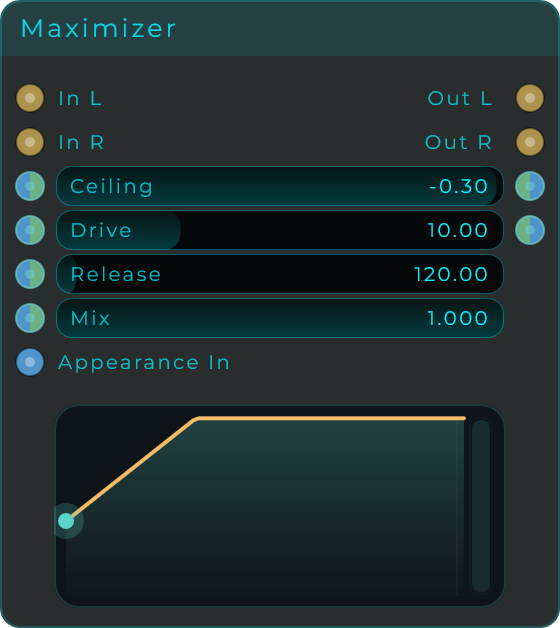
| Parameter | Range | Default | Description |
|---|---|---|---|
| Ceiling | -18 to 0 dB | -0.3 dB | Maximum output level. Nothing exceeds this. |
| Drive | 0 to 36 dB | 10 dB | How hard the input is pushed into the saturation and limiter stages. |
| Release | 5 to 2,500 ms | 120 ms | How quickly the maximizer eases off after catching a peak. |
| Mix | 0.0 to 1.0 | 1.0 | Blend between the dry input and the maximized signal. |
Inputs: In L, In R (audio); plus a Data/CV input pin for every parameter above.
Outputs: Out L, Out R (audio); Ceiling and Drive (Data, for chaining).
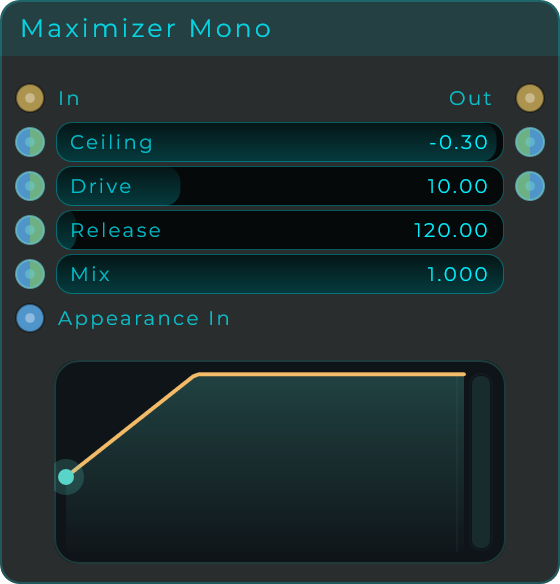
Maximizer Mono
The single-channel version of the Maximizer. Same warmth-plus-ceiling behaviour on one audio stream, for finishing a single channel or making one sound louder.
| Parameter | Range | Default | Description |
|---|---|---|---|
| Ceiling | -18 to 0 dB | -0.3 dB | Maximum output level. Nothing exceeds this. |
| Drive | 0 to 36 dB | 10 dB | How hard the input is pushed into the saturation and limiter stages. |
| Release | 5 to 2,500 ms | 120 ms | How quickly the maximizer eases off after catching a peak. |
| Mix | 0.0 to 1.0 | 1.0 | Blend between the dry input and the maximized signal. |
Inputs: In (audio); plus a Data/CV input pin for every parameter above.
Outputs: Out (audio); Ceiling and Drive (Data).
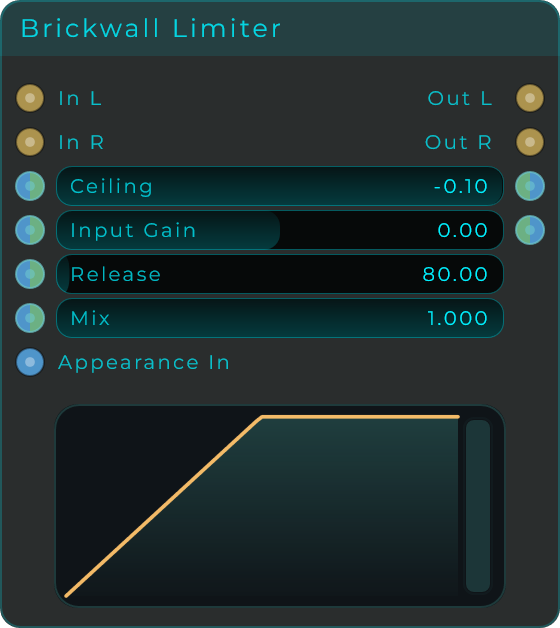
Brickwall Limiter
A firm peak catcher that makes sure nothing ever comes out louder than the ceiling you set. Turn up the Input Gain to push more sound in for a louder, more squashed result; a final hard clamp grabs anything that still tries to slip past.
| Parameter | Range | Default | Description |
|---|---|---|---|
| Ceiling | -24 to 0 dB | -0.1 dB | Hard maximum output level. Nothing exits louder than this. |
| Input Gain | -24 to +24 dB | 0 dB | Pre-limiter gain. More signal in means a louder, more squashed output. |
| Release | 5 to 2,500 ms | 80 ms | How quickly the limiter releases after catching a peak. |
| Mix | 0.0 to 1.0 | 1.0 | Blend between the dry input and the limited signal. |
Inputs: In L, In R (audio); plus a Data/CV input pin for every parameter above.
Outputs: Out L, Out R (audio); Ceiling and Input Gain (Data, for chaining).
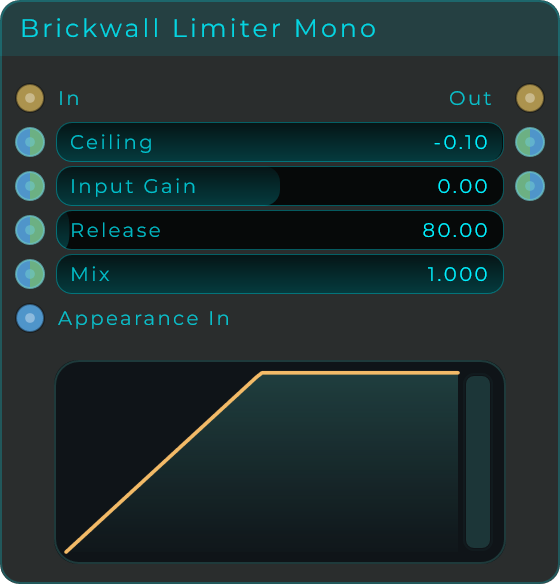
Brickwall Limiter Mono
The single-channel version of the Brickwall Limiter. It catches peaks just as firmly, working on one audio stream.
| Parameter | Range | Default | Description |
|---|---|---|---|
| Ceiling | -24 to 0 dB | -0.1 dB | Hard maximum output level. Nothing exits louder than this. |
| Input Gain | -24 to +24 dB | 0 dB | Pre-limiter gain. More signal in means a louder, more squashed output. |
| Release | 5 to 2,500 ms | 80 ms | How quickly the limiter releases after catching a peak. |
| Mix | 0.0 to 1.0 | 1.0 | Blend between the dry input and the limited signal. |
Inputs: In (audio); plus a Data/CV input pin for every parameter above.
Outputs: Out (audio); Ceiling and Input Gain (Data).
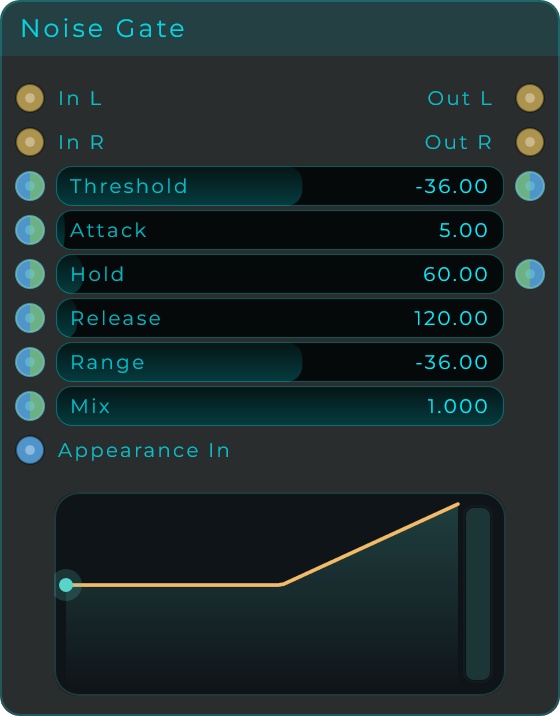
Noise Gate
Silences or quiets the sound whenever it drops below the threshold, clearing out low-level noise and tidying up the tails of notes. Hold keeps the gate open for a short minimum time so it does not flicker on and off, and Range sets how far down it turns things when closed.
| Parameter | Range | Default | Description |
|---|---|---|---|
| Threshold | -80 to 0 dB | -36 dB | Level the input must exceed for the gate to open. |
| Attack | 0 to 250 ms | 5 ms | How quickly the gate fully opens once the input crosses the threshold. |
| Hold | 0 to 1,000 ms | 60 ms | Minimum time the gate stays open after the input drops back below the threshold. |
| Release | 2 to 2,500 ms | 120 ms | How quickly the gate closes after Hold finishes. |
| Range | -80 to 0 dB | -36 dB | How much the gate attenuates when closed. -80 dB is a full mute; values nearer 0 leave some bleed. |
| Mix | 0.0 to 1.0 | 1.0 | Blend between the dry input and the gated signal. |
Inputs: In L, In R (audio); SC L, SC R (optional sidechain audio. when connected, gate detection uses this signal); plus a Data/CV input pin for every parameter above.
Outputs: Out L, Out R (audio); Threshold and Hold (Data, for chaining).
Noise Gate Mono
The single-channel version of the Noise Gate. Same threshold, hold, and range behaviour, working on one audio stream.
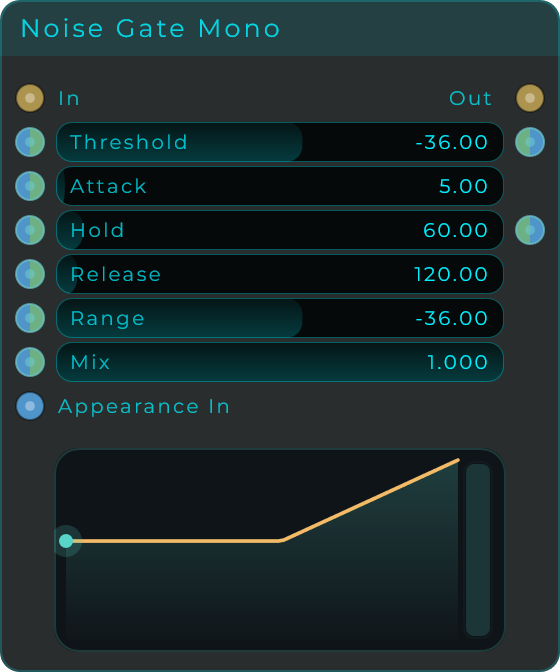
| Parameter | Range | Default | Description |
|---|---|---|---|
| Threshold | -80 to 0 dB | -36 dB | Level the input must exceed for the gate to open. |
| Attack | 0 to 250 ms | 5 ms | How quickly the gate fully opens once the input crosses the threshold. |
| Hold | 0 to 1,000 ms | 60 ms | Minimum time the gate stays open after the input drops back below the threshold. |
| Release | 2 to 2,500 ms | 120 ms | How quickly the gate closes after Hold finishes. |
| Range | -80 to 0 dB | -36 dB | How much the gate attenuates when closed. -80 dB is a full mute; values nearer 0 leave some bleed. |
| Mix | 0.0 to 1.0 | 1.0 | Blend between the dry input and the gated signal. |
Inputs: In (audio); SC (optional sidechain audio); plus a Data/CV input pin for every parameter above.
Outputs: Out (audio); Threshold and Hold (Data).
Dynamic Shaper
A dynamics processor built on a curve you draw. The display maps incoming level to output level (both in dB), and the shape of that line decides what happens: one node can behave as a compressor, an expander, a gate, or something in between that no fixed design offers. Start from a preset curve and drag it into shape; the moment you edit it, the Curve selector switches to Custom.
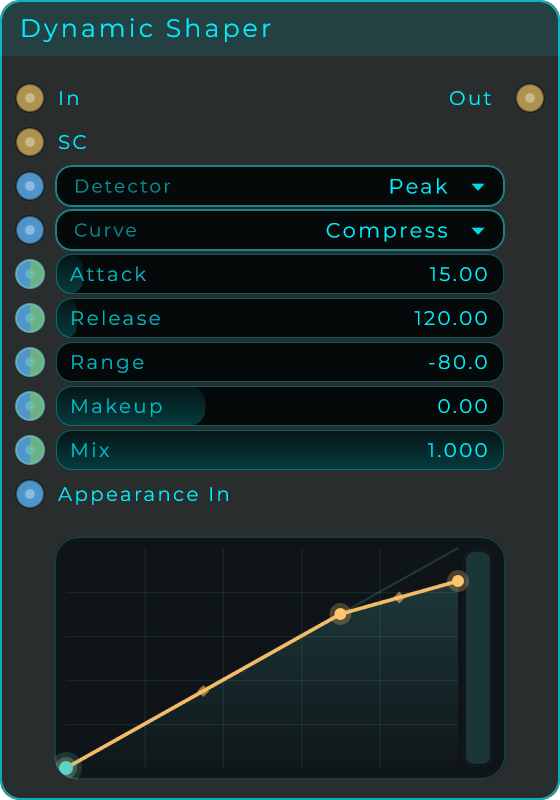
| Parameter | Range | Default | Description |
|---|---|---|---|
| Detector | Peak / RMS | Peak | How the incoming level is measured. Peak reacts to individual hits, RMS to average loudness. |
| Curve | Custom / Compress / Limit / Expand / Gate / Upward | Compress | Loads a preset shape as a starting point. Drawing on the display switches to Custom. |
| Attack | 0 to 250 ms | 15 ms | How quickly the level tracking reacts when the sound gets louder. |
| Release | 5 to 2,500 ms | 120 ms | How quickly it lets go when the sound gets quieter. |
| Range | -80 to 0 dB | -80 dB | Limits how far the curve is allowed to turn the level down. -80 dB allows a full mute; values nearer 0 soften the effect. |
| Makeup | -12 to +24 dB | 0 dB | Output gain applied after shaping, to make up for lost level. |
| Mix | 0.0 to 1.0 | 1.0 | Blend between the dry input and the shaped signal. |
Inputs: In (audio); SC (optional sidechain audio. when connected, detection uses this signal instead of the input); Detector and Curve (Data values); plus a Data/CV input pin for Attack, Release, Range, Makeup, and Mix; Appearance (Data, a JSON object that restyles the body).
Outputs: Out (audio).
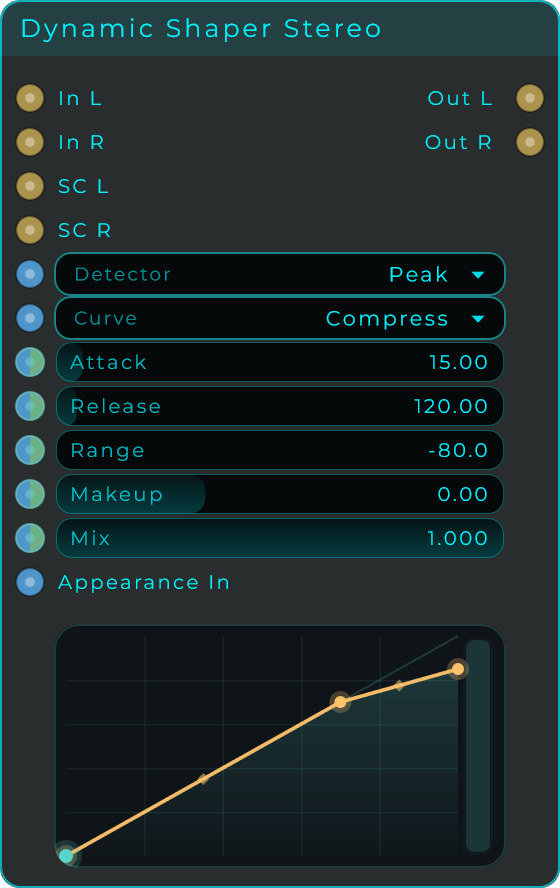
Dynamic Shaper Stereo
The same drawable dynamics for a left and right pair, with In L/R, SC L/R and Out L/R. Detection is linked across the two channels (it follows whichever side is louder), so the stereo image stays steady while the curve does its work.
Level Splitter
Routes a signal to one of three outputs depending on how loud it is right now: quiet material goes one way, mid-level another, loud another. It is a way to treat parts of a performance differently without automating anything, sending the quiet passages to one chain and the peaks to another.
Width is the crossfade zone around each threshold, so a signal hovering on a boundary blends across instead of flicking between outputs. Response sets how fast the level detector reacts: short values follow transients, longer values follow the general loudness.
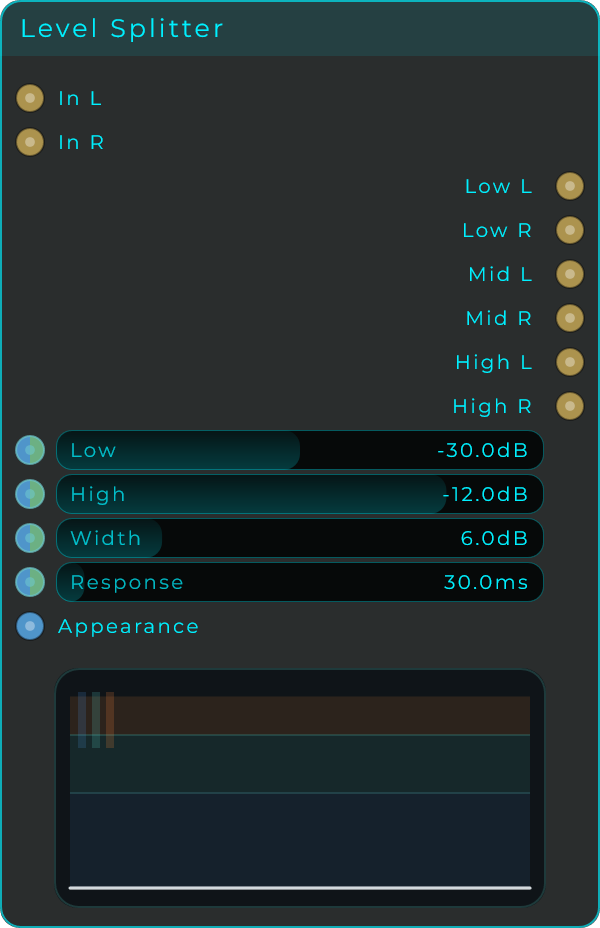
| Parameter | Range | Default | Description |
|---|---|---|---|
| Low | -60 - 0 dB | -30 dB | Boundary between the quiet and mid bands |
| High | -60 - 0 dB | -12 dB | Boundary between the mid and loud bands |
| Width | 1 - 24 dB | 6 dB | Crossfade zone around each boundary, so signals blend rather than jump |
| Response | 1 - 500 ms | 30 ms | How quickly the level detector follows the signal |
Inputs: In (audio), Appearance Outputs: One output per level band
Spectral Compressor
A compressor per FFT bin. The OTT everybody knows squeezes three or four bands in both directions at once; this does the same to a thousand of them, so every partial is levelled against its own neighbours instead of against whichever band it happened to fall in. Quiet detail comes up, loud detail comes down, and what is left is a sound with everything present at once.

| Parameter | Range | Default | Description |
|---|---|---|---|
| Down Threshold | -80 to 0 dB | -35 dB | A bin louder than this is pulled down |
| Down Ratio | 1 to 20 | 4 | How hard the loud bins come down. 1 is no compression at all |
| Up Threshold | -100 to -20 dB | -60 dB | A bin quieter than this is pushed up. This is the half that makes it an OTT rather than a compressor |
| Up Ratio | 1 to 20 | 4 | How hard the quiet bins come up. 1 leaves them alone |
| Attack | 1 to 250 ms | 15 ms | How fast a bin follows energy arriving |
| Release | 10 to 2,000 ms | 180 ms | How fast a bin follows energy leaving. Short is aggressive and pumping, long lets it breathe |
| Tilt | -6 to 6 dB/oct | -3 dB/oct | Slides both thresholds by this much per octave, hinged at 1 kHz |
| Mix | 0.0 - 1.0 | 1.0 | Blends the treated spectrum with the untouched one |
| Knee | 0 to 24 dB | 6 dB | Softens both thresholds over this many dB |
| Range | 0 to 60 dB | 40 dB | The most the downward half can pull a bin down |
| Stereo Link | 0.0 - 1.0 | 1.0 | How much the two channels share a detector. 1 is fully linked |
| Low Limit | 20 to 2,000 Hz | 20 Hz | Below this nothing is touched |
| High Limit | 1,000 to 20,000 Hz | 20,000 Hz | Above this nothing is touched |
| Output | -24 to 24 dB | 0 dB | Level after the whole thing |
The thresholds are per bin, and a bin is much quieter than the signal it belongs to. Broadband material spreads its energy across a thousand of them, so a loud mix sits around -30 to -50 dB per bin rather than anywhere near zero. That is why these numbers start so much lower than the ones on an ordinary compressor. A full-scale sine sitting in a single bin reads 0 dB, and everything else hangs from that.
Two thresholds, because both directions matter. Above Down Threshold a bin is pulled down; below Up Threshold it is pushed up; between the two nothing happens at all. That gap is the real control: widen it and only the extremes are touched, close it and the spectrum is flattened towards one level.
Tilt exists because music is not flat. Energy falls off with frequency, so a single threshold across the whole spectrum punishes the top end and ignores the bottom. Tilt slides both thresholds by so many dB per octave, hinged at 1 kHz so turning it does not move the middle, and negative is the usual direction.
A knee matters more here than on one compressor. A thousand bins cross a hard threshold and come back constantly, and every crossing is a jump from nothing to the full ratio. Knee softens both corners over the dB you give it. Range does the opposite job at the other end: it puts a floor under how far the downward half can pull a bin, so a high ratio can be used without a transient being swallowed whole.
Stereo Link decides how much the two sides agree. At 1 both channels are handed the same detector, driven by whichever is louder, so they hold the same gain and the image cannot move. Across a thousand bins that is not a detail: two sides working out their own gains is a stereo picture coming apart. Below 1 each side goes its own way, which is then something you asked for.
Low Limit and High Limit keep it off the ends. Outside them nothing is touched at all, which is how a bass line or the air stays out of the compressor without being turned down.
The display shows what it is actually doing: frequency across, gain up and down from a centre line that means "left alone". Bars above the line are bins being pushed up, bars below are bins being held down, and the dim shape behind is what arrived, so you can see whether the window between the thresholds is sitting where the music is. The frequencies outside the two limits are shaded, because nothing is happening there.
Attack and Release step once per analysis hop, about 12 ms at 44.1 kHz, and that is also the floor on how fast it can react: asking for 1 ms gets you one hop. Fast settings smear transients, which is a large part of what this sound is. It costs 1536 samples of latency, reported to the host and compensated like any other. Nothing below -90 dB is boosted and no bin is lifted more than 30 dB, so an upward compressor with nothing to push up does not bring the room up with it.
For three bands you can point at, reach for the OTT node instead. This one is for evening out the whole spectrum.
Inputs: In L, In R (audio), and every control above. Outputs: Out L, Out R.