
Appearance
Signal Converters
MNodes carries four kinds of signal around your patch: Audio (the sound itself), CV (smooth control signals that move things), MIDI (note and controller messages, like from a keyboard), and Data (lightweight values and events). A patch often needs to pass a signal from one kind to another, for example turning a loud moment in the audio into a trigger, or rebuilding MIDI notes out of control signals. These converter nodes are the bridges that let any source talk to any destination.
Audio to CV
Lets an audio signal plug into control-only (CV) inputs, so you can use a sound's waveform to move a parameter directly. It simply passes the signal through: the audio becomes CV values in the -1 to 1 range, with nothing added on top, no smoothing or shaping.
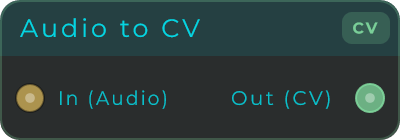
Inputs: Audio Outputs: CV stream (-1 to 1)
CV to Audio
Lets a control (CV) signal plug into audio inputs. This is the reverse of Audio to CV, and it lets envelopes, LFOs and other movers feed audio nodes that don't normally accept control signals. Like its counterpart it just passes the signal straight through, with no smoothing or shaping.
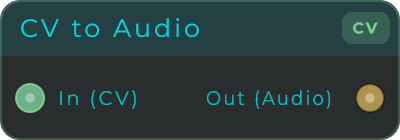
Inputs: CV stream (-1 to 1) Outputs: Audio
Audio To Data
Checks an audio signal at a speed you choose and sends out its latest value as a Data number. Handy for driving on-screen controls or logic from a sound without overwhelming the Data side of the patch, and it only sends a new value when the value actually changes.
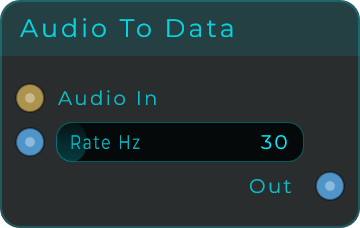
| Parameter | Range | Default | Description |
|---|---|---|---|
| Rate Hz | 1 - 240 Hz | 30 Hz | Maximum number of data events emitted per second. Lower values reduce data-thread load. |
Inputs: Audio (signal to sample), Rate (Data, Hz) Outputs: Float (Data), rate-limited
Audio Threshold Trigger
Watches an audio input and fires off a short trigger pulse the moment the signal rises past a level you set. It is a great way to turn a sharp hit or a loud peak into a trigger for an envelope, sample player or sequencer step. While the signal stays above that level, no more triggers fire: it has to dip back below the level before it can fire again.
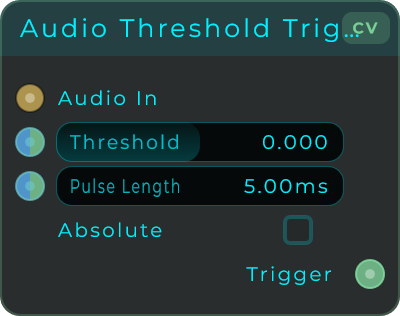
| Parameter | Range | Default | Description |
|---|---|---|---|
| Threshold | -1.0 - 1.0 | 0.0 | Level the audio must rise across to fire the trigger. In Absolute mode it is treated as a positive level. |
| Pulse Length | 0.1 - 1000 ms | 5 ms | How long the trigger output stays at 1.0 after a crossing. |
| Absolute | on / off | off | When on, compares the absolute value of the audio against the threshold so peaks of either polarity trigger. |
Threshold and Pulse Length can be set two ways: type them in the Inspector, or connect a Data value or a CV stream to change them live while the patch runs.
Inputs: Audio In, Threshold (Data, stream-capable), Pulse (Data, stream-capable) Outputs: Trigger, a CV pulse of 0 or 1 (stream-capable)
CV To Data
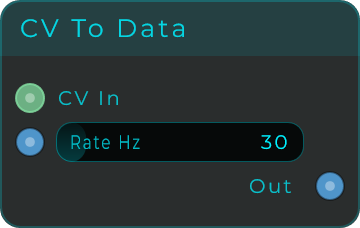
Checks a CV control signal at a speed you choose and sends out its latest value as a Data number. Handy for driving on-screen controls or Data-only nodes from CV without overwhelming the Data side of the patch. It only sends a value once it has moved by a small amount, so tiny wobble on a live CV signal won't fire a new value every interval, and a value that isn't moving is still refreshed about once a second, so a node connected after the value settled still receives it.
| Parameter | Range | Default | Description |
|---|---|---|---|
| Rate Hz | 1 - 240 Hz | 30 Hz | Maximum number of data events emitted per second. Lower values reduce data-thread load. |
Inputs: CV (stream to sample), Rate (Data, Hz) Outputs: Float (Data), rate-limited
Data To CV
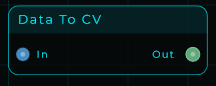
Turns a Data value into a CV control signal, the reverse of CV To Data. A number that arrives on the In pin comes out of the Out pin as a steady CV signal, eased in over a few milliseconds so sudden jumps don't click. If nothing is connected, the Value field sets what comes out.
| Parameter | Range | Default | Description |
|---|---|---|---|
| Value | unbounded | 0.0 | Value emitted as CV when nothing is connected to In. |
Inputs: Float (Data) Outputs: CV stream carrying the value
MIDI To Data
Pulls useful values out of MIDI messages and sends them out as Data events. It offers the same set of outputs as MIDI To CV, but as Data events rather than continuous audio-rate signals. Gate stays high while any note is held down, and it keeps track of several notes at once.
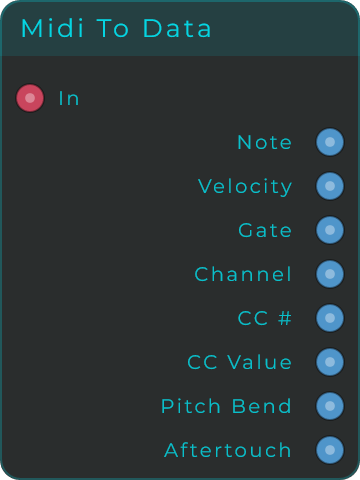
Inputs: MIDI
Outputs:
| Output | Range | Description |
|---|---|---|
| Pitch | V/oct | Pitch as a value, (note - 60) / 12 (note 60 = 0) |
| Note Number | 0 - 127 | Note number of the last note |
| Note Hz | Hz | Frequency of the last note |
| Channel | 1 - 16 | MIDI channel of the last note |
| Gate | 0 or 1 | 1 while any note is held |
| Notes Held | 0 upwards | How many notes are down right now. One note reads 1, everything up reads 0. |
| Velocity | 0.0 - 1.0 | Velocity of the last note |
| Trigger Note On | pulse | A 1.0 pulse on each Note On |
| Trigger Note Off | pulse | A 1.0 pulse on each Note Off |
| Pitch Bend | -1.0 - 1.0 | Pitch bend wheel position |
| Aftertouch | 0.0 - 1.0 | Aftertouch pressure |
| CC # | 0 - 127 | Last received CC number |
| CC Value | 0.0 - 1.0 | Value of the last CC |
MIDI To CV
Turns MIDI into smooth CV control signals (updated sample by sample) for driving oscillators, filters and envelopes. It is the bridge between MIDI and any node controlled by CV. Every output can run as a continuous stream. It uses last-pressed priority, meaning it always follows the note you pressed most recently, and falls back to the previously held note when you let that one go.
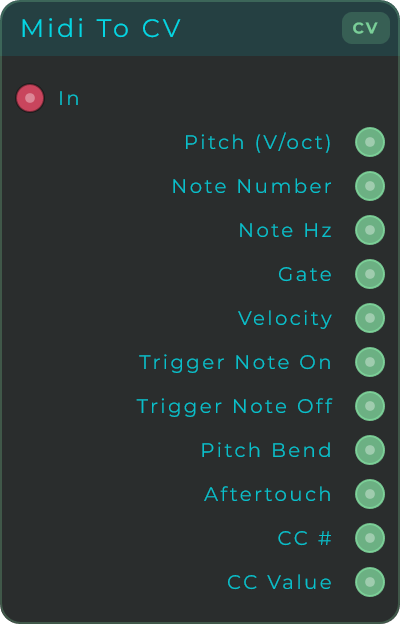
Inputs: MIDI
Outputs:
| Output | Range | Description |
|---|---|---|
| Pitch | V/oct | Pitch as voltage (C3 = 0, note 60; each semitone = 1/12) |
| Note Number | 0 - 127 | Current MIDI note number |
| Note Hz | Hz | Frequency of the current note |
| Gate | 0 or 1 | High while a note is held |
| Notes Held | 0 upwards | How many notes are down right now. One note reads 1, everything up reads 0. |
| Velocity | 0.0 - 1.0 | How hard the note was pressed |
| Trigger Note On | pulse | A 1.0 pulse on each Note On |
| Trigger Note Off | pulse | A 1.0 pulse on each Note Off |
| Pitch Bend | -1.0 - 1.0 | Pitch bend wheel position |
| Aftertouch | 0.0 - 1.0 | Aftertouch pressure |
| CC # | 0 - 127 | Last received CC number |
| CC Value | 0.0 - 1.0 | Value of the last CC |
| Channel | 1 - 16 | MIDI channel of the last note-on |
Notes Held is the one Gate cannot give you. Gate only says whether anything is down, which during a legato passage throws away the interesting part. Notes Held says how many, so a filter can open further for a chord than for a single note. A second press of a note already down does not count twice, and a note-on with velocity zero counts as the key coming up, which is how a lot of keyboards say it.
No bypass on this one. A bypassed node passes its input to its output, and this one has no audio input to pass: its input is MIDI. Bypassing it would write zeros to every CV output, pitch to 0 and gate down, which is a mute wearing the word bypass.
CV / Data To MIDI
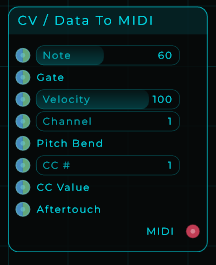
Builds real MIDI back out of control signals, the reverse of MIDI To CV and MIDI To Data. When the Gate rises it sends a Note On using the current Note, Velocity and Channel; when the Gate falls it sends the matching Note Off. Changing Note while the gate is still held plays the new note smoothly without retriggering the envelope (mono legato). Pitch Bend, CC (on the CC number you choose) and Aftertouch are sent whenever their value changes. Every input is a Data pin that also accepts CV, so you can drive it from a CV cable for tight, precise timing, or from a regular Data connection.
| Parameter | Range | Default | Description |
|---|---|---|---|
| Note | 0 - 127 | 60 | Note number used for new note events. |
| Velocity | 1 - 127 | 100 | Velocity for note events. The input also accepts 0.0 - 1.0. |
| Channel | 1 - 16 | 1 | MIDI channel for outgoing messages. |
| CC # | 0 - 127 | 1 | Which CC number to send. |
Inputs:
| Input | Range | Description |
|---|---|---|
| Note | 0 - 127 | Note number for new note events (Data, also accepts CV) |
| Gate | 0 or 1 | Rising edge = Note On, falling edge = Note Off (Data, also accepts CV) |
| Velocity | 0.0 - 1.0 or 0 - 127 | Velocity for note events (Data, also accepts CV) |
| Channel | 1 - 16 | MIDI channel for outgoing messages (Data, also accepts CV) |
| Pitch Bend | -1.0 - 1.0 | Sent when the value changes (Data, also accepts CV) |
| CC # | 0 - 127 | Which CC number to send (Data, also accepts CV) |
| CC Value | 0.0 - 1.0 | Sent when the value changes (Data, also accepts CV) |
| Aftertouch | 0.0 - 1.0 | Sent when the value changes (Data, also accepts CV) |
Outputs: MIDI
Note Name
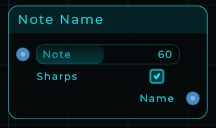
Turns a MIDI note number into its note name as text. Feed it a note number and it emits the matching name: 60 becomes C3, 72 becomes C4. A Sharps switch chooses how the black keys are spelled (C# when on, Db when off). The name comes out as text on the Name pin, so you can wire it into a Text widget to show it, or into anything else that takes text.
| Parameter | Range | Default | Description |
|---|---|---|---|
| Note | 0 - 127 | 60 | MIDI note number to name. |
| Sharps | on / off | on | How black keys are spelled: on uses sharps (C#), off uses flats (Db). |
Inputs: Note (MIDI note number, accepts a value or a CV stream), Sharps (on/off). Outputs: Name (the note name as text).
To Number
Turns numeric text into an actual number: "3.14" becomes 3.14, "-5" becomes -5, and a decimal comma works too ("1,5" reads as 1.5). Values that are already numbers pass straight through, and on/off values come out as 1 or 0. Text that is not a number sends nothing at all, so a control fed from this node keeps its last good value instead of jumping to zero. That matters because a numeric input receiving plain text would otherwise read it as 0: put this node right after a Text Input widget and typed numbers land as real numbers. If you also want to know whether the text was valid, use the Is Number node instead, which does the same conversion and adds a Valid flag.
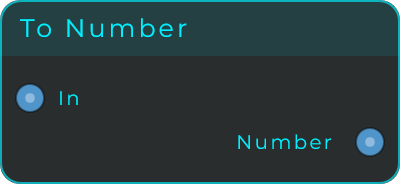
Inputs: In (text, a number, or an on/off value). Outputs: Number (the converted value; nothing is sent when the text is not a number).
BPM To Hz
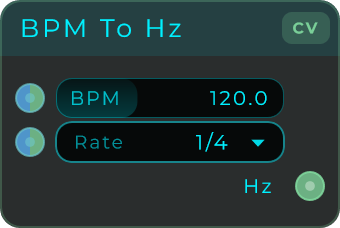
Converts a tempo in BPM into a frequency in Hz, so anything that takes a frequency can follow your tempo. The Rate setting picks which musical division counts as one cycle, from whole bars down to 1/128, with dotted and triplet forms: at 120 BPM, a Rate of 1/4 gives 2 Hz, 1/8 gives 4 Hz, and 1 Bar gives 0.5 Hz. The classic use is making a free-running LFO follow the tempo: send a BPM value in, pick a rate, and wire Hz into the LFO's frequency. Connect a BPM source to the input (a value or a CV stream both work), or just set the slider.
| Parameter | Range | Default | Description |
|---|---|---|---|
| BPM | 20 - 300 | 120 | The tempo to convert. Used when nothing is connected to the BPM input. |
| Rate | 64 Bars - 1/128 | 1/4 | The musical division that counts as one cycle, including dotted (D) and triplet (T) forms. |
Inputs: BPM (a value or a CV stream; when unconnected, the slider is used), Rate (the division, as a value or a CV stream). Outputs: Hz (the frequency for the chosen rate, as a continuous CV-capable signal).
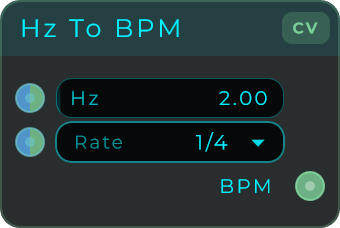
Hz To BPM
Converts a frequency in Hz into a tempo in BPM, the reverse of BPM To Hz. The Rate setting picks which musical division one cycle of the frequency stands for: at a Rate of 1/4, 2 Hz reads as 120 BPM; at 1/8, 4 Hz reads as 120 BPM. Handy for showing the tempo an LFO or clock is effectively running at, or for turning a frequency you already have into a BPM number the rest of the patch can use. Connect an Hz source to the input (a value or a CV stream both work), or just set the slider.
| Parameter | Range | Default | Description |
|---|---|---|---|
| Hz | 0.01 - 100 | 2 | The frequency to convert. Used when nothing is connected to the Hz input. |
| Rate | 64 Bars - 1/128 | 1/4 | The musical division that counts as one cycle, including dotted (D) and triplet (T) forms. |
Inputs: Hz (a value or a CV stream; when unconnected, the slider is used), Rate (the division, as a value or a CV stream). Outputs: BPM (the tempo for the chosen rate, as a continuous CV-capable signal).
CV To Event
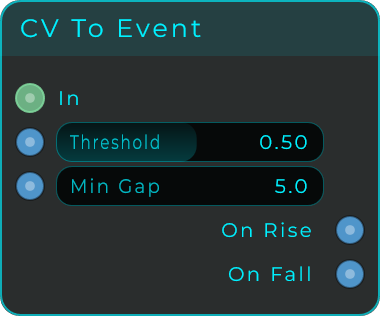
Watches a continuous signal and fires an event the moment it crosses a level, turning a smooth control voltage into something that can trigger a node. An envelope, an LFO or an incoming audio follower becomes a trigger source.
It fires separately on the way up and on the way down, so one node gives you both a start and a stop. Touching the level counts as crossing it, so a Threshold of 0 works with anything that rests at 0: a trigger, the Transport's Playing, or its Position when playback starts from the beginning. Min Gap is the guard against chatter: a signal wobbling right on the threshold would otherwise fire dozens of times, and this sets how long it must wait before it is allowed to fire again.
| Parameter | Range | Default | Description |
|---|---|---|---|
| Threshold | -10.0 - 10.0 | 0.5 | Level the signal has to cross or touch to fire |
| Min Gap | 0 - 1000 ms | 5 ms | Shortest time allowed between two events, which stops a wobbling signal chattering |
Inputs: In (a CV or Data signal) Outputs: On Rise (fires crossing or reaching the level upward), On Fall (fires crossing or reaching it downward)
Format Number
A number written out as text in a shape you choose: so many decimals, padded out to so many characters. This is the node that turns 1 into 01 without turning 10 into 010, which is what you want for a step counter, a take number or a bar readout that should not jump about in width as the numbers grow.
| Parameter | Range | Default | Description |
|---|---|---|---|
| Decimals | 0 to 8 | 0 | Places after the point. 0 gives a whole number. |
| Min Width | 0 to 16 | 2 | The least number of characters the answer may be. Shorter answers are padded; longer ones are left alone. |
| Pad With | Zeros, Spaces, Nothing | Zeros | What the padding is made of. Spaces line numbers up in a column; Nothing turns the padding off while leaving the decimals set. |
Inputs: Value (Data, the number to format; an event re-sends the last answer), Min Width, Decimals, Pad With (Data).
Outputs: Out (Data, the finished text).
Lookup
A numbered list of words, read in both directions. Feed it a number and it sends out the matching line as text; feed it text and it sends out that line's number. That is how a knob becomes a filename, a preset name or a chord label, and how a name typed into a Text Input becomes the index that drives the rest of the patch.
The list lives in the node, one item per line. Blank lines are not items.
| Parameter | Range | Default | Description |
|---|---|---|---|
| Items | Text | Empty | The list itself, one item per line. |
| Index | Whole number | 0 | Which item to look up. Fractions are rounded. |
| First Item Is | 0, 1 | 0 | Whether the list is counted from zero or from one. |
| Out Of Range | Clamp, Wrap, Blank | Clamp | What happens to a number past the ends of the list. Clamp holds at the first or last item, Wrap comes round again, and Blank sends nothing at all. |
Inputs: Index (Data, which item to fetch; an event re-sends what it is holding), Text (Data, a word to look up backwards, ignoring capitals and surrounding spaces), Items (Data, replaces the typed list), First Item Is, Out Of Range (Data).
Outputs: Text (Data, the item at the current index), Index (Data, the index actually used, which is not always the one that arrived because Wrap and Clamp both move it, and is -1 when a lookup by text found nothing), Count (Data, how many items are on the list).