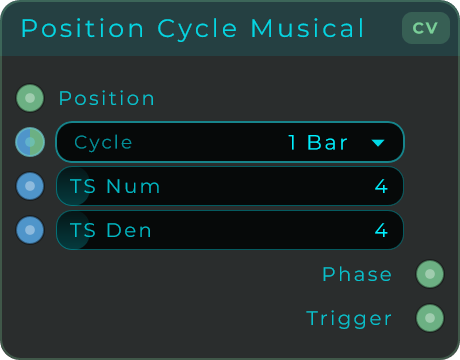
Appearance
CV - Utilities
Routing, conversion, and utility nodes for CV signals.
CV Value
Outputs a constant CV value. Like a knob that generates a fixed control voltage.
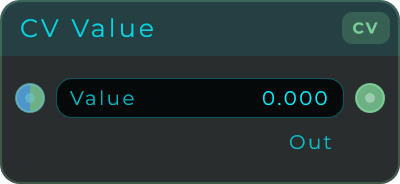
| Parameter | Range | Default | Description |
|---|---|---|---|
| Value | unbounded | 0.0 | The constant value to output |
CV Switch
Selects between two values based on a condition.
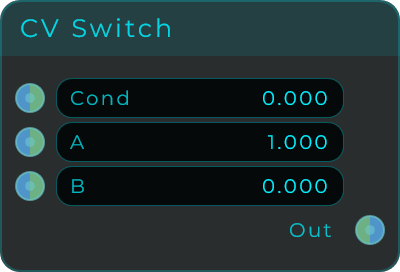
| Parameter | Range | Default | Description |
|---|---|---|---|
| Cond | unbounded | 0.0 | Condition. > 0 selects A, otherwise B |
| A | unbounded | 1.0 | Value when condition is true |
| B | unbounded | 0.0 | Value when condition is false |
CV Select
Selects one of four inputs based on an index.
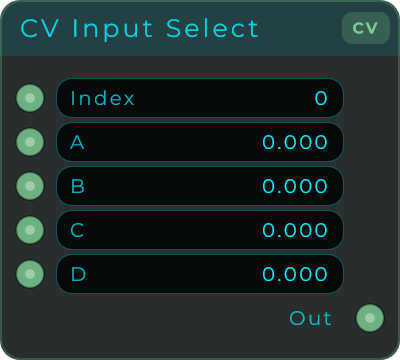
| Parameter | Range | Default | Description |
|---|---|---|---|
| Index | 0 - 3 | 0 | Which input to select |
| A | unbounded | 0.0 | Input 0 |
| B | unbounded | 0.0 | Input 1 |
| C | unbounded | 0.0 | Input 2 |
| D | unbounded | 0.0 | Input 3 |
CV Order
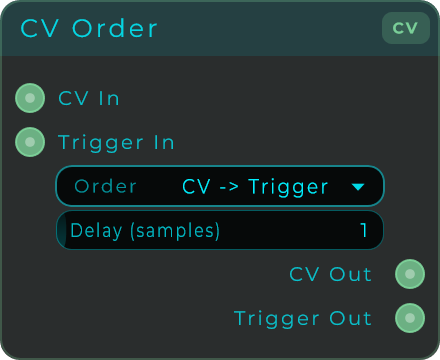
Controls the ordering of CV and Trigger outputs. Useful when you need to ensure a value arrives before or after a trigger.
| Parameter | Range | Default | Description |
|---|---|---|---|
| Mode | Choice | CV -> Trigger | Output ordering |
| Delay | 0 - 32 samples | 1 | Delay between outputs |
Modes: CV -> Trigger, Trigger -> CV, Same Sample
CV Multiply
Multiplies a CV signal by a factor. Use to scale modulation depth.
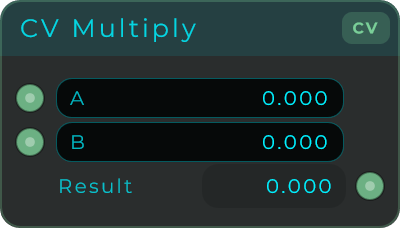
Inputs: Two CV values Output: Product
CV To Data
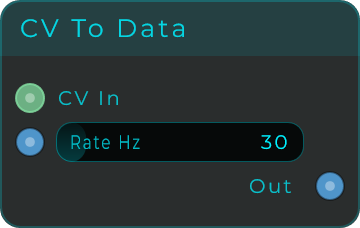
Samples a CV signal at a configurable rate and outputs it as Data events.
| Parameter | Range | Default | Description |
|---|---|---|---|
| Rate | 1 - 240 Hz | 30 Hz | How often to sample the CV value |
PPQ Divider
Divides PPQ (Pulses Per Quarter note) clock signals from the host transport.