
Appearance
Settings
Open Settings from the app header and choose a page in its left sidebar. Use Library for content folders, Graph for cables and canvas behaviour, and Audio & MIDI for standalone devices.
Audio & MIDI appears only in the standalone app. When MNodes runs as a plugin, choose audio and MIDI devices in your DAW instead.
| You want to change… | Page |
|---|---|
| Startup, tooltips or Factory content | General |
| Cable visibility and graph scrollbars | Graph |
| Where MNodes finds projects, Modules or hosted plugins | Library |
| Interface colours and skin | Appearance |
| Key bindings | Shortcuts |
| Standalone audio interface or MIDI keyboard | Audio / MIDI |
| Activation on this computer | License |
General
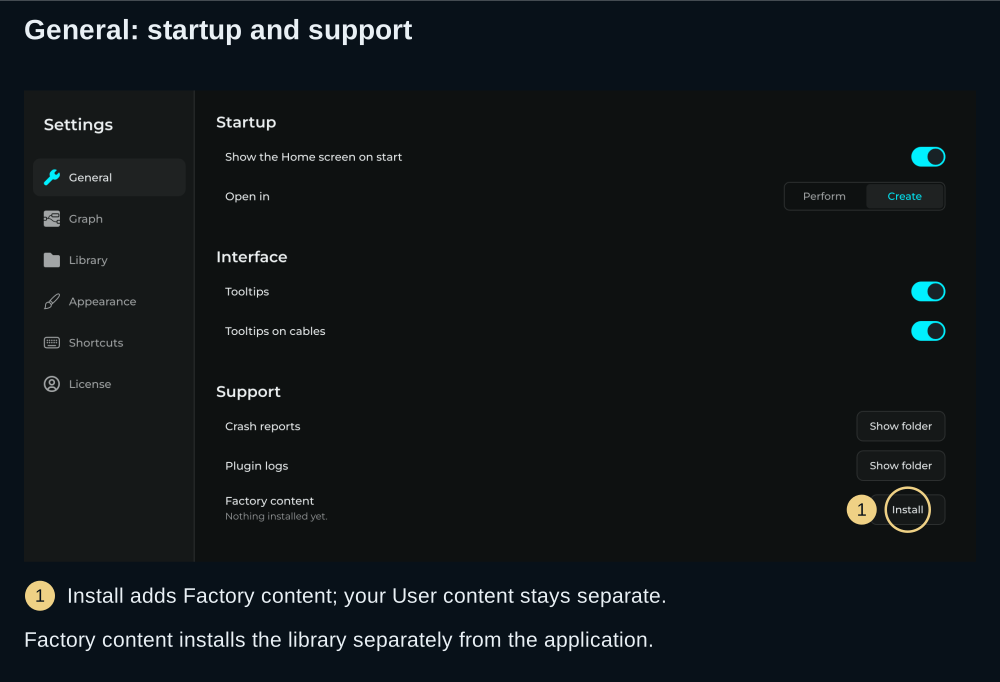
| Setting | Description |
|---|---|
| Show the Home screen on start | Choose whether startup begins at Home |
| Open in: Perform / Create | Choose the startup path and the default action for Enter on Home |
| Tooltips | Show explanations when the pointer rests on controls |
| Tooltips on cables | Name the connected nodes and pins when hovering a cable |
The startup preference is separate from a saved project's Open Mode, chosen in Save Preset.
Factory content
MNodes can ship a curated factory collection: ready-made node presets, subgraphs, modules, and projects (with their artwork). General has a button that downloads this official pack from the Hub and installs it into the Factory folders of your Library.
The button label tells you the current state:
- Install in the Factory content row while nothing is installed yet. The row says Nothing installed yet until content has been installed.
- Reinstall once a pack is installed. Reinstalling only refreshes the official content; it never touches your own work.
Where the content lands:
- Factory content goes into read-only Factory folders inside your Library.
- Your own work lives under User and stays untouched.
- Anything you download from the Hub stays separate too.
Reinstalling only writes to the Factory folders. It can never overwrite or delete your User content or your Hub downloads.
Three ways to get factory content
- The General button above downloads and installs the official pack from the Hub.
- A one-time prompt on first run ("GET FACTORY CONTENT?") offers the same download. Accept it and the pack installs with your consent, or skip it and it stays quiet from then on. If a download fails (for example the server is briefly unreachable), MNodes offers again next time you launch instead of giving up.
- Drag a
.mnpackfile onto the graph to install a local pack straight from disk.
Needs an active license
Every way of getting factory content (the button, the first-run prompt, the Hub download, and dropping a .mnpack) needs a valid license. Nothing is downloaded or installed until you have activated a correct serial. See License below.
MNodes records which version of the pack you have, so a later reinstall only downloads when the Hub has something newer.
Crash reports and plugin logs
Under Support, two buttons open the folders to attach to a bug report:
- Crash reports opens what MNodes wrote down the last times it closed unexpectedly.
- Plugin logs opens what happened with your hosted plugins. See When a plugin misbehaves.
Graph
Use these settings when graph connections are hard to follow:
| Setting | Effect |
|---|---|
| Cables on top of nodes | Draw graph cables above node bodies |
| Highlight the selected node's cables | Keep the selected node's connections prominent |
| Faded cable opacity | Choose how visible the other connections remain |
| Cable tension | Adjust the cable curve |
| Scrollbars on the canvas | Show graph scrollbars |
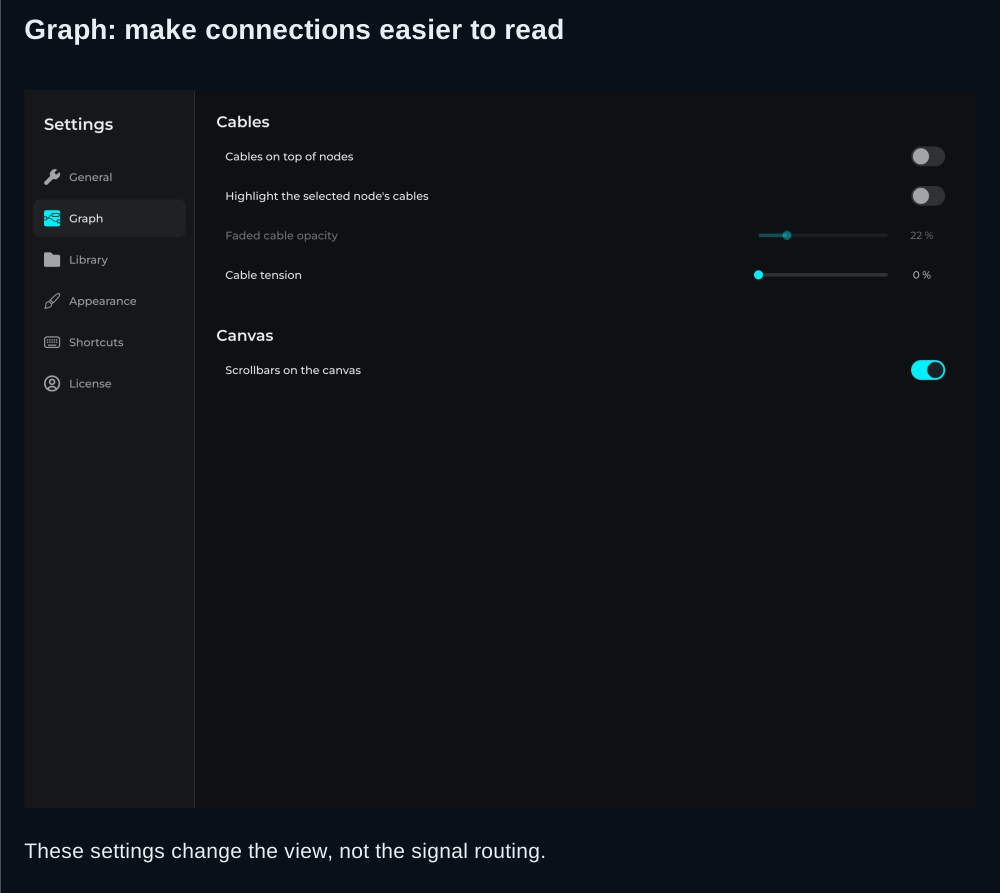
These change how the graph is displayed. They do not change which nodes are connected. For plugging panel jacks, see Patch Cables.
Library
This page holds Projects, Node Presets, Subgraphs, Modules and Fonts folder locations. Hover a folder row to reveal Choose another folder and Back to the default folder. Click the path itself to open that folder; an overridden location can be reset. Rescan folders refreshes the content index.
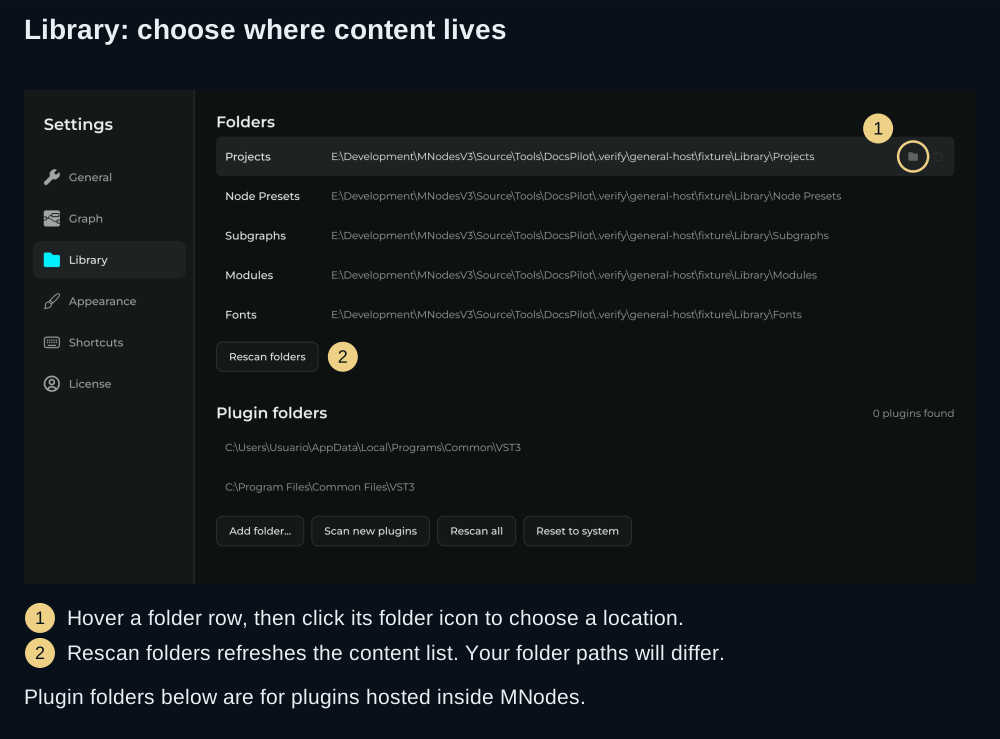
Choosing a new folder changes the location MNodes uses; it does not move the old folder's files for you. See Preset Library before relocating content.
Plugin folders below those rows belong to the Plugin Host node: they tell MNodes where to find plugins it can host inside a patch. They do not tell your DAW where the MNodes Instrument or MNodes FX plugin is installed.
Shortcuts
Choose a command in Shortcuts to change its key binding. Check this page when a shortcut in a guide behaves differently on your setup. Reset all restores the factory bindings.
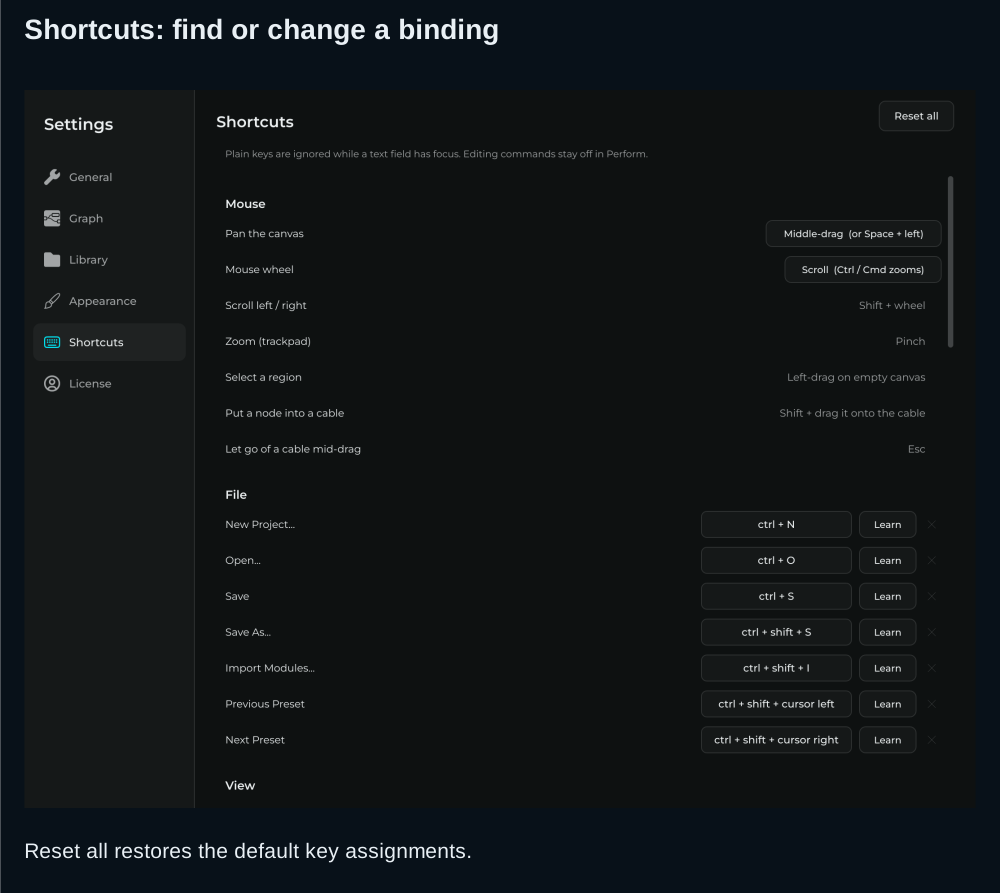
The Keyboard Shortcuts guide is the reference for the default bindings. Move focus out of text fields before using graph shortcuts.
Audio / MIDI
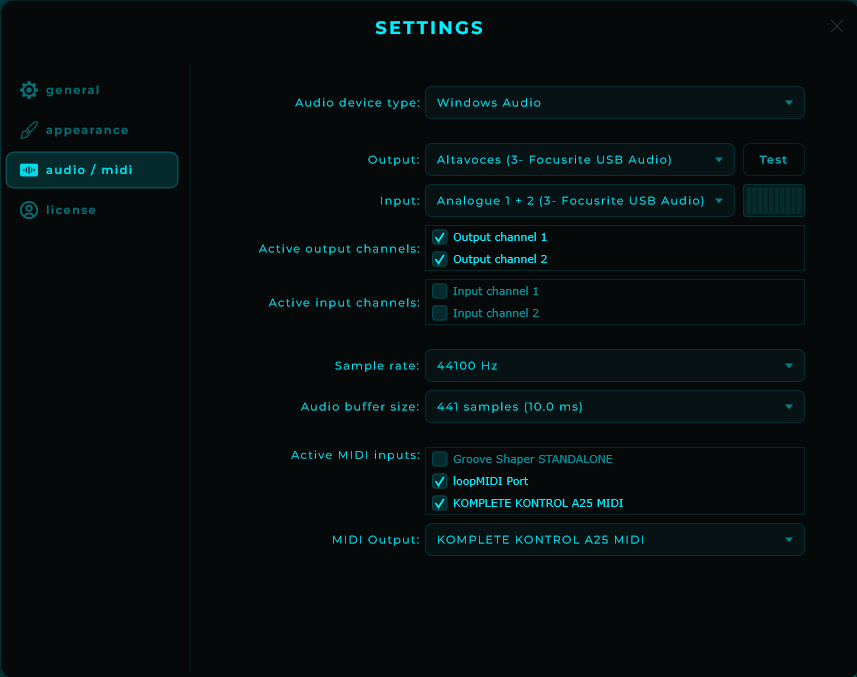
| Setting | Description |
|---|---|
| Audio driver | Select audio driver (ASIO®, WASAPI, CoreAudio, etc.) |
| Audio device | Choose your audio interface |
| Sample rate | Set the sample rate |
| Buffer size | Set the audio buffer size (lower = less latency, more CPU) |
| MIDI input device | Select MIDI controller (standalone only) |
TIP
In plugin mode, audio and MIDI settings are managed by your DAW. These settings only apply to standalone mode.
On Windows, the standalone app ships with ASIO driver support for the lowest latency with audio interfaces: pick your interface's ASIO driver under Audio driver. The native Windows drivers (WASAPI, DirectSound) remain available and stay selected by default.

ASIO is a registered trademark of Steinberg Media Technologies GmbH.
Multichannel input and output
MNodes opens in stereo by default, so existing sessions are unchanged. The main input and output buses can each widen to up to 8 channels, independently of one another.
In the standalone, enable more than two input or output channels here in Settings > Audio / MIDI to work with a multichannel audio interface. Once the bus is wider, an Audio In node can read those extra inputs and an Audio Out node can feed those extra outputs.
TIP
You set the channel count on each node with the Channels slider on the Audio In and Audio Out nodes. See the node reference for the details.
Appearance
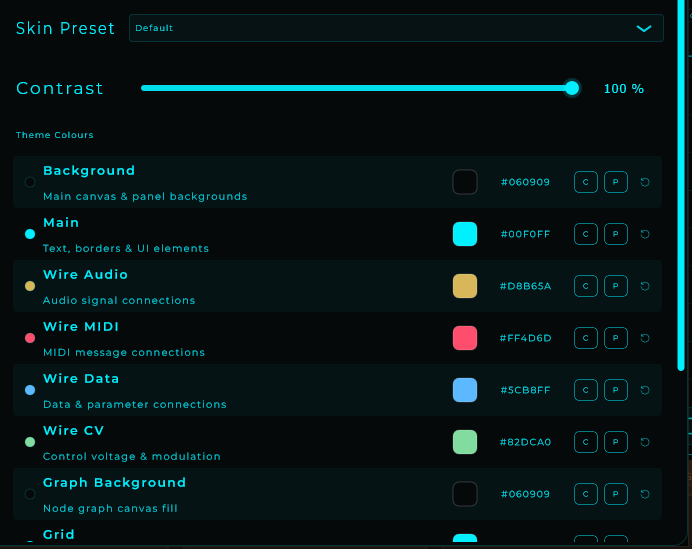
The Appearance section changes the application’s colours and skin. It themes the whole interface, and the UI updates live as you make changes. Appearance is a personal preference saved in your UI settings: it is not baked into your projects or presets, so sharing a project never carries your colours with it.
Text Contrast
A Text Contrast slider at the top of the section raises the opacity of elements drawn in Main, such as graph text, icons and borders. It keeps the colour's hue intact and defaults to 30%. Use Interface text and Secondary text to change the text colours in Home, Library, Hub and the header.
Colours
Each colour has its own picker:
| Colour | What it paints |
|---|---|
| Background | The Home, Library, Hub and app background |
| Main / Accent | Active controls, selections and graph accents |
| Chrome | The header, side panels and Settings background |
| Surfaces | Cards, menus and featured project backgrounds |
| Hover | Highlighted menu items and cards |
| Borders | Interface outlines and separators |
| Interface text | Text in Home, Library, Hub and the header |
| Secondary text | Descriptions, hints and secondary icons |
| Text on accent | Text and icons on filled accent buttons |
| Audio | The Audio wire colour |
| MIDI | The MIDI wire colour |
| Data | The Data wire colour |
| CV | The CV wire colour |
| Graph Background | The node graph canvas fill |
| Grid | The graph grid lines |
| Node Body | The card fill behind every node |
| Front Panel | The surround around the front panel |
| Panel Grid | The front-panel grid lines |
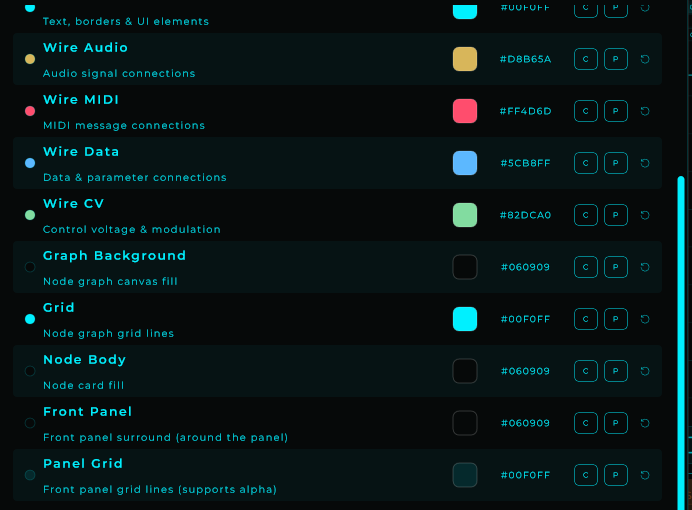
Eyedropper
Every colour picker has an eyedropper button in the swatch strip, drawn in your theme's Main colour, to grab a colour from anywhere on the screen. Click it to enter pick mode, move the mouse to preview the colour under the cursor live, and click anywhere to apply it. Press Escape to cancel.
On Windows the cursor turns into a crosshair while you pick, and the click is consumed so it doesn't fall through to whatever is under the cursor. On macOS it uses the system colour sampler.
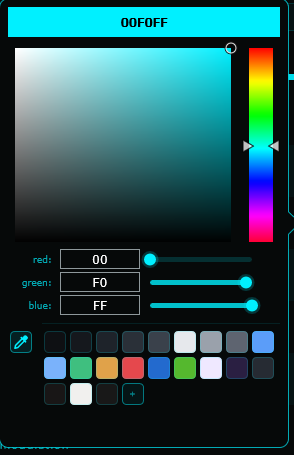
Skin presets
Built-in skin presets give you a full look in one click, and you can build your own from there. You can also import and export "look" files to save a palette or share it with someone else.
Home, Library, Hub and the editor header use these same colours and update immediately. Changing any swatch marks the skin as Custom. Older look files receive suitable interface colours based on their saved Background and Main colours. Project artwork and the instrument's own front-panel design keep their original colours.
Edit tools
While you are tuning a look you also get:
- Reset to factory to return to the default palette.
- Randomise to roll a fresh set of colours.
- Undo / redo for the colour edits you make here.
License
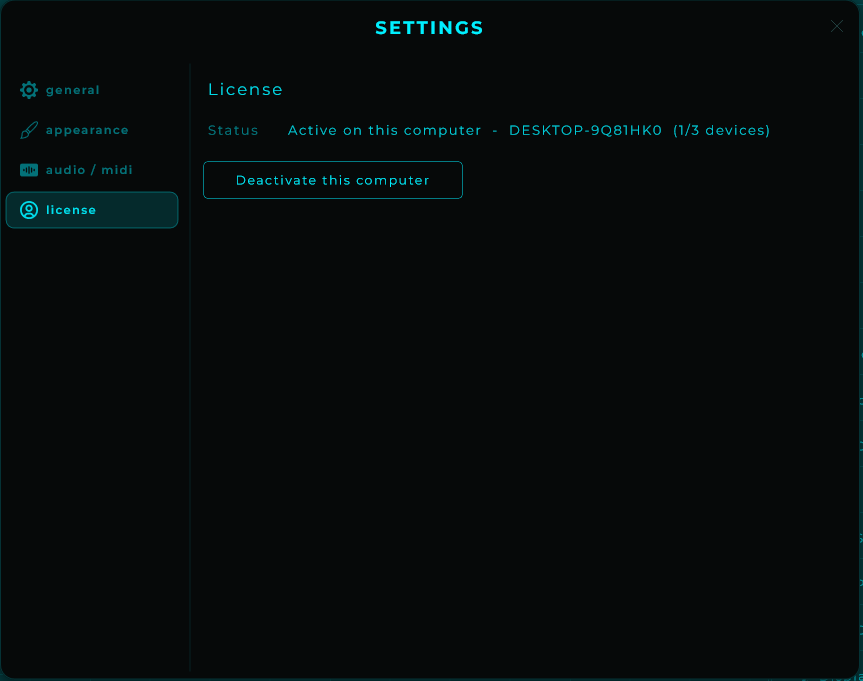
| Setting | Description |
|---|---|
| License status | Shows the current license state and the name of this computer |
| Active licenses | Shows the used activations and the allowance reported for your license |
| Activate | Enter your email and serial to activate MNodes on this computer |
| Version info | Current plugin version |
| Deactivate this Computer | Release the license from this computer so it can be used on another one. You can also manage your licenses from your account at marionietoworld.com |