
Appearance
Modulation
Nodes that add movement and randomness to your patch. Some run all the time, putting out a steady control signal (called CV, control voltage) that you can plug into anything you want to move. Others put out a fresh value each time you trigger them. Use them to bring a sound to life, add wobble to a parameter, glide smoothly between values, or build patches that keep changing on their own.
LFO
An LFO (low-frequency oscillator) is the go-to tool for movement. It puts out a steady, slowly moving signal you can plug into almost anything: filter brightness, panning, volume, pitch, or another node's setting. Choose from 16 shapes, run it at its own speed in Hz or lock it to your song's tempo, and stretch the output to whatever range you need.
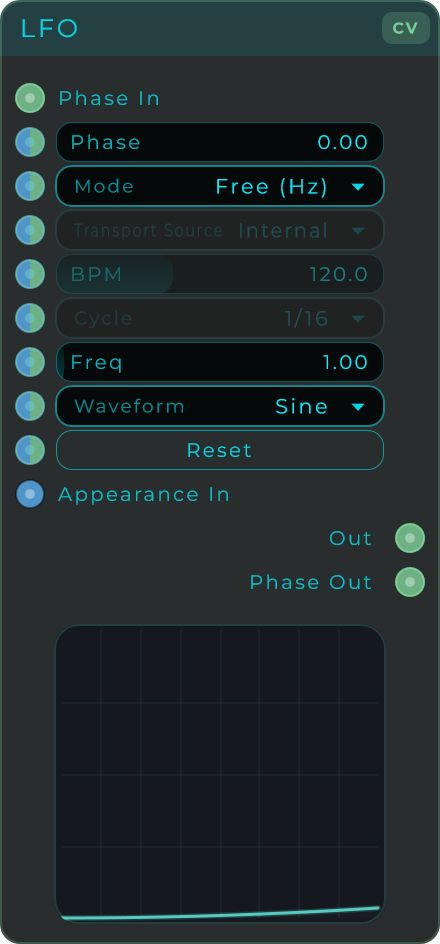
The LFO has two timing modes, chosen with Mode:
| Mode | Rate set by | Description |
|---|---|---|
| Free | Freq in Hz | Runs at its own speed, independent of the project tempo |
| Sync | Cycle subdivision | Locks each cycle to a musical note value, following either an internal BPM or the DAW transport |
| Parameter | Range | Default | Description |
|---|---|---|---|
| Waveform | Choice (16) | Sine | The shape of the cycle (see list below) |
| Mode | Free / Sync | Free | Free-running Hz or tempo-synced |
| Transport Source | Internal / Transport (DAW) | Transport (DAW) in a plugin, Internal standalone | Where Sync gets its tempo. Greyed out in Free mode |
| BPM | 20 - 300 | 120 | Manual tempo for Sync mode. Active only when Transport Source is Internal |
| Cycle | Choice | 1/4 | Note value for one cycle in Sync mode, from 64 Bars down to 1/128, with triplet and dotted variants |
| Freq | 0 - 40 Hz | 1.0 Hz | Cycle speed in Free mode |
| Phase Offset | 0.0 - 1.0 | 0.0 | Shifts the start point of the cycle. Useful for offsetting several LFOs from each other |
| Min | -10 - 10 | 0.0 | Bottom of the output range |
| Max | -10 - 10 | 1.0 | Top of the output range. Set Min above Max to invert the shape |
| Reset | Button | n/a | Restarts the cycle from its phase origin. Click it, or wire a trigger or clock into the Reset input |
Waveforms: Sine, Triangle, Saw Up, Saw Down, Square, Pulse 25, Pulse 10, Exp Up, Exp Down, Sample & Hold, Random Linear, Random Smooth, Random Stepped, Random Noise, Stair Up, Stair Down.
Settings that do not apply to the current Mode are greyed out, so Freq is only active in Free mode while Transport Source, BPM and Cycle belong to Sync mode.
Inputs: Phase CV (overrides the internal phase, so you can ratio-lock two LFOs or drive phase from a custom signal). Mode, Transport, BPM, Cycle, Freq, Waveform, Phase Offset, Min, Max and Reset also expose stream-capable inputs for modulation. Outputs: Out (the modulation signal in the Min to Max range), Phase Out (the raw 0 to 1 cycle position, handy for syncing other LFOs to this one).
Random CV
Puts out a steady stream of random movement in the Min to Max range. You set how fast new values come, and you choose how the signal travels from one value to the next.
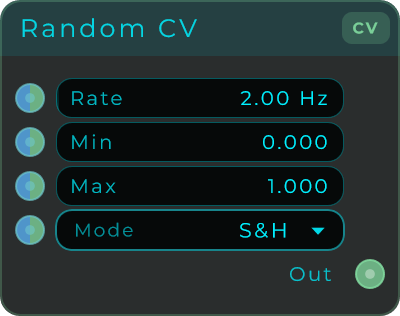
| Parameter | Range | Default | Description |
|---|---|---|---|
| Rate | 0.01 - 200 Hz | 2.0 Hz | How often a new random value is generated. Higher means faster changes |
| Min | unbounded | 0.0 | Bottom of the output range |
| Max | unbounded | 1.0 | Top of the output range |
| Mode | Choice | S&H | How the signal moves between random values |
Modes: S&H (flat steps, sample and hold), Linear (straight-line ramps), Smooth (raised-cosine, organic feel), Stepped (quantized staircase), Noise (per-sample white noise scaled to the range).
Inputs: Rate, Min, Max, Mode (all stream-capable, so they can be modulated at audio rate). Outputs: Out (CV signal in the Min to Max range).
CV Glide
Smooths out a control signal so it slides to its new value instead of jumping there instantly. This kind of smoothing is also called portamento or glide. It softens any sudden jumps so the value eases to where it is heading.
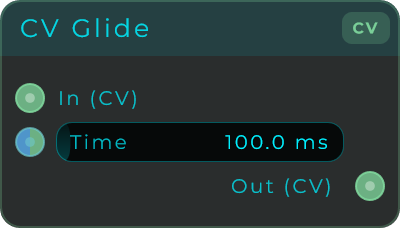
| Parameter | Range | Default | Description |
|---|---|---|---|
| Time | 0 - 2000 ms | 100 ms | How long the output takes to reach the target. 0 is instant (pass-through). Accepts up to 10000 ms when driven from a CV input |
Inputs: In (CV signal to smooth), Time. Outputs: Out (smoothed CV signal).
CV Delay Line
Holds a control signal for a moment and then plays it back, later than it came in. There is no echo feedback and no dry/wet mix, so the output is simply the delayed signal, nothing more. It is the control-signal version of Delay Line Mono. Use it to hold back a movement signal (an LFO, an envelope, a sequencer) or as the delayed tap inside a control-signal feedback loop.
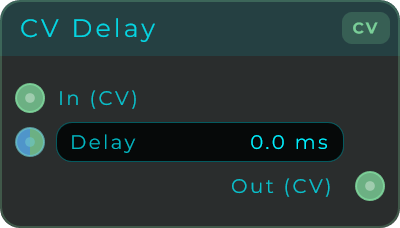
The delay length is set by one of three time modes, chosen with Mode:
| Mode | Delay length | Description |
|---|---|---|
| Free | Time in milliseconds | Set the delay directly in ms |
| Hz | 1 / Frequency | Set the delay by frequency in Hz instead of a time |
| Sync | Subdiv × 60 / BPM | Lock the delay to a musical note value |
| Parameter | Range | Default | Description |
|---|---|---|---|
| Mode | Free / Hz / Sync | Free | Which time mode is active |
| Time | ms | n/a | Delay length in milliseconds (Free mode) |
| Frequency | Hz | n/a | Frequency in Hz (Hz mode) |
| Subdiv | Choice | 1/4 | Note value such as 1/4, 1/8, 1/16, with triplet and dotted variants (Sync mode) |
| BPM | 1 - 999 | 120 | Manual tempo used for Sync mode |
| Clear | button | - | Empties the line at once, so nothing that went in before is still on its way out. This is how you unstick a control-signal feedback loop that has latched onto a value |
Inputs: In (CV signal), Mode, Time, Freq, Subdiv, BPM, Clear (CV-capable: any message fires it, and a CV stream fires it on every rising edge). The inspector greys out the parameters that do not apply to the current Mode. Outputs: Out (delayed CV signal).
Random Float
Picks a fresh random number (with decimals) between Min and Max each time you trigger it. Use it for random pitches, a bit of knob wobble, or settings that change on their own.
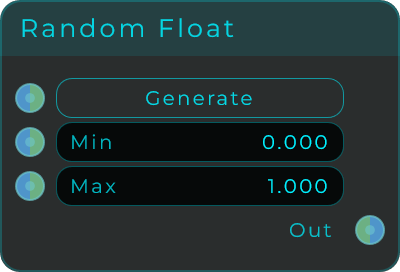
The Generate input works three ways: click it, send it an event, or feed it a stream. In stream mode it makes a new value on a rising edge, and the output keeps the last value in between.
| Parameter | Range | Default | Description |
|---|---|---|---|
| Min | unbounded | 0.0 | Lower bound of the random range |
| Max | unbounded | 1.0 | Upper bound of the random range |
Inputs: Trigger (Generate), Min, Max. Outputs: Out (generated random float).
Random Int
Picks a fresh random whole number between Min and Max each time you trigger it. Handy for choosing a random step, a random MIDI note, or a random channel.
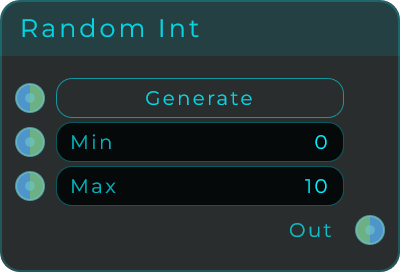
The Generate input works three ways: click it, send it an event, or feed it a stream. In stream mode it makes a new value on a rising edge, and the output keeps the last value in between. Min and Max are rounded to whole numbers.
| Parameter | Range | Default | Description |
|---|---|---|---|
| Min | unbounded (integer) | 0 | Lower bound of the random range |
| Max | unbounded (integer) | 10 | Upper bound of the random range |
Inputs: Trigger (Generate), Min, Max. Outputs: Out (generated random integer).
Random Bool
A random coin flip each time you trigger it: true or false. The Probability control tips the odds toward one or the other. Use it for yes/no decisions, random gates, or patches that branch in different directions on their own.
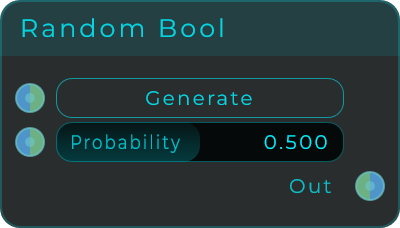
The Generate input works three ways: click it, send it an event, or feed it a stream. In stream mode it makes a new result on a rising edge, and the output keeps the last result in between.
| Parameter | Range | Default | Description |
|---|---|---|---|
| Probability | 0.0 - 1.0 | 0.5 | Chance of outputting true (0 = always false, 1 = always true) |
Inputs: Trigger (Generate), Probability. Outputs: Out (generated random boolean).
Vector Mix
One position, four levels. Feed it an X and a Y between 0 and 1, wire the four outputs to the gain of four voices, and moving that single point mixes them: a voice on its own in each corner, all four together in the middle, and every blend in between. That is vector synthesis, and an XY Pad wired straight into it is the four-voice vector pad.

This is the one thing a pair of crossfades cannot do. Crossfading left to right and then top to bottom always leaves two voices sounding at once, because a crossfade only knows about two things. The four levels here come from the position itself: each corner is worth what is left of the distance to it along both axes at once, and the four always add up to exactly one.
| Parameter | Range | Default | Description |
|---|---|---|---|
| X | 0.0 - 1.0 | 0.5 | Horizontal position of the point. 0 is the left, 1 is the right |
| Y | 0.0 - 1.0 | 0.5 | Vertical position of the point. 0 is the bottom, 1 is the top |
| Mode | Normal / Inverse | Normal | Normal gives all four voices in the middle and one voice in each corner. Inverse is silence in the middle, each corner coming up only as you travel towards it |
| Law | Linear / Equal Power | Linear | Linear adds the four levels to one, which is what you want when the voices are related, such as four waveforms of the same note. Equal Power adds their squares to one, which keeps the middle as loud as a corner when the voices are unrelated |
X and Y are stream-capable, so an XY Pad, an LFO or an envelope can move the point, and everything runs at audio rate, so fast motion does not step the gains. A wired input takes over from the value set on the node, so half a patch works as well as all of it. Sending a bare trigger to X or Y re-sends the four levels, which is how a patch gets its starting mix before anybody has moved anything.
Wire an XY Pad's X Out and Y Out straight in. Set Spring Back to Centre on the pad and the point returns to the middle when you let go, which with Inverse means the sound falls back to silence on its own.
Inputs: X, Y (both stream-capable), Mode, Law. Outputs: Top Left, Top Right, Bottom Left, Bottom Right (each the level of that corner's voice, 0 to 1, all stream-capable).