
Appearance
Pitch
The Pitch nodes shape and tune pitch as it travels through your patch. Some turn a V/oct pitch signal (the standard control signal that carries pitch) into an actual frequency in Hz, others move pitch up or down by octaves, semitones (the smallest step on a piano) or cents (tiny fractions of a semitone), and the quantizers nudge incoming pitch onto the notes of a musical scale, from the familiar twelve-note scales all the way to microtonal and just-intonation tunings (alternative tuning systems explained on their own nodes below). They all run at audio rate (updated very finely, sample by sample), so you can change pitch as fast as you like, and most of their controls double as inputs you can drive from elsewhere in the patch.
CV To Freq
Turns a V/oct pitch signal (the standard control signal that carries pitch) into an actual frequency in Hz. 0V gives middle C (C3, 261.63 Hz), going up 1V doubles the frequency (one octave up) and going down 1V halves it (one octave down).
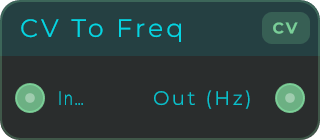
Inputs: In (V/oct pitch signal). Outputs: Out (frequency in Hz).
CV Scale
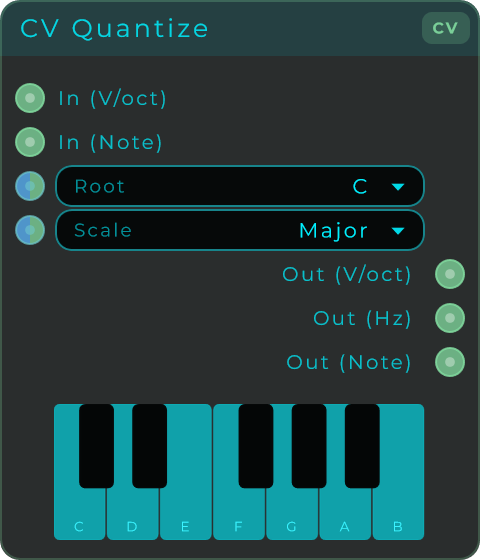
Nudges an incoming pitch onto the nearest note of a musical scale, so off notes get pulled into key. It can handle both a V/oct pitch signal and a MIDI note number at the same time, tidies up each one on its own, and gives you the result three ways: as V/oct, as Hz, and as a MIDI note. You can also click the piano keys in the node body to build your own scale, which switches it to Custom mode.
| Parameter | Range | Default | Description |
|---|---|---|---|
| Root | C, C#, D, D#, E, F, F#, G, G#, A, A#, B | C | Root note of the scale. |
| Scale | Built-in scales (Major, Minor and more) plus Custom | Second preset in the list | Which scale to snap notes to. |
You can set both Root and Scale in the Inspector, or drive them from another node by wiring a value or CV stream into their inputs.
Inputs: In V/oct, In Note (MIDI 0-127), Root, Scale.
Outputs:
| Output | Description |
|---|---|
| Out V/oct | Quantized pitch as V/oct (from the V/oct input). |
| Out Hz | Quantized pitch as frequency in Hz (from the V/oct input). |
| Out Note | Quantized MIDI note 0-127 (from the Note input). |
CV Octave
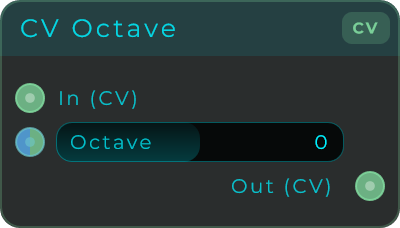
Moves a pitch signal up or down by whole octaves. Each step doubles or halves the frequency, so it is a quick way to shift oscillators, samplers or MIDI To CV outputs an octave at a time.
| Parameter | Range | Default | Description |
|---|---|---|---|
| Octave | -4 to +4 | 0 | Octaves to shift. +1 doubles the frequency, -1 halves it, 0 passes through. |
The Octave control is also an input: set it on the node or drive it from another node with a value or CV stream.
Inputs: Hz In (frequency in Hz), Octave. Outputs: Hz Out (shifted frequency in Hz).
CV Transpose
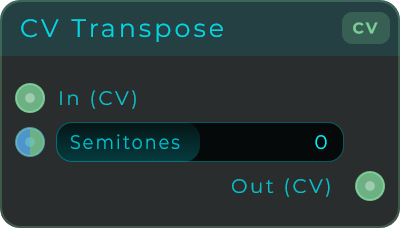
Moves a pitch signal up or down by whole semitones (the smallest steps on a piano) for clean, in-tune retuning. For example +12 is an octave up, -12 an octave down, and +7 a perfect fifth up.
| Parameter | Range | Default | Description |
|---|---|---|---|
| Semitones | -96 to +96 | 0 | Semitones to shift. +12 = octave up, +7 = perfect fifth, 0 passes through. |
The Semitones control is also an input: set it on the node or drive it from another node with a value or CV stream.
Inputs: Hz In (frequency in Hz), Semitones. Outputs: Hz Out (transposed frequency in Hz).
CV Pitch Bend
Applies a pitch bend wheel to a pitch signal, the way a hardware synth does. Wire the Pitch Bend output of MIDI To CV straight into Bend, set how far a full bend should go, and the wheel bends by the same musical amount on every note of the keyboard.
That last part is the whole point. Pitch in Hz is not evenly spaced: one semitone up from a low note is a few Hz, one semitone up from a high note is dozens of Hz. So adding a fixed number of Hz with a Math node bends far too much down low and barely anything up high. This node does the maths for you.

| Parameter | Range | Default | Description |
|---|---|---|---|
| Bend | -1 to +1 | 0 | Wheel position. -1 is fully down, 0 is centre, +1 is fully up. This is exactly what MIDI To CV gives you on its Pitch Bend output. |
| Range | 0 to 48 st | 2 | How many semitones a full bend covers. 2 is the usual synth setting, 12 gives a whole octave. |
| Mode | Hz, V/oct | Hz | Which kind of pitch signal you are feeding in. Use Hz for the Note Hz output of MIDI To CV, V/oct for the Pitch output. |
Bend, Range and Mode are also inputs: set them on the node or drive them from elsewhere in the patch, including with an audio-rate CV stream, so the bend stays perfectly smooth.
Inputs: In (pitch, in Hz or V/oct to match Mode), Bend, Range, Mode. Outputs: Out (bent pitch, same kind of signal as the input).
CV Detune
Moves a pitch signal by cents, where one cent is one hundredth of a semitone, so this is for very fine tuning. Use it for that wide supersaw spread, for fine-tuning oscillators, for subtle chorus and unison detune, or for sweeping pitch in steps smaller than a semitone.
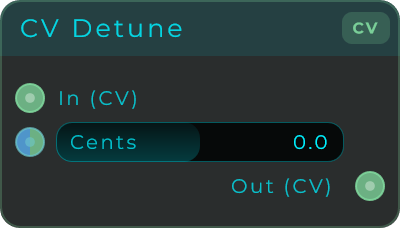
| Parameter | Range | Default | Description |
|---|---|---|---|
| Cents | -100 to +100 (slider) | 0 | Detune amount in cents. +100 = one semitone up, +50 = a quarter tone, +7 = subtle detune, 0 passes through. |
The Cents control is also an input: set it on the node or drive it from another node with a value or CV stream, which accepts a wider -1200 to +1200 range.
Inputs: In (frequency in Hz), Cents. Outputs: Out (detuned frequency in Hz).
Micro Quantize EDO
Snaps pitch to a scale made by splitting an interval into equal steps, for microtonal tuning that goes beyond the usual twelve notes per octave. Choose how many equal steps fill the repeating interval and how wide that interval is, and the node builds the scale for you on the fly. Click individual steps in the node body to remove notes from the scale.
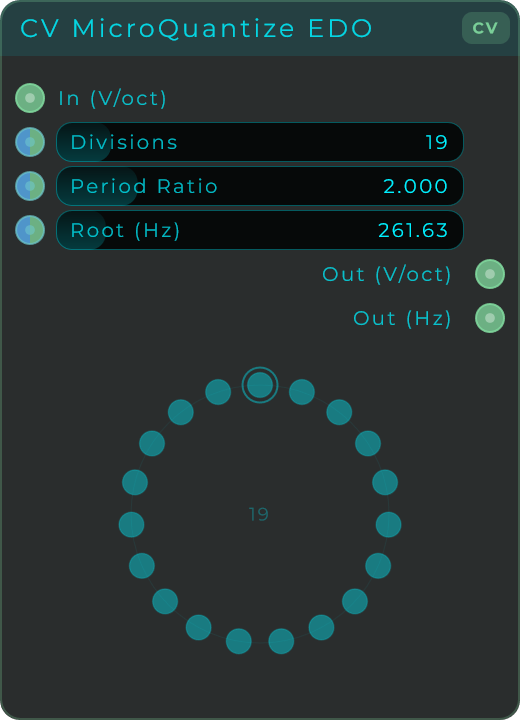
| Parameter | Range | Default | Description |
|---|---|---|---|
| Divisions | 2 to 128 | 19 | Number of equal steps per period. |
| Period Ratio | 1.5 to 4.0 | 2.0 | Frequency ratio of the repeating interval (2.0 = octave, 3.0 = tritave). |
| Root (Hz) | 20 to 2000 | 261.63 (C3) | Reference frequency for 0V. |
Divisions, Period Ratio and Root are also inputs: set them on the node, or drive them from another node with a value or CV stream.
Inputs: In (V/oct), Divisions, Period, Root. Outputs: Out V/oct (quantized pitch as V/oct), Out Hz (quantized frequency in Hz).
Micro Quantize JI
Snaps pitch to just-intonation ratios, a tuning system built from simple whole-number ratios that gives pure, beat-free intervals. Pick one of the built-in just-intonation presets (5-limit, 7-limit, Pythagorean, harmonic series, Bohlen-Pierce, Partch and more) and the node builds the tuning from its ratios. Click individual steps in the node body to remove notes from the scale.
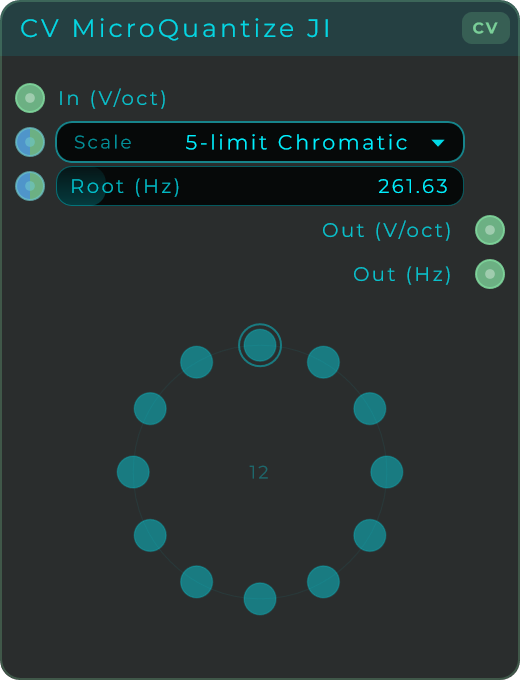
| Parameter | Range | Default | Description |
|---|---|---|---|
| Scale | 10 just-intonation presets | First preset (5-limit Chromatic) | Which JI tuning to snap notes to. |
| Root (Hz) | 20 to 2000 | 261.63 (C3) | Reference frequency for 0V. |
Root is also an input: set it on the node, or drive it from another node with a value or CV stream.
Inputs: In (V/oct), Scale, Root. Outputs: Out V/oct (quantized pitch as V/oct), Out Hz (quantized frequency in Hz).
Micro Quantize Scala
Snaps pitch using a Scala tuning file (.scl), a popular open file format for custom tunings. Load any microtonal scale saved in this format and the node snaps incoming pitch to it. Click individual steps in the node body to remove notes from the scale.
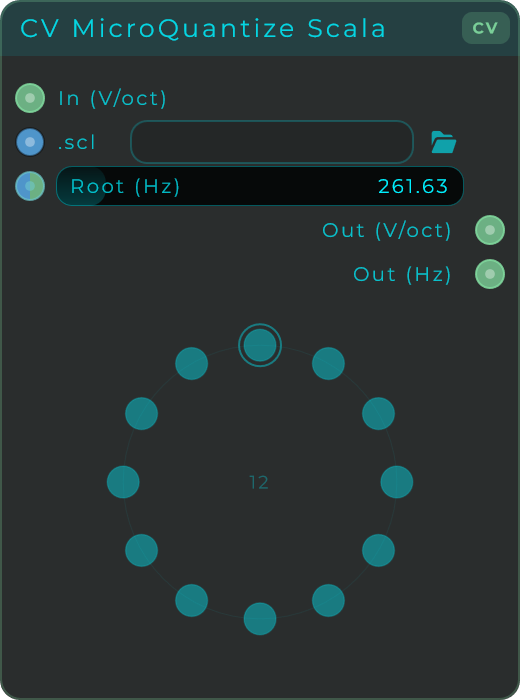
| Parameter | Range | Default | Description |
|---|---|---|---|
| .scl file | Path to a Scala tuning file | (none) | The Scala file that defines the scale. |
| Root (Hz) | 20 to 2000 | 261.63 (C3) | Reference frequency for 0V. |
Root is also an input: set it on the node, or drive it from another node with a value or CV stream. The .scl path can also be driven by wiring a file path into the .scl pin, so another node can switch the tuning file on the fly.
Inputs: In (V/oct), Root, .scl. Outputs: Out V/oct (quantized pitch as V/oct), Out Hz (quantized frequency in Hz).
Scala Keyboard
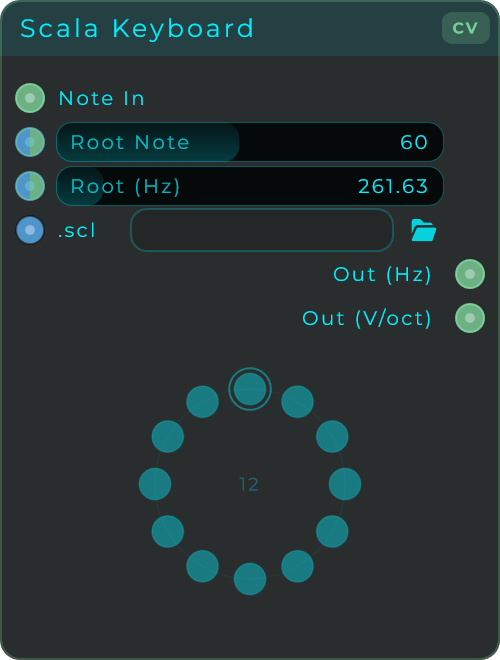
Turns note numbers into frequencies through a Scala tuning, so an ordinary keyboard can play any scale, whatever its size. Feed it a note number (for example the Note Number output of MIDI To CV, or a Poly Voice's pitch) and every key steps exactly one note of the scale, with no gaps, however many notes the scale holds. Root Note picks which key plays the scale's first note and Root (Hz) sets its frequency. Load any Scala tuning file (.scl) to define the scale; without one it plays the familiar twelve-note equal tuning. The body draws the scale as a circle of dots, one per note, with the sounding note lit; click a dot to remove that note from the scale, and the keyboard steps only through the notes left on.
| Parameter | Range | Default | Description |
|---|---|---|---|
| Root Note | 0 to 127 | 60 (C3) | Which incoming note number plays the scale's first note. |
| Root (Hz) | 20 to 2000 | 261.63 (C3) | Frequency of that first note. |
| .scl file | Path to a Scala tuning file | (none) | The Scala file that defines the scale. Leave it empty for standard twelve-note equal tuning. |
Root Note and Root (Hz) are also inputs: set them on the node, or drive them from another node with a value or CV stream. The .scl path can be driven too, so another node can switch the tuning file on the fly.
Inputs: Note (the incoming note number), Root Note, Root Hz, .scl. Outputs: Out Hz (the frequency of the mapped scale note), Out V/oct (the same pitch as V/oct, relative to the root).