
Appearance
Utilities
The Utilities category gathers the small, everyday building blocks you use in almost every patch. Here you will find the audio in and out points that connect MNodes to your sound card or your music software (your DAW), plus simple math helpers for sound (add, multiply, volume and value clamping), tools for muting, smoothing and delaying a signal, and the Recorder, the VST3 Plugin Host, the project Transport, and canvas helpers like Comment and Colour. On their own none of these makes a sound effect; think of them as the glue you keep reaching for to route, balance, mix and tidy up everything else.
Audio In
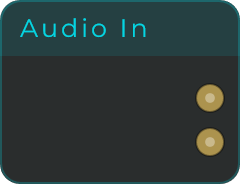
Brings sound from your sound card or your music software into the patch, for example a microphone, a guitar input, or a track in your DAW. You choose how many channels to bring in (1 to 8) with the Channels slider in the inspector, and output pin N picks up input channel N from the host.
| Parameter | Range | Default | Description |
|---|---|---|---|
| Channels | 1 - 8 | 2 | Number of output pins. Each pin maps to the matching host input channel (inspector only). |
Inputs: none (this is a source node). Outputs: In 1, In 2, ... (one audio pin per channel). Channels the host or device does not provide stay silent.
Audio Out
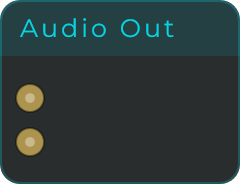
Sends the finished sound out to your sound card or your music software, so you can actually hear it or record it. You choose how many channels to send (1 to 8) with the Channels slider in the inspector, and input pin N feeds output channel N of the host.
| Parameter | Range | Default | Description |
|---|---|---|---|
| Channels | 1 - 8 | 2 | Number of input pins. Each pin maps to the matching host output channel (inspector only). |
Inputs: Out 1, Out 2, ... (one audio pin per channel). Multiple connections to a pin are summed. Outputs: none (this is a sink node). If no Audio Out is connected, the patch is silent.
Delay Line Mono
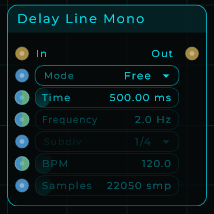
A bare-bones mono echo: it repeats the incoming sound a moment later. It has no feedback (it will not repeat over and over by itself) and no dry/wet mix, so you only hear the delayed copy. It is meant as a clean building block for echo and feedback setups where you wire the repeats back in yourself.
| Parameter | Range | Default | Description |
|---|---|---|---|
| Mode | Free / Hz / Sync | Free | Picks how the delay length is set. |
| Time | 0.01 - 5000 ms | 500 ms | Delay length in milliseconds (used in Free mode). |
| Frequency | 0.2 - 20000 Hz | 2 Hz | Delay length = 1 / Frequency (used in Hz mode). Useful for Karplus-Strong style pitched feedback. |
| Subdiv | musical subdivisions (1/64 to 4/1) | 1/4 | Note value for the delay length (used in Sync mode). |
| BPM | 1 - 999 | 120 | Tempo that drives the Sync subdivision. |
| Clear | button | - | Empties the line, so nothing that went in before is still on its way out. A short fade comes first, so clearing a line that is sounding does not click. |
Inputs: In (audio), Mode (Data), Time (Data, CV-capable), Freq (Data, CV-capable), Subdiv (Data), BPM (Data, CV-capable), Clear (Data, CV-capable: any message fires it, and a CV stream fires it on every rising edge). Outputs: Out (delayed audio, full wet).
Sig Pass
Lets a mono signal go straight through without changing it. Handy for keeping your cables neat and your patch organised.
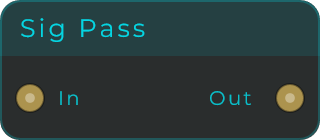
Inputs: In (audio). Outputs: Out (audio, identical to the input).
Sig Invert
Turns a mono signal upside down, so the output is the mirror image of the input (in audio terms, a 180 degree phase flip).
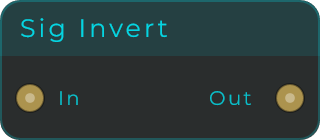
Inputs: In (audio). Outputs: Out (audio, polarity inverted).
Sig DC Offset
Adds a fixed amount to a mono signal, nudging it up or down. Useful for re-centring a signal or for building control values that drive other nodes.
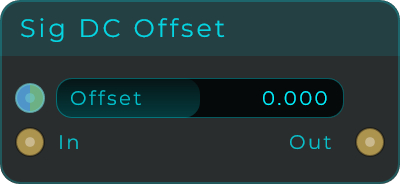
| Parameter | Range | Default | Description |
|---|---|---|---|
| Offset | -1.0 - 1.0 | 0.0 | Constant value added to every sample. |
Inputs: In (audio), Offset (Data, sets the offset value). Outputs: Out (audio).
Volume
Turns a mono signal up or down by a set amount, with a short smoothing time so the change does not click. The amount here is a simple multiplier, not decibels: 1.0 leaves the level unchanged, below 1.0 is quieter, above 1.0 is louder.
(Called Gain before 1.0.1. Searching the Add Node panel for "gain" still finds it.)
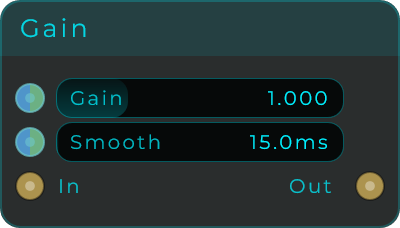
| Parameter | Range | Default | Description |
|---|---|---|---|
| Gain | 0.0 - 4.0 | 1.0 | Linear gain factor (1.0 = unity). |
| Smooth | 0 - 2000 ms | 15 ms | Time over which gain changes ramp, to avoid zipper noise. |
Inputs: In (audio), Gain (Data, CV-capable), Smooth (Data, CV-capable). Outputs: Out (audio).
Volume Stereo
The same control as Volume, but for a stereo (left and right) signal. It turns both channels up or down by the same multiplier, with a short smoothing time so the change does not click.
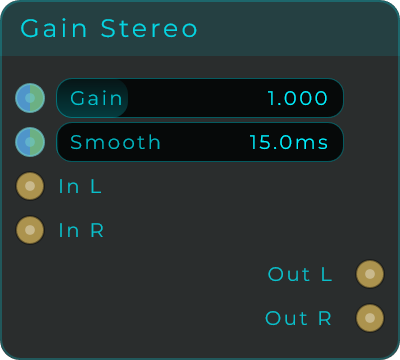
| Parameter | Range | Default | Description |
|---|---|---|---|
| Gain | 0.0 - 4.0 | 1.0 | Linear gain factor applied to both channels (1.0 = unity). |
| Smooth | 0 - 2000 ms | 15 ms | Time over which gain changes ramp, to avoid zipper noise. |
Inputs: In L (audio), In R (audio), Gain (Data, CV-capable), Smooth (Data, CV-capable). Outputs: Out L (audio), Out R (audio).
Sig Gate
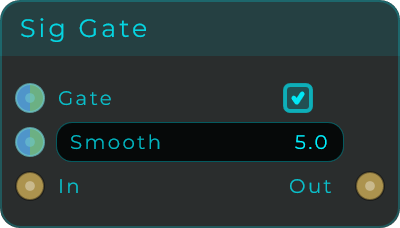
Acts like a switch for sound: it lets audio through while the gate is open and fades it down to silence while the gate is closed. The fade is smoothed so opening and closing does not click.
| Parameter | Range | Default | Description |
|---|---|---|---|
| Gate | on / off | on | When on, audio passes; when off, it fades to silence. |
| Smooth | 0 - 2000 ms | 5 ms | Fade time for opening and closing the gate. |
Inputs: In (audio), Gate (Data, values above 0 open the gate), Smooth (Data). Outputs: Out (audio).
Sig Add
Combines two mono signals into one by adding them together. The output is simply A plus B.
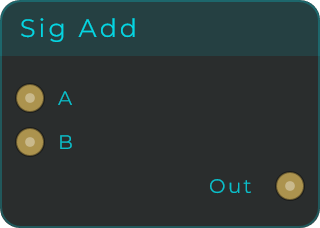
Inputs: A (audio), B (audio). Outputs: Out (audio, A + B).
Sig Subtract
Takes one mono signal away from another, so the output is A minus B. It completes the basic maths set alongside Sig Add and Sig Multiply. Feed it two levels that have been through Sig To dB and the output is their difference in decibels directly, ready to drive a gain for level matching, a ducker, or a dynamic EQ style patch.
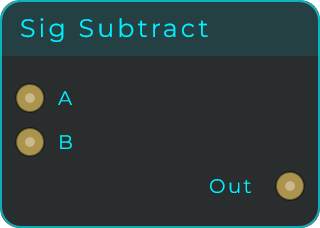
Inputs: A (audio), B (audio, subtracted from A). Outputs: Out (audio, A - B).
Sig Multiply
Multiplies two mono signals together, so the output is A times B. This is handy for shaping one sound with another, for example making a tremolo effect or using one signal to switch another on and off.
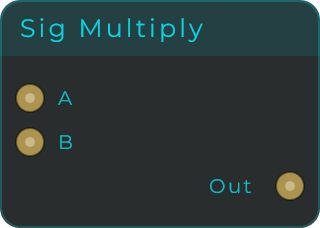
Inputs: A (audio), B (audio). Outputs: Out (audio, A x B).
Sig Clamp
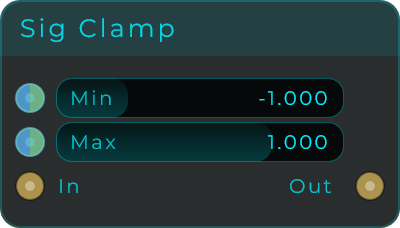
Keeps a mono signal inside set limits, so its values can never drop below Min or rise above Max.
| Parameter | Range | Default | Description |
|---|---|---|---|
| Min | -2.0 - 2.0 | -1.0 | Lower bound for each sample. |
| Max | -2.0 - 2.0 | 1.0 | Upper bound for each sample. |
Inputs: In (audio), Min (Data, CV-capable), Max (Data, CV-capable). Outputs: Out (audio).
Sig Abs
Makes every part of a mono signal positive, flipping any negative values to their positive equivalent. In audio terms this is a full-wave rectifier.
Inputs: In (audio). Outputs: Out (audio, absolute value of the input).
Sig To dB
Converts a signal's linear level into decibels: a level of 1.0 reads as 0 dB, 0.5 as about -6 dB, and silence bottoms out at -120 dB. Feed it a level signal, such as the output of an Envelope Follower or Sig To RMS, to read it in decibels; run two readings through Sig Subtract and you get the level difference between two signals, ready for gain matching, ducking, or dynamic EQ style patches. Sig From dB converts the other way.
Inputs: In (audio, a linear level). Outputs: Out (audio, the level in decibels).
Sig From dB
Converts decibels back into a plain linear level: 0 dB becomes 1.0, -6 dB about 0.5, and anything at or below -120 dB becomes 0. It is the opposite of Sig To dB: do your level maths in decibels (subtract, offset, scale), then convert back to a gain value you can feed straight into a Gain node's Gain input.
Inputs: In (audio, a level in decibels). Outputs: Out (audio, the linear level).
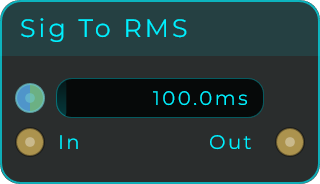
Sig To RMS
Measures how loud a mono signal is and outputs that loudness as a signal of its own. RMS follows the signal's energy, which matches how loud it actually sounds, rather than jumping with every short peak the way an envelope follower does. Pair it with Sig To dB to read the level in decibels, or send two RMS levels through Sig To dB and Sig Subtract to get a dB difference that can drive an auto-gain. A longer Window gives a smoother but slower reading.
| Parameter | Range | Default | Description |
|---|---|---|---|
| Window | 1 - 2000 ms | 100 ms | Averaging time for the loudness reading. Longer is smoother and slower. |
Inputs: In (audio), Window (Data, CV-capable). Outputs: Out (audio, the RMS level as a linear value).
Sig Mix 2
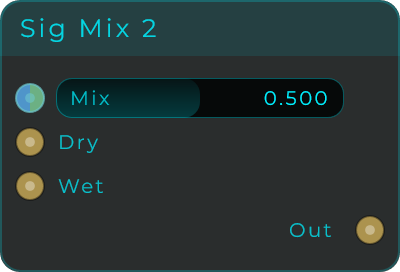
Blends a Dry input and a Wet input, fading smoothly between the two. At Mix 0 you hear only Dry, at Mix 1 only Wet, and values in between give you a mix of both.
| Parameter | Range | Default | Description |
|---|---|---|---|
| Mix | 0.0 - 1.0 | 0.5 | Crossfade amount. 0 = Dry only, 1 = Wet only. |
Inputs: Dry (audio), Wet (audio), Mix (Data, CV-capable). Outputs: Out (audio, the blend of Dry and Wet).
Crossfade
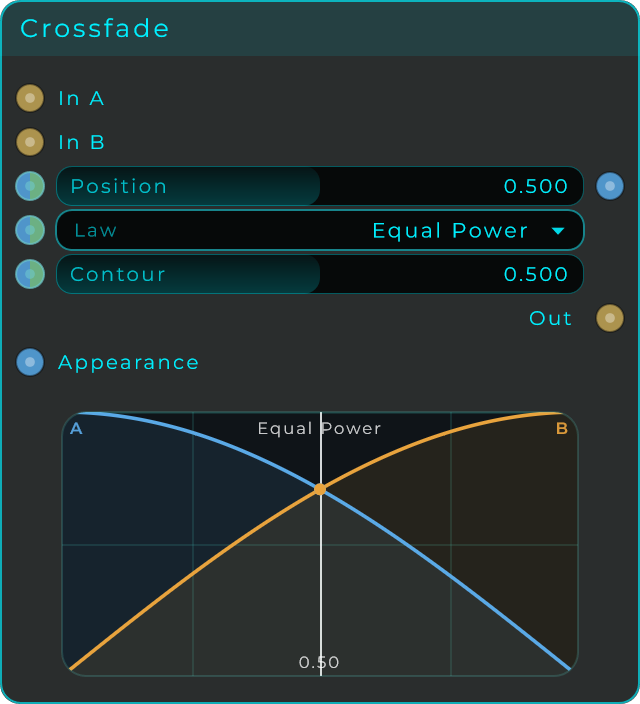
Blends two mono inputs like a DJ crossfader. Position runs from 0 (only In A) to 1 (only In B), and the node body draws both gain curves with a live position marker; you can drag right on the body to move the fader. Law picks the gain curve: Equal Power and Constant Power keep the overall power steady (each side sits at -3 dB in the middle), the right choice for two unrelated sources, while Linear keeps the summed gain steady (-6 dB in the middle), which suits two takes of the same part. Contour reshapes the fader travel: above 0.5 each side holds longer and swaps quickly through the centre, below 0.5 a small nudge already swings the mix, like the fast cut of a scratch fader.
| Parameter | Range | Default | Description |
|---|---|---|---|
| Position | 0.0 - 1.0 | 0.5 | Fader position. 0 = full A, 1 = full B. |
| Law | Equal Power / Constant Power / Linear | Equal Power | Gain curve used for the blend. |
| Contour | 0.0 - 1.0 | 0.5 | Reshapes the travel. 0.5 is neutral; higher sharpens the centre swap, lower widens the edges. |
Inputs: In A (audio), In B (audio), Position (Data, CV-capable), Law (Data, CV-capable), Contour (Data, CV-capable), Appearance (Data, accepts styling text to restyle the display). Outputs: Out (audio, the crossfaded mix of A and B), Position Out (Data, reports the current position whenever it changes, for example while dragging the body).
Crossfade Stereo
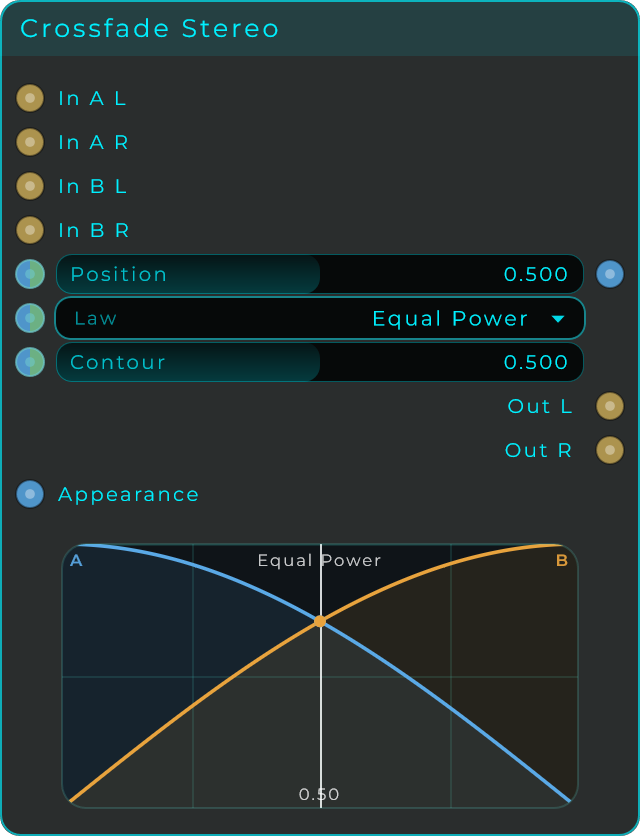
The same crossfader for two stereo pairs: In A L / In A R and In B L / In B R blend into Out L and Out R, with one shared Position, Law and Contour for both channels.
Morph
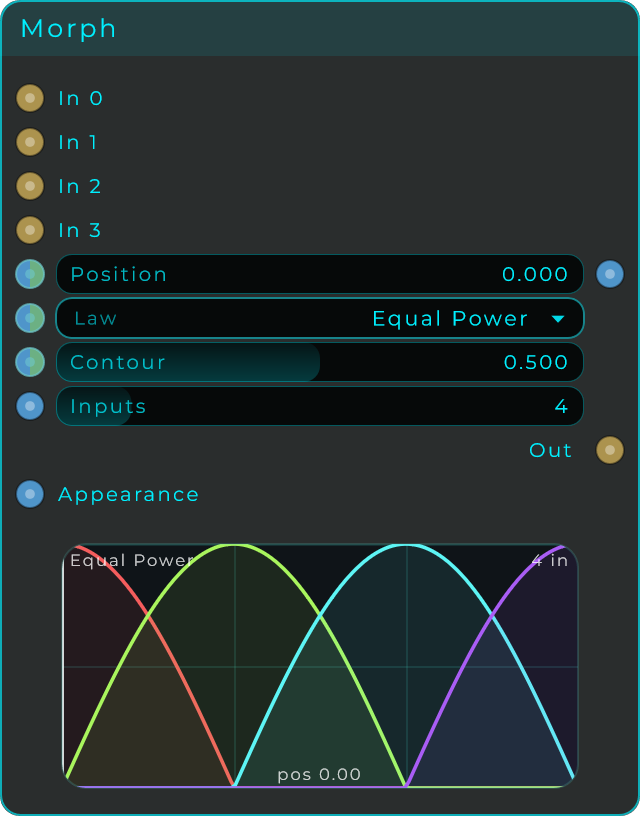
A crossfader with more than two inputs. Set Inputs to anywhere from 2 to 16, and Position scans across them: 0 plays the first input, 1 plays the last, and in between the node blends the two neighbouring inputs using the selected Law, so only two are ever audible at once and the level stays even across the whole sweep. Law and Contour work exactly as in Crossfade and shape each handoff. Drive Position from a fader, an LFO or a ramp to sweep or morph through your sound sources, and drag the body itself to move the scan by hand: it draws every input's gain curve and the live position.
| Parameter | Range | Default | Description |
|---|---|---|---|
| Position | 0.0 - 1.0 | 0.0 | Scan position. 0 = first input, 1 = last input. |
| Law | Equal Power / Constant Power / Linear | Equal Power | Gain curve used for each transition. |
| Contour | 0.0 - 1.0 | 0.5 | Reshapes each handoff. 0.5 is neutral; higher holds each sound longer then swaps quickly, lower makes a small move swing the mix. |
| Inputs | 2 - 16 | 4 | Number of audio input pins. |
Inputs: In 0, In 1, ... (one audio pin per input), Position (Data, CV-capable), Law (Data, CV-capable), Contour (Data, CV-capable), Inputs (Data), Appearance (Data, accepts styling text to restyle the display). Outputs: Out (audio, the blend of the two inputs nearest the current position), Position Out (Data, reports the current position whenever it changes).
Morph Stereo
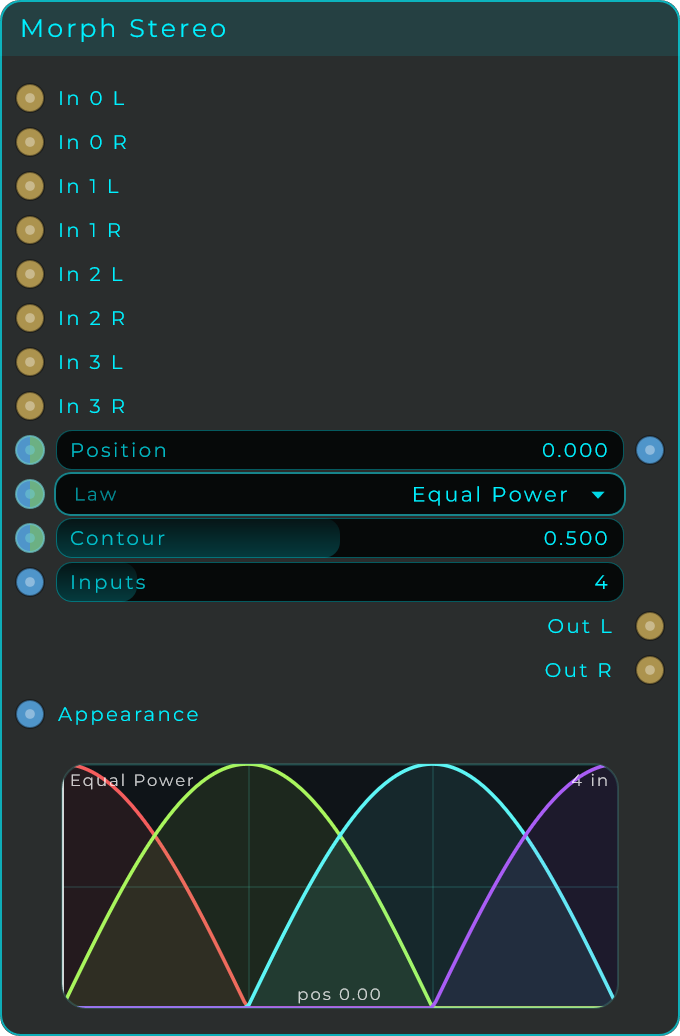
The same morphing crossfader for stereo sources: each input becomes a left/right pair (In 0 L / In 0 R and so on) and the result comes out on Out L and Out R, with one shared Position, Law and Contour.
Smooth
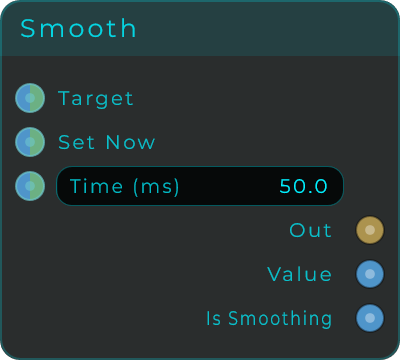
Eases a value gradually toward a new setting instead of letting it jump. Use it on pitch to get a sliding glide between notes (portamento), on knob moves to stop clicks, or on triggers to fade gates in and out.
| Parameter | Range | Default | Description |
|---|---|---|---|
| Time | 0 - 10000 ms | 50 ms | Smoothing time. 0 is instant; larger values ramp more slowly. |
Inputs: Target (Data, the destination value to head toward), Set Now (Data, jumps straight to the received value), Time (Data, CV-capable).
Outputs:
| Output | Type | Description |
|---|---|---|
| Out | Audio | The smoothed value at audio rate. |
| Value | Data | The current value, sent roughly 30 times a second while it is still moving. |
| Is Smoothing | Data | 1.0 while ramping, 0.0 once it has settled at the target. |
Recorder
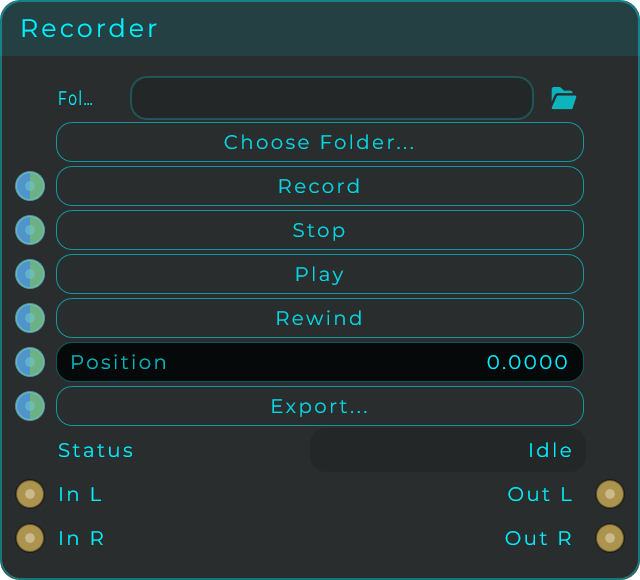
Records any point in your patch straight to a WAV file, with no fixed time limit, so you can save individual parts (stems), capture a jam, or sample your own sounds. The audio keeps flowing through unchanged whether the Recorder is sitting idle or recording, and you can play your last take back out through the same outputs.
| Parameter | Range | Default | Description |
|---|---|---|---|
| Folder | folder path | (your Music folder) | Where recordings are written. Use Choose Folder to pick it. |
| Bit Depth | 16 bit / 24 bit / 32 bit float | 24 bit | Resolution of the WAV file (inspector only). |
| Channels | Stereo / Mono | Stereo | Stereo writes a 2-channel file; Mono sums L+R (inspector only). |
| Position | 0.0 - 1.0 | 0.0 | Playhead position for playback and seeking. |
Each take reuses one temporary file per node, so a new recording replaces the previous one; use Export to save your last take somewhere permanent.
Inputs: In L (audio), In R (audio), plus trigger pins Record, Stop, Play, Rewind, Export (Data, any event or non-zero value triggers them) and Position (Data, a 0..1 value seeks the playhead). Outputs: Out L (audio), Out R (audio). Pass-through while idle or recording; the recorded file while playing.
Plugin Host
Loads and runs a third-party VST3 plugin of any kind: an instrument, an effect, or a MIDI effect. The plugin runs on its own, separate from MNodes, so if it crashes or its graphics get heavy it will not bring MNodes down with it. If the plugin adds latency (a linear-phase EQ, a lookahead limiter), MNodes measures it and reports it to your DAW so everything stays in time. You can check the patch's total latency in the Graph Stats overlay.
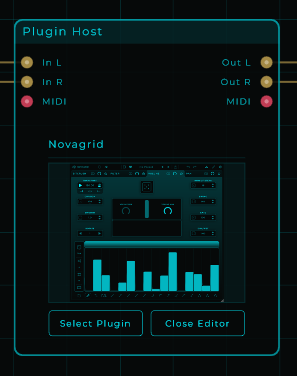
The pins change to match whatever plugin you load. An effect shows audio in and out, an instrument shows MIDI in and audio out, and a MIDI effect shows only MIDI pins. From the inspector you can bring individual plugin controls out as pins: each one you expose adds an input pin (which accepts either a single Data value or a moving CV signal) and a matching output pin that reports that control's current value, so the rest of your patch and any widgets stay in step with it.
Bypass. Bypassing a Plugin Host lets the sound through untouched, as on any node. The plugin stops receiving sound and notes, and the notes it was playing are let go, so nothing is left hanging when you turn the bypass off again. Bypass Tails, in the inspector, decides what happens to the sound it was making: Cut (the default) silences it at once, and Ring Out lets it die away under the sound passing through, like the trails setting on a delay pedal. Either way the plugin keeps working quietly in the background until its sound has died away, then rests and costs no CPU, and it always starts clean when the bypass is turned off.
Inputs: In / In L / In R (audio) and MIDI, depending on the plugin, plus one input pin per exposed parameter. Outputs: Out / Out L / Out R (audio) and MIDI, depending on the plugin, plus one output pin per exposed parameter.
Comment
A plain text note you stick on the canvas. It has no pins and does not touch your sound or your data; use it to label sections, explain how a patch works, or leave yourself reminders.

| Parameter | Range | Default | Description |
|---|---|---|---|
| Text | text | Label | The text shown in the comment (inspector only). |
| Font Size | 8 - 72 px | 16 px | Text size (inspector only). |
| Font Weight | Light / Regular / Medium / SemiBold / Bold | SemiBold | Weight of the text (inspector only). |
| Alignment | 9 positions | Centre | Where the text sits in the box (inspector only). |
| Text Colour | colour | white | Colour of the text (inspector only). |
| Bg Colour | colour | dark grey | Background colour of the box (inspector only). |
| Border | on / off | off | Draws a border around the box (inspector only). |
| Border Stroke | 0.5 - 8 px | 1 px | Border thickness (inspector only). |
| Border Colour | colour | white | Colour of the border (inspector only). |
Inputs: none. Outputs: none.
Frame
A resizable background box for grouping and labelling a region of the graph. It always sits behind the nodes and behind the cables, has no pins, and never touches your sound or your data; it is purely visual organisation. The bar at the top shows its name: double-click the bar to rename it. With Move Contents on, dragging the frame by its bar also moves every node sitting fully inside it, so whole sections travel together. The same goes for copying: Duplicate, Ctrl+drag, Copy and Cut on the frame take the nodes inside it too, and Duplicate puts the copy just below the original, clear of other nodes, so the two frames never overlap. Delete removes only the frame and leaves the nodes where they are. The body itself is click-through, so inside the frame you can still right-click to add nodes and drag to select as usual.

| Parameter | Range | Default | Description |
|---|---|---|---|
| Title Font | font list | default font | Typeface for the title (inspector only). |
| Import Font | .ttf / .otf file | - | Browse or drag and drop a font file to use for titles (inspector only). |
| Title Size | 10 - 48 px | 16 px | Size of the title text (inspector only). |
| Title Colour | colour | theme accent | Colour of the title text (inspector only). |
| Bg Colour | colour | theme accent, very transparent | Fill colour of the box (inspector only). |
| Border Colour | colour | theme accent | Colour of the border (inspector only). |
| Border | on / off | on | Draws a border around the box (inspector only). |
| Border Stroke | 0.5 - 8 px | 2 px | Border thickness (inspector only). |
| Move Contents | on / off | on | When on, dragging, duplicating, copying or cutting the frame also takes every node fully inside it (inspector only). |
Inputs: none. Outputs: none.
Colour
A colour picker and source in one. It gives you a Hex box and R, G, B, A sliders that always stay in agreement, so editing one updates the others. Any value sent in updates the stored colour and resends every output, which lets you wire it into widgets and appearance controls. A bare trigger (an event) into any one input re-fires just that channel's current value on its matching output, so the node can hand out its colour, or a single component, on demand.
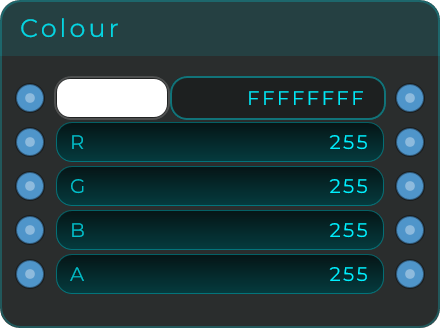
| Parameter | Range | Default | Description |
|---|---|---|---|
| Hex | #RRGGBB or #AARRGGBB | white | The colour as a hex string. |
| R | 0 - 255 | 255 | Red channel. |
| G | 0 - 255 | 255 | Green channel. |
| B | 0 - 255 | 255 | Blue channel. |
| A | 0 - 255 | 255 | Alpha channel. |
Inputs: Hex (Data), R, G, B, A (Data). Each control has its own input pin. Outputs: Hex (Data), R, G, B, A (Data). Each control has its own output pin reporting the current value.
Open URL
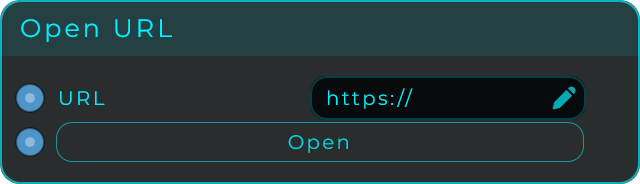
Stores a web link and opens it in your computer's default browser. Type the address into the URL field, then press the Open button (or send a trigger to the Open pin) to launch it, just like clicking a link. The URL input lets another node set or change the link while the patch runs, and if you leave off the http:// or https:// the address is opened as a web page. Handy for linking a patch to its manual, a help page, or a website.
| Parameter | Range | Default | Description |
|---|---|---|---|
| URL | text | https:// | The link to open. Editable on the node. |
Inputs: URL (Data, text sets or replaces the link), Open (Data, opens the link: the button, an event, or a value rising past 0.5 all trigger it, so a held value does not open extra tabs). Outputs: none (this node performs an action).
Transport
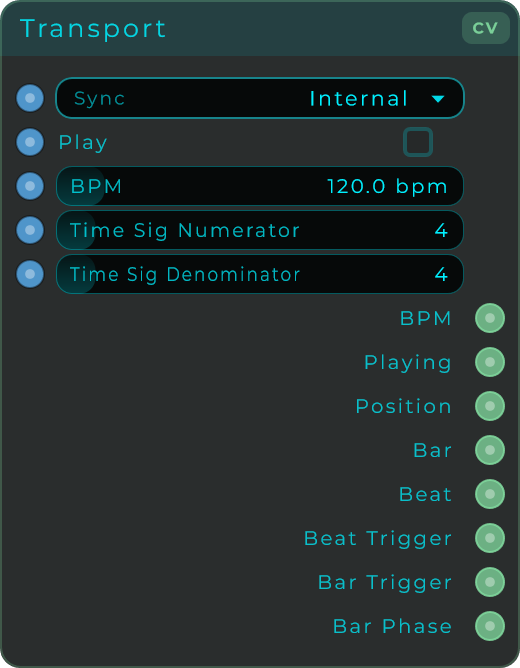
The project's clock and timekeeper: tempo, position in the music, beats, bars, and sync. When MNodes runs as a plugin it can follow your music software (your DAW); when it runs on its own it uses its own built-in clock instead. If you use several Transport nodes they all stay locked together, so changing one updates the rest.
| Parameter | Range | Default | Description |
|---|---|---|---|
| Sync | Internal / Host (DAW) | Host in plugin mode, Internal standalone | Clock source. Host (DAW) is unavailable in standalone. |
| Play | on / off | off | Start or stop the internal clock (Internal mode). |
| BPM | 1 - 999 | 120 | Tempo in beats per minute (Internal mode). |
| Time Sig Numerator | 1 - 32 | 4 | Top number of the time signature (Internal mode). |
| Time Sig Denominator | 1 - 32 | 4 | Bottom number of the time signature (Internal mode). |
Inputs: Sync (Data, 0 = Internal, 1 = Host), BPM (Data), Play (Data), Time Sig Numerator (Data), Time Sig Denominator (Data). The inputs let you modulate the transport from elsewhere in the patch.
Outputs:
| Output | Type | Description |
|---|---|---|
| BPM | CV | Current tempo in BPM. |
| Playing | CV | 1.0 while playing, 0.0 while stopped. |
| Position | CV | Absolute musical position in quarter notes. |
| Bar | CV | Current bar number (0-based). |
| Beat | CV | Beat within the current bar. |
| Beat Trigger | CV | A short pulse on each beat. |
| Bar Trigger | CV | A short pulse at the start of each bar. |
| Bar Phase | CV | A 0-to-1 ramp across each bar. |
| Time Sig Num | CV | Time signature numerator, the 3 in 3/4. |
| Time Sig Den | CV | Time signature denominator, the 4 in 3/4. |
Host Info
Tells the patch where it is running. MNodes has always known this, which is why the Transport greys out DAW sync in the standalone app, but until now the patch itself could not ask. Standalone comes out as a 1 or a 0, so a Branch or a Gate can make one patch behave correctly both on its own and inside your music software: run on the internal clock in the standalone app, follow the DAW when there is one. The other three are text for a label. Build is which MNodes you are inside, and it matters because the builds do not pass the same things through: the MIDI FX build's audio output is ignored by the host, and the Instrument build has no real audio input. Host is the name of your music software, and Version is the MNodes version, which is worth showing on a patch you are about to share. None of it changes while the patch runs, so the outputs are sent as soon as you wire something to them, and again whenever Query is pressed.
| Parameter | Range | Default | Description |
|---|---|---|---|
| Standalone | Yes / No | - | Read-only. Yes when MNodes is the app on its own. |
| Build | text | - | Read-only. MNodes, MNodes FX, MNodes Instrument or MNodes MIDI FX. |
| Host | text | - | Read-only. The name of the DAW, or Standalone when there is none. |
| Version | text | - | Read-only. The MNodes version. |
Inputs: Query (Data, sends all four outputs again: the button, an event, or a value rising past 0.5).
Outputs:
| Output | Type | Description |
|---|---|---|
| Standalone | Data | 1 when running as the standalone app, 0 when a DAW is hosting it. |
| Build | Data | Which MNodes build the patch is inside. |
| Host | Data | The DAW hosting MNodes, or Standalone. Hosts we do not recognise come back as Unknown with the program's own name beside it. |
| Version | Data | The MNodes version, such as 1.0.6. |
Audio Route
Sends one audio input to one of several outputs, chosen by a number. It is the audio counterpart to the data routers: build a chain of different effects, and switch which one the signal goes through without rebuilding anything.
Fade is what makes it usable while sound is playing. Switching a live signal instantly would click, so the node crossfades over this time instead. Leave it at a few milliseconds for clean switching, or lengthen it for an audible blend between destinations.
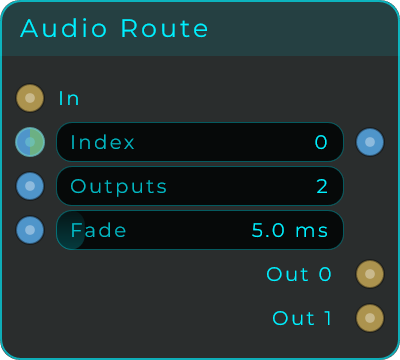
| Parameter | Range | Default | Description |
|---|---|---|---|
| Index | 0 - 15 | 0 | Which output the input is sent to. Accepts CV, so anything can drive the switch |
| Outputs | 2 - 16 | 2 | How many outputs the node has |
| Fade | 0 - 50 ms | 5 ms | Crossfade applied when the destination changes, so switching does not click |
Inputs: In (audio), Index Outputs: One audio output per destination
Audio Route Stereo
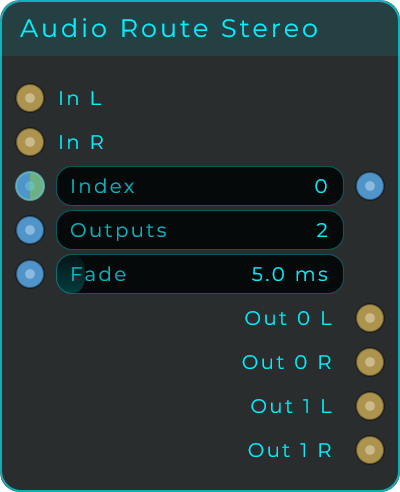
The same router for a left and right pair, with In L/R and a matching pair per destination. Both sides always switch together, so the stereo image stays intact.
Audio Select
Picks one of several audio inputs and sends it to the output, chosen by a number. It is the Audio Route read backwards: Route takes one source out to many places, this takes many sources down to one. Put a Route in front of three effect chains and a Select behind them and you have a chain picker, with one number driving both ends.
The Morph gathers inputs too, but it blends them. Use the Morph when you want to hear two sources at once, and this when you want exactly one and want it guaranteed: a Morph left halfway between two inputs is playing both, and nothing in the patch can prevent that.
Fade is the handover. Switching a signal that is not sitting at zero is a step, and a step clicks, so the outgoing input walks down while the incoming walks up. It is a declicker rather than a crossfade: set it long and you will hear a dip through the middle, because two different sources meeting on a straight line lose about 3 dB where they cross. If you want a handover long enough to hear, that is the Morph.
| Parameter | Range | Default | Description |
|---|---|---|---|
| Index | 0 - 15 | 0 | Which input reaches the output. Accepts CV, so anything can drive the switch |
| Inputs | 2 - 16 | 2 | How many inputs the node has |
| Fade | 0 - 50 ms | 5 ms | Ramp applied when the source changes, so switching does not click |
Inputs: One audio input per source, Index, Inputs, Fade Outputs: Out (audio), Index Out
Audio Select Stereo
The same selector for pairs, with an L and an R per source and one stereo output. Both sides always switch together, so the image cannot tilt through the handover. Wiring only the L of a pair feeds both sides of the output from it.
Audio Matrix
A patchbay you draw. Up to sixteen inputs run down the side of the grid, up to sixteen outputs across the top, and clicking a cell connects that input to that output. Nothing is exclusive: several cells in one row send one input to several places, several in one column sum several inputs into the same output.
That is the difference between this and the Audio Select. The Select answers which one, with a number. A matrix answers what goes where, all of it at once, and the answer is a picture rather than a value. Six sources into four busses is not something a number can say.
Setups are the other half of the node. There are eight, each holding a whole grid, and Setup chooses which one is live. Draw the verse routing in setup 1 and the chorus in setup 2, and one number changes every path in the patch on a bar line. Every cell that differs between the two ramps rather than jumping, so a change of any size is silent.
Click the numbers along the top of the body to move between setups. A setup you have drawn something in shows solid; an empty one shows hollow, so the strip tells you which of the eight you have used. If one routing is all you need, Show Setup Strip in the Inspector hides it and gives the grid that room.
Fade is that ramp, and it covers ordinary cell clicks too: opening a path onto a signal that is not sitting at zero is a step, and a step clicks.
| Parameter | Range | Default | Description |
|---|---|---|---|
| Setup | 0 - 7 | 0 | Which of the eight grids is live |
| Inputs | 1 - 16 | 2 | How many inputs the node has |
| Outputs | 1 - 16 | 2 | How many outputs the node has |
| Fade | 0 - 50 ms | 5 ms | Ramp on every cell that opens or closes |
Drag across the grid to draw a run of cells rather than clicking them one at a time; the first cell decides whether the stroke is drawing or erasing. Right-drag always erases.
Setup is a Data input rather than a CV one, deliberately: a grid that could change every sample would never finish a ramp, and there would be nothing to hear but the switching.
The node is resizable and everything in it is worked out from the counts, so the grid stays square and readable from a two by two up to a sixteen by sixteen without you having to size it by hand. Adding an input or an output grows the node by exactly enough to keep the cells the size they already were, and leaves the other side of it alone: size the grid the way you like it once, and changing the counts will not undo that. The editor also drops onto the front panel like any other widget, which is where a patchbay belongs during a take, and its background, grid, dots and numbers are each an Appearance property, so a UI Kit or a wire into the Appearance pin can restyle it.
One thing to watch: where several inputs meet in one row this sums them, it does not average them, the same as any mixer. Four full-scale sources into one output is four times full scale.
Inputs: One audio input per source, Setup, Inputs, Outputs, Fade, Appearance (JSON) Outputs: One audio output per destination, Setup Out
Audio Matrix Stereo
The same patchbay in pairs. A cell routes a pair to a pair, so the grid is the same size and every count means pairs. Both channels of a path share one cell and therefore one ramp, so a path cannot open on one side before the other and the image never tilts through a change. Wiring only the L of an input pair feeds both sides of whatever it reaches.
File Info
Give it a file path and it hands back the pieces: what kind of file it is, its extension, its name, the folder holding it, and whether it is really there. A drop zone can send audio one way and pictures another without anybody writing out a list of extensions.
Type is the quick answer, one of audio, midi, image, video, text or other. Audio there means this program can actually open it: the node asks the same reader the Audio Player uses, so it does not go out of date when a format is added. Extension is the exact answer, lower case and without the dot, for when one format in particular is what matters.
Everything except Exists is worked out from the text of the path, so a path that does not exist yet still answers. That is what you want while somebody is still typing one. Exists is the only output that goes and looks at the disk.
This node does not decide anything, on purpose. Route, Compare and Branch already exist, so wire Type or Extension into one of those and the patch does what you want with what arrived.
Inputs: Path (Data, text).
Outputs: Type, Extension, Name, Folder (Data, text), Exists (Data, true or false).
Is Extension
One question, one node: is this file one of the kinds I accept? The list of extensions lives in the node. Separate them however you like, with spaces, commas or semicolons, with or without dots, in any case.
Match answers on every input, including when the answer is no, so a No can drive a warning rather than just being silence. The extension itself is only sent on a match, which leaves whatever it feeds holding the last kind you accepted instead of being wiped by a file you turned away.
In takes a whole path, a bare extension, or an extension with its dot, because all three turn up in real patches: a File Drop hands you a path, File Info hands you wav, and a person types .wav. An empty list matches nothing, deliberately, because an empty box is a list nobody has filled in yet and saying yes to everything would look like it was working.
| Parameter | Range | Default | Description |
|---|---|---|---|
| Extensions | Text | Empty | The kinds you accept, separated by spaces, commas or semicolons. |
Inputs: In (Data, a path or an extension), Extensions (Data, replaces the typed list).
Outputs: Match (Data, true or false, on every input), Extension (Data, the extension it found, sent only on a match).