
Appearance
Math & Logic
These are the basic building blocks for doing simple maths and making decisions inside your patch (your connected setup of nodes). The Math nodes work with numbers: they can add, multiply, compare, rescale, turn a musical note into a pitch, and more. The Logic nodes handle the "what happens next" side: they route signals, count, switch things on and off, add small delays, and react to incoming messages and events. Most of the number nodes are flexible about what you feed them: give them a plain number, a one-off event (a trigger or message), or a fast-changing control signal (an audio-rate CV signal, the kind used to move things automatically), and they adjust on their own. So the same node can do a single quick calculation or smoothly shape a moving signal moment by moment. Every node below shows its current value or result right on the node, and most let you wire other parts of your patch into their settings so those settings can be controlled automatically.
CV Edge Split
Takes an on/off signal (a gate) and splits it into two separate triggers: one fires the moment the signal turns on (note-on), and the other fires the moment it turns off (note-off). This is handy when you want the start and the end of a note to do different things.
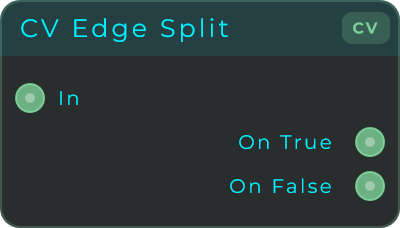
Inputs: In (gate or boolean signal, accepts a stream or events). Outputs: On True (pulse on the rising edge), On False (pulse on the falling edge).
CV Counter
Counts each trigger it receives and sends out the running total as a steady control value. Choose to count Up, Down, or Up/Down (bouncing back and forth like a ping-pong ball). Useful for stepping through patterns, picking which item is active, or building up a value over time.
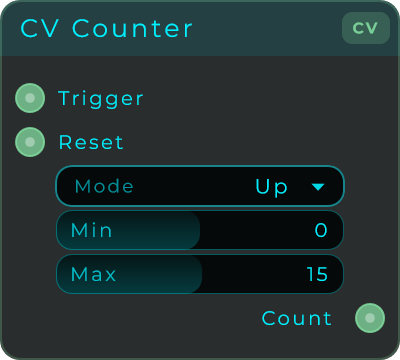
| Parameter | Range | Default | Description |
|---|---|---|---|
| Mode | Up / Down / UpDown | Up | Counting direction. Up wraps from Max back to Min, Down wraps from Min back to Max, UpDown bounces between the two. |
| Min | -1024 to 1024 | 0 | Lower bound of the counter range. |
| Max | -1024 to 1024 | 15 | Upper bound of the counter range. |
Inputs: Trigger (each rising edge advances the count), Reset (returns the count to Min, or Max in Down mode). Outputs: Count (the current value, held as a continuous CV stream).
If
This node compares two values and then sends out one of two results depending on the answer. When the comparison A op B is true, the Then output sends the Then value and the Else output sends 0. When it is false, the Else output sends the Else value and the Then output sends 0. For the "is equal" check there is an adjustable wiggle room, so signals that move in small fixed steps (like MIDI knob movements) still count as matching reliably.
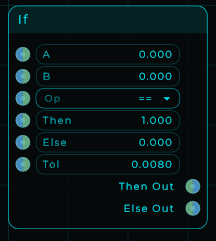
| Parameter | Range | Default | Description |
|---|---|---|---|
| A | Any value | 0 | Left operand of the comparison. |
| B | Any value | 0 | Right operand of the comparison. |
| Op | == / != / < / <= / > / >= | == | The comparison operator. |
| Then | Any value | 1 | Value routed to Then Out when the comparison is true. |
| Else | Any value | 0 | Value routed to Else Out when the comparison is false. |
| Tol | 0 and up | 1/127 | Equality tolerance used by == and !=. Set 0 for exact float equality. Ordering operators ignore this. |
| Pass Through | On / Off | Off | Sends A itself out of whichever output the comparison picks, instead of the Then and Else values. |
Inputs: A, B, Then, Else, Op, Tol (every value input accepts a value, an event, or a CV stream). Outputs: Then Out (the Then value when true, else 0), Else Out (the Else value when false, else 0).
Both outputs always answer, whether the inputs are values, events or CV: the side that is not chosen says 0, so a gate, a counter or a Logic node after it sees it come back down.
Pass Through turns the If into a switch: the signal on A goes out of Then Out while the comparison holds and out of Else Out while it does not. It is always A that travels, on either side, so it chooses where a signal goes, not which of two values to keep. For the larger or the smaller of two values, use Max or Min.
To fire something at the moment a moving signal reaches a value, such as a counter getting to 0, use CV To Event instead of comparing it here. It watches every sample and sends an event on the crossing, while a value brought over with CV To Data is only read a few dozen times a second, so an exact match can fall between two readings and a rounded one can match twice.
Logic
Combines two on/off conditions into one answer. Pick a gate: AND, OR, XOR, NOT, NAND, NOR or XNOR. An input counts as true when it is above 0 (a 1 is true, a 0 is false), which is exactly what an If node's Then Out gives, so you can wire two If outputs into A and B and pick AND or OR. Out is 1 when the gate is true and 0 when false. An unconnected input is ignored (AND or OR of a single wired input is just that input), and you can chain Logic nodes together for more than two conditions.
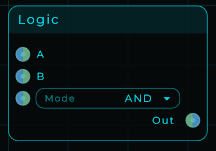
| Parameter | Range | Default | Description |
|---|---|---|---|
| Mode | AND / OR / XOR / NOT / NAND / NOR / XNOR | AND | The boolean operation applied to A and B. |
| A | Any value | 0 | First condition. Counts as true when above 0. |
| B | Any value | 0 | Second condition. Counts as true when above 0. |
Inputs: A, B, Mode (every input accepts a value, an event, or a CV stream; Mode also takes the gate by CV/Data). Outputs: Out (1 when the gate is true, 0 when false).
Addition
Adds two values together. Output = A + B. Use it to combine two control sources, shift a value up by a fixed amount, or blend signals together.
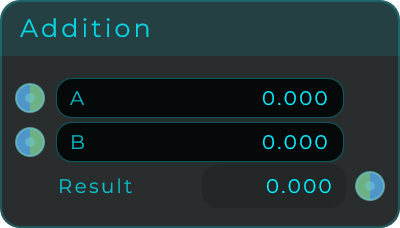
Inputs: A, B (stream-capable). Outputs: Result (A + B).
Subtract
Takes one value away from another. Output = A - B. Handy for finding the gap between two control sources, lowering a value by a fixed amount, or cancelling a signal out.
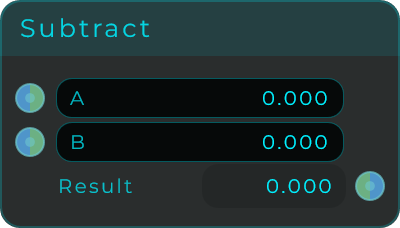
Inputs: A, B (stream-capable). Outputs: Result (A - B).
Multiply
Multiplies two values. Output = A * B. When one input is audio, it works like a volume control (turning the sound up or down). You can also use it to scale a control signal up or down.
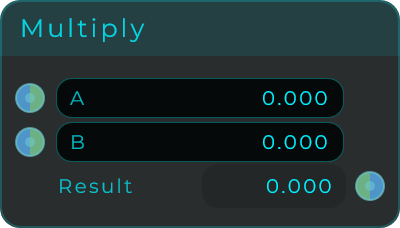
Inputs: A, B (stream-capable). Outputs: Result (A * B).
Divide
Divides one value by another. Output = A / B. Useful for scaling things down, working out ratios, or reducing the volume by a set amount. If you try to divide by zero, the output is 0.
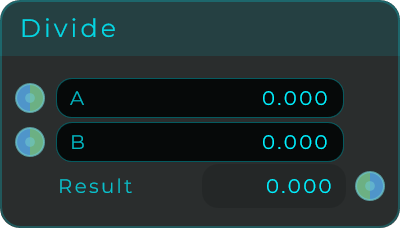
Inputs: A, B (stream-capable). Outputs: Result (A / B, or 0 when B is 0).
Min
Sends out whichever of the two values is smaller: Min(A, B). Useful for setting a ceiling on a signal, keeping things from going too high, or always picking the lowest of several control sources.
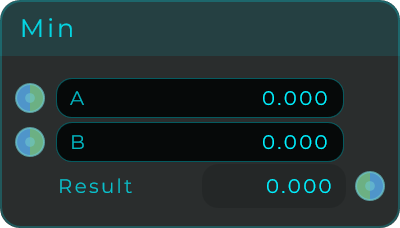
Inputs: A, B (stream-capable). Outputs: Result (the smaller of A and B).
Max
Sends out whichever of the two values is larger: Max(A, B). Useful for setting a floor on a signal, picking the loudest of several signals, or having one sound automatically lower another (ducking).
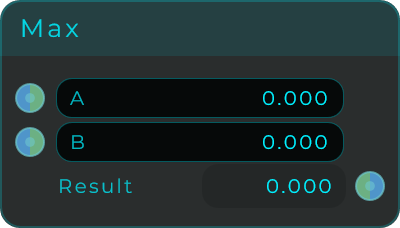
Inputs: A, B (stream-capable). Outputs: Result (the larger of A and B).
Power
Raises A to the power of B. Output = A^B. Good for bending a control signal into a curve, creating exponential responses, and building your own custom shapes.
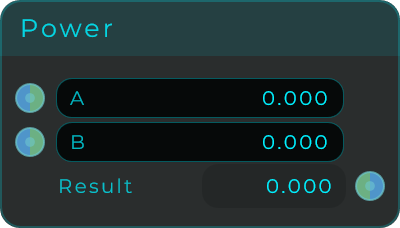
Inputs: A (base), B (exponent), both stream-capable. Outputs: Result (A raised to B).
Modulo
Gives you the remainder after dividing A by B. Use it to wrap values around so they stay inside a range, build repeating ramps, or loop a control pattern. If B is zero, the output is 0.
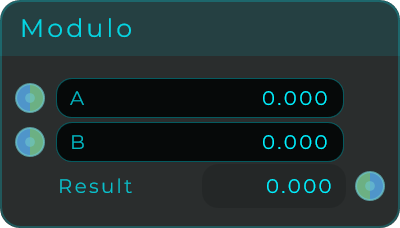
Inputs: A, B (stream-capable). Outputs: Result (remainder of A / B, or 0 when B is 0).
Abs
Gives the absolute value: it drops the minus sign so negative numbers become positive. Handy for turning a signal that swings both above and below zero into one that only goes positive, or for getting how far a value is from zero regardless of direction.
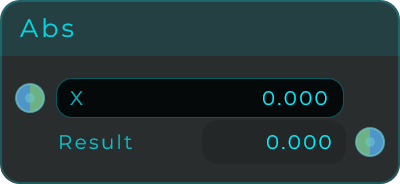
Inputs: X (stream-capable). Outputs: Result (the absolute value of X).
Negate
Flips the sign (positive becomes negative and the other way round). Output = -X. Use it to reverse the direction of a control signal, mirror a signal, or flip its phase (turn it upside down).
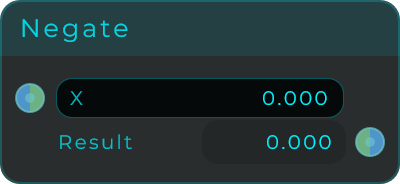
Inputs: X (stream-capable). Outputs: Result (-X).
Sqrt
Gives the square root of X, and never goes below 0 so it stays safe. Useful for turning even, straight-line values into ones that feel more natural to the ear, or for gently softening the shape of a control signal.
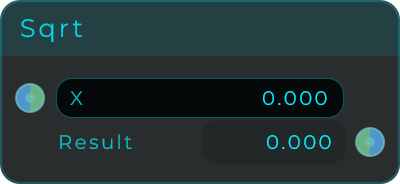
Inputs: X (stream-capable; negative inputs are treated as 0). Outputs: Result (square root of X).
Exp
Calculates e^X (an exponential curve). Turns an even, straight-line control into a curved one, which makes sweeps and timing feel more natural to the ear.
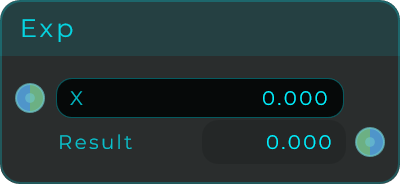
Inputs: X (stream-capable). Outputs: Result (e raised to X).
Log
Calculates the natural logarithm, which does the opposite of Exp. It squeezes a very wide range of values down into a smaller, easier-to-handle range.
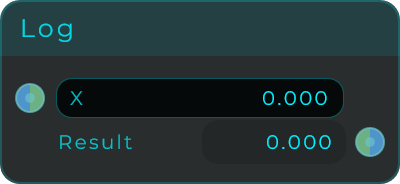
Inputs: X (stream-capable). Outputs: Result (natural logarithm of X).
Linear To dB
Converts a plain volume amount into decibels (dB, the usual way of measuring loudness): 20 * log10(amplitude). Useful for showing a level in dB or for feeding controls that expect dB. Values very close to zero are pinned to -144 dB.
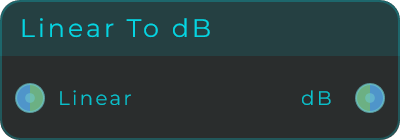
Inputs: Linear (linear amplitude; 1.0 = 0 dB, 0.5 = -6 dB). Outputs: dB (the level in decibels).
dB To Linear
Converts decibels back into a plain volume amount: 10^(dB / 20). This is the reverse of Linear To dB, handy when you have a dB setting and need to turn it into an actual volume factor.
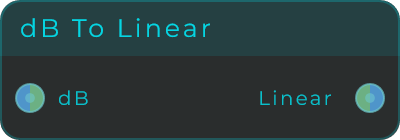
Inputs: dB (a level in decibels; 0 dB = 1.0, -6 dB = 0.5). Outputs: Linear (the linear amplitude).
Sin
Gives the sine of X, where X is measured in radians (a way of measuring angles). Use it to shape values into smooth, repeating waves, to drive oscillators by their phase, or to create gentle cyclic shapes.
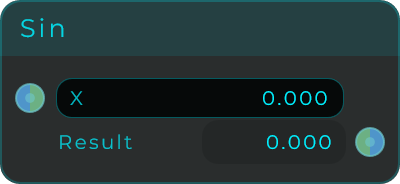
Inputs: X in radians (stream-capable). Outputs: Result (sine of X).
Phase Sine
Like Sin, but it reads X as a phase position instead of an angle: 0 to 1 means one full cycle, and the output swings from -1 to 1. Feed it a repeating ramp (a phasor) and a smooth sine wave comes out, with no need to scale anything into radians first. Handy for phase-driven oscillators and cyclic shapes built from ramps.
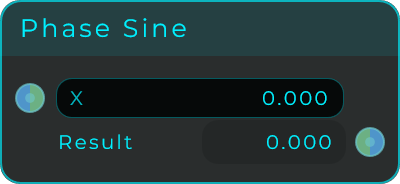
Inputs: X (the phase, where 0 to 1 is one full cycle; stream-capable). Outputs: Result (the sine of the phase, -1 to 1).
Cos
Gives the cosine of X, where X is measured in radians (a way of measuring angles). Pair it with Sin to make two LFOs that move a quarter-step apart, or for smooth equal-volume crossfades.
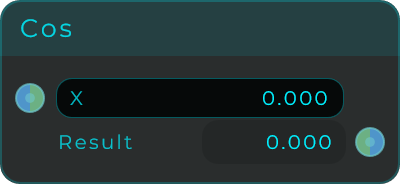
Inputs: X in radians (stream-capable). Outputs: Result (cosine of X).
Tan
Gives the tangent of X, where X is measured in radians (a way of measuring angles). It makes steep, dramatic curves that shoot off toward infinity, good for bold, experimental sound-shaping.
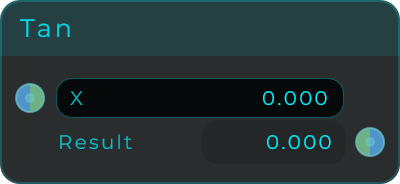
Inputs: X in radians (stream-capable). Outputs: Result (tangent of X).
Floor
Rounds a number down to the nearest whole number. Use it to snap a smoothly changing value down onto whole-number steps.
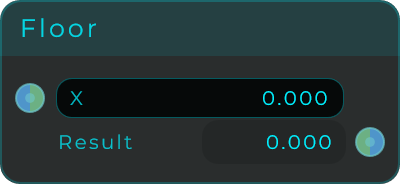
Inputs: X (stream-capable). Outputs: Result (X rounded down).
Ceil
Rounds a number up to the nearest whole number. Use it to snap values upward, or to make sure a value always lands on or above a whole-number step.
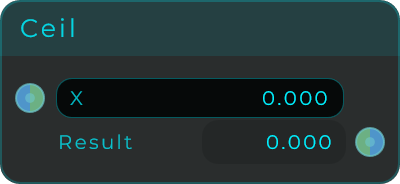
Inputs: X (stream-capable). Outputs: Result (X rounded up).
Round
Rounds a number to the nearest whole number the normal way (down if it is below halfway, up if it is at or above). Use it to snap a control signal onto whole-number steps.
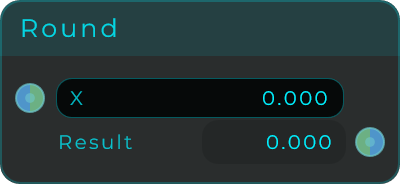
Inputs: X (stream-capable). Outputs: Result (X rounded to the nearest integer).
Greater Than
Compares two values and asks "is A bigger than B?". It sends out 1 when A > B, and 0 otherwise. Use it to react when a signal goes above a certain level, or to switch something on past a threshold.
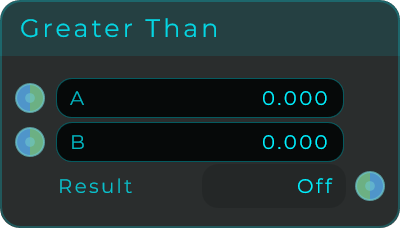
Inputs: A, B (stream-capable). Outputs: Result (1 when A > B, otherwise 0).
Less Than
Compares two values and asks "is A smaller than B?". It sends out 1 when A < B, and 0 otherwise. This is the mirror image of Greater Than, for reacting when a signal drops below a level.
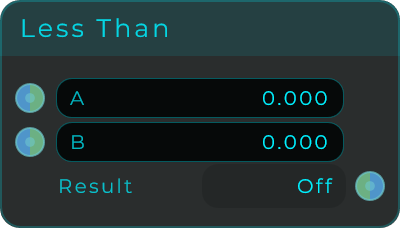
Inputs: A, B (stream-capable). Outputs: Result (1 when A < B, otherwise 0).
Equal
Checks whether two values match, with a little built-in wiggle room so near-matches still count. It sends out 1 when A and B are equal, and 0 otherwise. Use it to spot a particular value or to recognise a pattern.
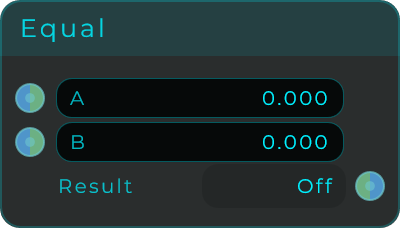
Inputs: A, B (stream-capable). Outputs: Result (1 when A and B are equal, otherwise 0).
This compares numbers. Text arriving here reads as 0, so any two words come out equal: use Text Equal for that.
Text Equal
Checks whether two texts are the same and sends out 1 when they match, 0 when they do not, so a Branch or a Gate can act on it. The Equal node above cannot do this, because it compares numbers and text reaching it reads as 0, which makes any two words look equal. Type into A or B to test a wired input against a fixed word, or wire both. Numbers are compared as their text, so 5 matches "5". The match is exact, spaces included, since text that looks the same and is not is the thing this is here to catch; Match Case off ignores capitals only, so Cubase and cubase match but "Cubase " still does not. An event on any input re-answers without changing anything.

| Parameter | Range | Default | Description |
|---|---|---|---|
| A | text | empty | First text. Editable on the node. |
| B | text | empty | Second text. Editable on the node. |
| Match Case | on / off | on | Compare capitals as well. |
| Equal | Yes / No | - | Read-only. The pin sends 1 or 0. |
Inputs: A, B (text, or a number compared as its text; an event re-emits the answer), Match Case. Outputs: Equal (1 when the two match, otherwise 0).
Clamp
Keeps X between a Min and a Max, leaving values that are already inside that range untouched. Useful for making sure a value never strays outside a safe range.
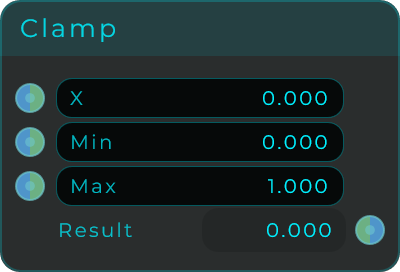
| Parameter | Range | Default | Description |
|---|---|---|---|
| X | Any value | 0 | The input value to clamp. |
| Min | Any value | 0 | Lower bound of the clamp range. |
| Max | Any value | 1 | Upper bound of the clamp range. |
Inputs: X, Min, Max (all stream-capable). Outputs: Result (X limited to the Min..Max range).
For Range
This node repeats a step over and over (a loop). Each time you trigger it, it counts from a Start number to an End number, sending out each number along the way plus a Done signal when it reaches the end. Use it to run loops, fill in lists, or play back scripted sequences. Step is always a positive amount; the direction (up or down) is worked out automatically from your Start and End numbers.
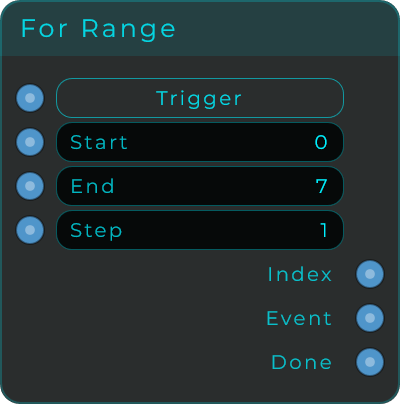
| Parameter | Range | Default | Description |
|---|---|---|---|
| Start | Whole numbers | 0 | The index the loop starts from. |
| End | Whole numbers | 7 | The index the loop runs to (inclusive). |
| Step | 1 and up | 1 | Step size between iterations (always positive; direction follows Start and End). |
Inputs: Trigger (any message starts the loop), Start, End, Step. Outputs: Index (the current loop index for each step), Event (one event per iteration), Done (fires once after the full range completes).
Once
A one-time pass. It lets the very first message through, then blocks everything after that until you reset it. Use it for things that should happen once and then stop.
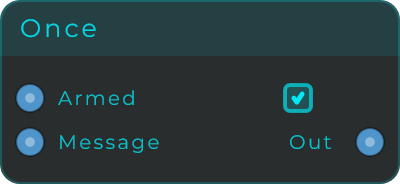
| Parameter | Range | Default | Description |
|---|---|---|---|
| Armed | On / Off | On | Shows whether the node is ready to pass the next message. |
Inputs: In (passes only once while armed), Reset (any message re-arms the node). Outputs: Out (the first message, then nothing until reset).
Every
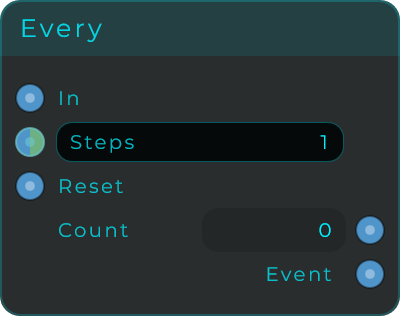
This thins out a stream of triggers. It counts the messages coming in and sends out one Event for every N of them. Use it to slow a busy stream of triggers down to a steadier pace. It keeps going forever; if you only want the very first trigger, add a Once node after the Event output.
| Parameter | Range | Default | Description |
|---|---|---|---|
| Steps | 1 and up | 1 | How many messages are needed before Event fires. Stream-capable, so the period can be modulated. |
Inputs: In (any message counts, including events), Steps, Reset (any message resets the count to 0). Outputs: Count (the current count), Event (fires every time the count reaches Steps).
Data Delay
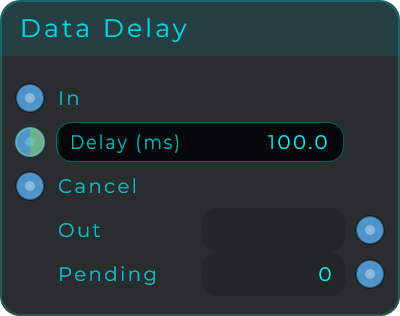
Holds onto an incoming message for a set amount of time, then sends it on. Use it to space out triggers, line events up in time, or add a delayed reaction. The wait time is set in milliseconds and can be controlled by a CV signal. Several messages can be waiting their turn at the same time.
| Parameter | Range | Default | Description |
|---|---|---|---|
| Delay (ms) | 0 to 10000 | 100 | Time in milliseconds before the message is forwarded. Values below 1 ms pass through immediately. Stream-capable. |
Inputs: In (any message to delay), Delay, Cancel (any message flushes all waiting messages without sending them). Outputs: Out (the delayed message), Pending (how many messages are currently waiting).
This is a timer for messages, not an echo effect for sound. It is accurate to about 1 ms; if you want a delay on actual audio, use a dedicated audio delay node instead.
Probability
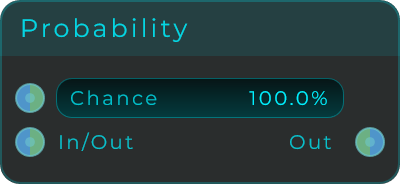
A chance-based gate. Each message that comes in has a set chance of getting through. Use it to add random variation to patterns, randomly drop some notes, or sprinkle in a bit of controlled randomness. If you connect a CV signal instead, it decides whether each individual moment of the signal passes.
| Parameter | Range | Default | Description |
|---|---|---|---|
| Chance | 0 to 100 % | 100 | The probability that each incoming message or stream sample passes through. |
Inputs: In (messages or a CV stream), Chance (stream-capable). Outputs: Out (the message or stream, only when the roll passes).
Gate
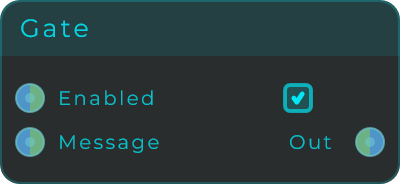
An on/off switch that works for both messages and CV signals. When it is open it lets things through, and when it is closed it blocks them. Use it to mute a path or to switch routing on and off. The Enable input accepts a CV signal, so you can open and close the gate rhythmically, even on audio.
| Parameter | Range | Default | Description |
|---|---|---|---|
| Enabled | On / Off | On | When on, In passes to Out; when off, Out is blocked (or silent for CV). Events on Enable are ignored. |
Inputs: In (message or CV, stream-capable), Enable (non-zero opens, zero closes; stream-capable). Outputs: Out (the forwarded message or CV when enabled).
Select
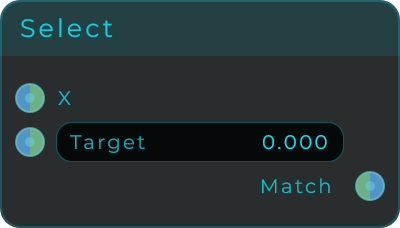
Watches an input value and fires an Event the moment it matches a value you choose. Use it to spot a specific state or to trigger something when a pattern reaches a certain point. Both inputs can be controlled at audio rate for precise timing.
| Parameter | Range | Default | Description |
|---|---|---|---|
| Target | Any value | 0 | The value X is compared against. |
Inputs: X (the value to check), Target (both stream-capable). Outputs: Match (an Event when X equals Target exactly).
Branch
A simple "yes or no" router. It looks at the incoming message and treats it as true or false: if it is true it fires the True output, otherwise it fires the False output. A quick way to send things down one of two paths. The node shows the last message it received.
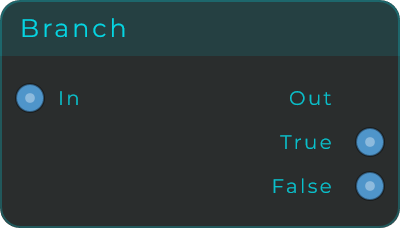
Inputs: In (any message; numbers are true when non-zero, a bool passes through, text and events evaluate to false). Outputs: True (an Event when the input is true), False (an Event when the input is false).
Toggle
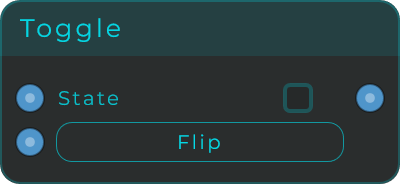
A simple on/off switch. Each trigger that comes in flips it to the opposite state and sends out the new value. Use it to build switches that stay set until flipped again.
| Parameter | Range | Default | Description |
|---|---|---|---|
| State | On / Off | Off | The current on/off value. Flip it with a trigger, or force it with the Set input. |
Inputs: Trigger (any message flips the state), Set (0/1 or false/true forces the state). Outputs: State (the current on/off value, sent on every change).
Latch
Remembers a value and only sends it out when you trigger it. Use it to grab a value and hold it, then pass it along whenever you want. Triggering it never changes the value it is holding; to change that, use the Set input. The held value is saved with your project.
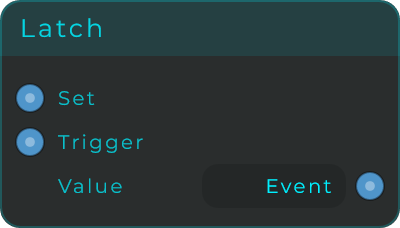
Inputs: Set (stores the incoming value, does not output), Trigger (any message outputs the stored value). Outputs: Value (the stored value, emitted when triggered).
Counter
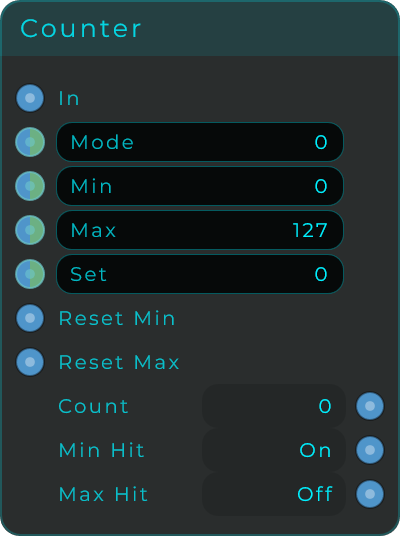
Counts the messages coming in, staying within a Min and a Max. Choose Up, Down, or Up/Down (bouncing back and forth) counting to drive step sequencers, count actions, or build pattern positions. The In trigger never sets the count directly; to set it, use the Set input. Its state is saved with your project.
| Parameter | Range | Default | Description |
|---|---|---|---|
| Mode | 0 = Up, 1 = Down, 2 = UpDown | Up | Counting direction. Stream-capable. |
| Min | Whole numbers | 0 | Lower bound of the counter range. Stream-capable. |
| Max | Whole numbers | 127 | Upper bound of the counter range. Stream-capable. |
| Set | Whole numbers | 0 | Forces the current count (no output). Stream-capable. |
Inputs: In (any message outputs the count then advances), Mode, Min, Max, Set, Reset Min (any message sets the count to Min), Reset Max (any message sets the count to Max).
Outputs:
| Output | Description |
|---|---|
| Count | The current count, output on each trigger. |
| Min Hit | True when the current count equals Min. |
| Max Hit | True when the current count equals Max. |
Stepper
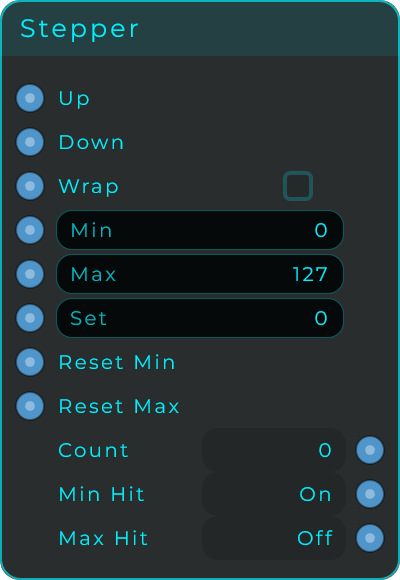
A manual up and down counter, like the little + and - spinner buttons on a form. Any message on Up adds 1, any message on Down subtracts 1, and the new count is sent out each time. The count stays between Min and Max: with Wrap on, stepping past Max jumps back to Min (and past Min back to Max); with Wrap off, the count simply stops at the edge. Use it to build your own spinners, value pickers, or anything that counts button presses. It is the hands-on sibling of Counter: Counter is the sequencer-style one, stepping through a pattern from a single trigger, while Stepper gives you separate Up and Down controls. The count is saved with your project.
| Parameter | Range | Default | Description |
|---|---|---|---|
| Wrap | On / Off | Off | What happens at the edges: on wraps around, off stops at Min or Max. |
| Min | Whole numbers | 0 | Lower bound of the count. |
| Max | Whole numbers | 127 | Upper bound of the count. |
| Set | Whole numbers | 0 | Forces the current count (no output). |
Inputs: Up (any message adds 1 and outputs the new count), Down (any message subtracts 1 and outputs the new count), Wrap, Min, Max, Set, Reset Min (any message jumps the count to Min and outputs it), Reset Max (any message jumps the count to Max and outputs it).
Outputs:
| Output | Description |
|---|---|
| Count | The current count, sent on each step or reset. |
| Min Hit | True when the current count equals Min. |
| Max Hit | True when the current count equals Max. |
OnChange
Only passes a value along when it is different from the one before it. This filters out repeated messages, saves the rest of your patch from needless work, and lets things react only when something genuinely changes. The first value after you create or reset the node always passes, and an event always passes.
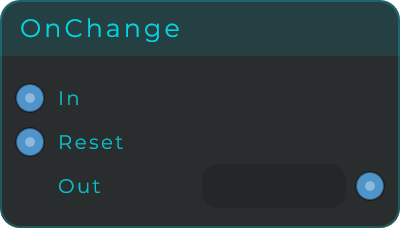
Inputs: In (any message; duplicates of the previous value are suppressed), Reset (any message clears the history so the next value always passes). Outputs: Out (the value, only when it changed).
Is Number
Checks whether what came in is a real number, and passes the number along when it is. Made for checking things people type: it accepts a minus or plus sign and decimals (-5.67, +3, .5), and a single decimal comma also counts ("1,5" reads as 1.5), while text with extra characters is rejected. Valid answers on every input, but Value only fires when the input really is a number, so a control fed from Value keeps its last good value when something wrong is typed. Pair it with a Text Input widget to accept typed numbers safely. A value that is already a number passes straight through.
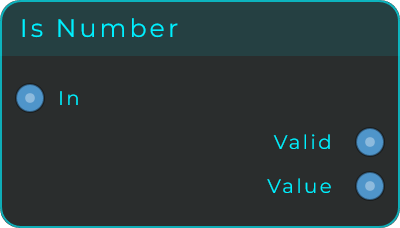
Inputs: In (text or a number to test). Outputs: Valid (true when the input is a valid number, false when not), Value (the parsed number, only when valid).
Is Hex
Checks whether the incoming text is a valid hex colour code. Codes with or without a leading # are accepted, in 3, 6 or 8 digit form (0af, ff8800, aaff8800). When the code is valid, Hex sends out a cleaned-up version (lowercase, no #, short 3-digit codes expanded to 6 digits) that the Colour node accepts directly, so someone can type a colour into a Text Input widget and recolour your patch with it. Valid answers on every input; Hex only fires when the code is valid.
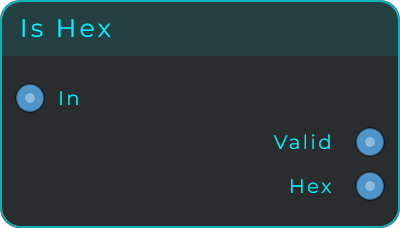
Inputs: In (text to test as a hex colour). Outputs: Valid (true when the text is a valid hex colour), Hex (the cleaned hex code, only when valid).
Is Note
Checks whether the incoming text is a valid note name like C3, A#4 or Gb2, and turns it into the matching MIDI note number (C3 is note 60). Sharps and flats both work, and a plain number from 0 to 127 counts as a valid note too. Valid answers on every input; Note only fires when the input is a real note, so bad input never disturbs whatever comes after. Wire Note into Note To Freq to get a pitch in Hz, or pair the node with a Text Input widget so notes can be typed by name.
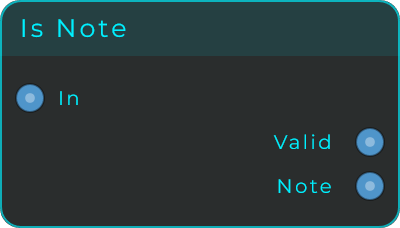
Inputs: In (text with a note name, or a note number to test). Outputs: Valid (true when the input is a valid note), Note (the MIDI note number, only when valid).
Integer to Bits
Takes a whole number and turns it into one on/off output per bit, the way a number is written in binary. Feed it 5 at a width of 8 and Bit 0 and Bit 2 come on while the rest stay off. Use it to drive several gates or switches from one number, to unpack a value someone sent you as a single number, or to read a number one bit at a time.
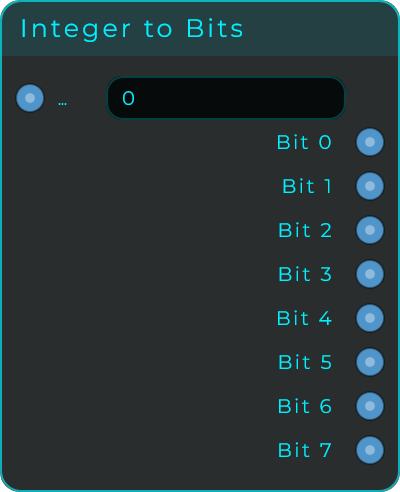
Width sets how many bits, and so how many outputs: 8, 16 or 24. The outputs appear and disappear as you change it, so a 24-bit node is a tall node. The ceiling is 24 on purpose: numbers travel around a patch as whole numbers with a sign, so a 32-bit width would turn the top bit into a minus sign and hand you negative results, and 24 is also the last width where every value stays exact even if something in the chain treats it as a decimal. For anything wider, divide the number with the maths nodes and use two of these.
Bit Order decides what each pin is worth, never what it is called. The pins are always Bit 0 upwards in both settings, so switching it re-reads the patch you already wired instead of asking you to move cables. LSB First (the default) means Bit 0 is the ones column and the last pin counts the most; MSB First is the opposite.
Numbers too big for the width are clamped, so at 8 bits anything above 255 arrives as 255 and negatives arrive as 0. Every bit is sent on every input, not only the ones that changed, so a node you wire up later gets the full picture straight away. Pairs exactly with Bits to Integer.
| Parameter | Type | Default | What it does |
|---|---|---|---|
| Integer | number | 0 | The number to split. Type it here or feed it through the pin. |
| Width | choice | 8 Bits | How many bits, and how many outputs: 8, 16 or 24. |
| Bit Order | choice | LSB First | Whether Bit 0 is the ones column or the largest one. |
Inputs: Integer (the number to split). Outputs: Bit 0 upwards (one on/off output per bit).
Bits to Integer
Takes one on/off input per bit and combines them into a whole number. Turn on Bit 0 and Bit 2 at a width of 8 and the output is 5. It is the exact opposite of Integer to Bits: wire one into the other and you get back what you put in.
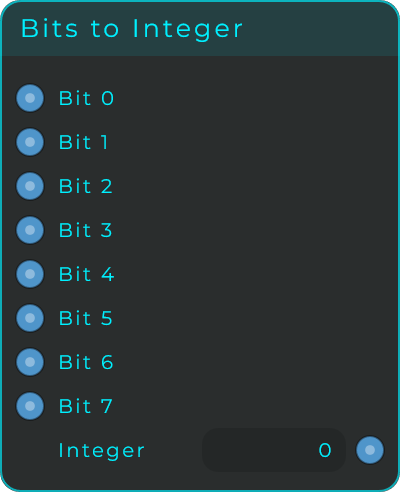
Each input remembers its last value, so the number updates the moment any single bit changes rather than waiting for all of them, and an input that has never been fed counts as off. A number arriving on a bit input counts as on from 0.5 up, so a control signal and a plain on/off behave the same.
Width and Bit Order work exactly as they do on Integer to Bits, and the two nodes must agree on both for the round trip to come back the same. The Integer box is a readout rather than a control: the bits own the value.
| Parameter | Type | Default | What it does |
|---|---|---|---|
| Width | choice | 8 Bits | How many bits, and how many inputs: 8, 16 or 24. |
| Bit Order | choice | LSB First | Whether Bit 0 is the ones column or the largest one. |
Inputs: Bit 0 upwards (one on/off input per bit). Outputs: Integer (the combined number, sent whenever any bit changes).
Map
Takes a value from one range and rescales it into another. For example, turn 0..1 into MIDI notes, MIDI notes into Hz, a 0..127 knob into dB, or anything into anything else. With Clamp on, values outside the input range are pulled back in first; with Clamp off, the rescaling keeps going past the output range. All number pins can take a control signal. An event on X sends out the last mapped value again.
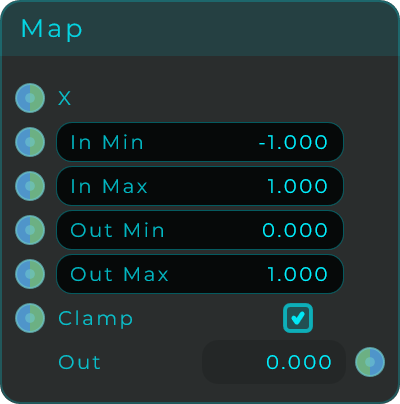
| Parameter | Range | Default | Description |
|---|---|---|---|
| In Min | Any value | -1 | Start of the source range. |
| In Max | Any value | 1 | End of the source range. |
| Out Min | Any value | 0 | Start of the destination range. |
| Out Max | Any value | 1 | End of the destination range. |
| Clamp | On / Off | On | When on, X is limited to the input range before mapping. |
Inputs: X (the value to remap), In Min, In Max, Out Min, Out Max, Clamp (all stream-capable). Outputs: Out (the remapped value).
Note To Freq
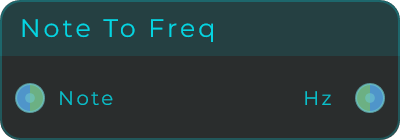
Turns a MIDI note number into a pitch in Hz (cycles per second), using 440 * 2^((note - 69) / 12). It can take a control signal, so a moving CV note coming in stays a moving CV pitch on the way out.
| Parameter | Range | Default | Description |
|---|---|---|---|
| Note | 0 to 127 | 60 | The MIDI note number. 60 is middle C, which is about 261.63 Hz. Stream-capable. |
Inputs: Note (MIDI note number). Outputs: Hz (the frequency in Hz; emitted as CV when the input is CV).
Pattern File
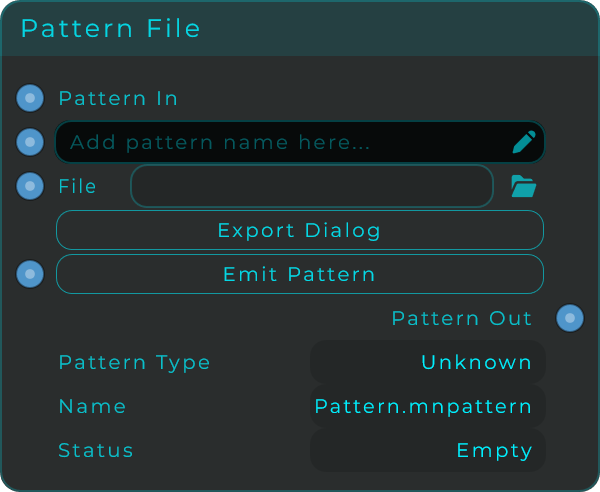
Stores a sequencer pattern (saved as JSON text), works out what kind it is, and lets you save it to disk or load it back. Connect a sequencer's Pattern Out to this node's Pattern In, and the node shows when it is ready, the kind of pattern it found, and an optional name read from the pattern. From there you can save it to a file or send it out again whenever you like.
| Parameter | Range | Default | Description |
|---|---|---|---|
| Pattern Name | Text | empty | An editable name stored with the pattern and written on export. Read from the pattern when available. |
| File | File path | empty | Pick a pattern file to load it immediately. |
The node also shows three read-only readouts: Pattern Type (the kind of pattern it found, which decides the file ending used when saving), Name (the pattern name plus the suggested file ending), and Status (Empty until a pattern is stored, then Ready). Export Dialog opens a save window, and Emit Pattern sends the stored pattern out again. The file endings used when saving are .mnriff for a MIDI Riff, .mnsliderseq for a Slider Sequencer, and .mntoggleseq for a Toggle Sequencer.
Inputs: Pattern In (Pattern JSON from a sequencer), Pattern Name (optional name), File (optional file path to load), Emit Pattern (re-sends the cached pattern). Outputs: Pattern Out (the loaded Pattern JSON, ready to reconnect into a sequencer's Pattern In).
Radio Link
Makes a handful of separate buttons behave as one group: turn one on and the others go off. The Radio Group widget already does this, but it draws its own segments, so they sit in a row, touching, all the same size and all wearing the same look. This node does the behaviour and none of the drawing, so the buttons can be ordinary Widget Toggles placed anywhere on the panel, at any size, each with its own picture.
One pair of cables per button:
- the button's State output goes to Button n on this node
- Button n on this node goes back to the button's Set input
Set rather than State In, because Set applies the value without announcing it again, so the ring never chases its own tail. State In works too, it is just chattier: the echo comes straight back, gets recognised and is dropped.
| Parameter | Range | Default | Description |
|---|---|---|---|
| Buttons | 2 - 16 | 4 | How many buttons are in the group. The pins follow. Lowering it drops the cables of the ones that go away |
| Mode | Single / Multi / Multi (min 1) | Single | Single keeps exactly one on, and clicking the one that is already on leaves it on, which is the radio contract. Multi allows any combination including none. Multi (min 1) allows any combination but never none |
| Index | 0 to Buttons-1 | 0 | The button that is on, counting from 0. In Multi it is the one that changed last. Writing to it turns to that button |
The buttons count from 0 as well, so Button 0 is the one Index reads as 0 and there is no arithmetic to do between a pin and the number that comes out of it.
Index is a page number. Feed it to an Appearance Changer setting Visible on the widgets of each page and the panel changes page. Index is an input as well, so a preset, the host or another control can turn to a page without anybody pressing a button, and a bare trigger into Select re-sends everything, which is how a patch lights the right button when it opens.
An event on a button input means "this one", so a plain Widget Button can join the group: it has no state to report, only a click, and a click is a perfectly good way to pick a page.
Inputs: Button 0..N-1 (each button's State output, or an event to pick it), Select (turn to a button by number, or a trigger to re-send). Outputs: Button 0..N-1 (what each button should be showing, wire to its Set input), Index (the button that is on), Changed (fires whenever the group actually moves).